
OpenAI-style access across providers
Call more than 100 LLMs through an OpenAI-compatible interface, then translate those calls into provider-specific endpoints such as chat completions, responses, embeddings, images, audio, and batches.

LiteLLM offers an OpenAI-compatible way to call and manage 100+ LLMs via a Python SDK or proxy server, with routing, spend tracking, and multi-provider access.
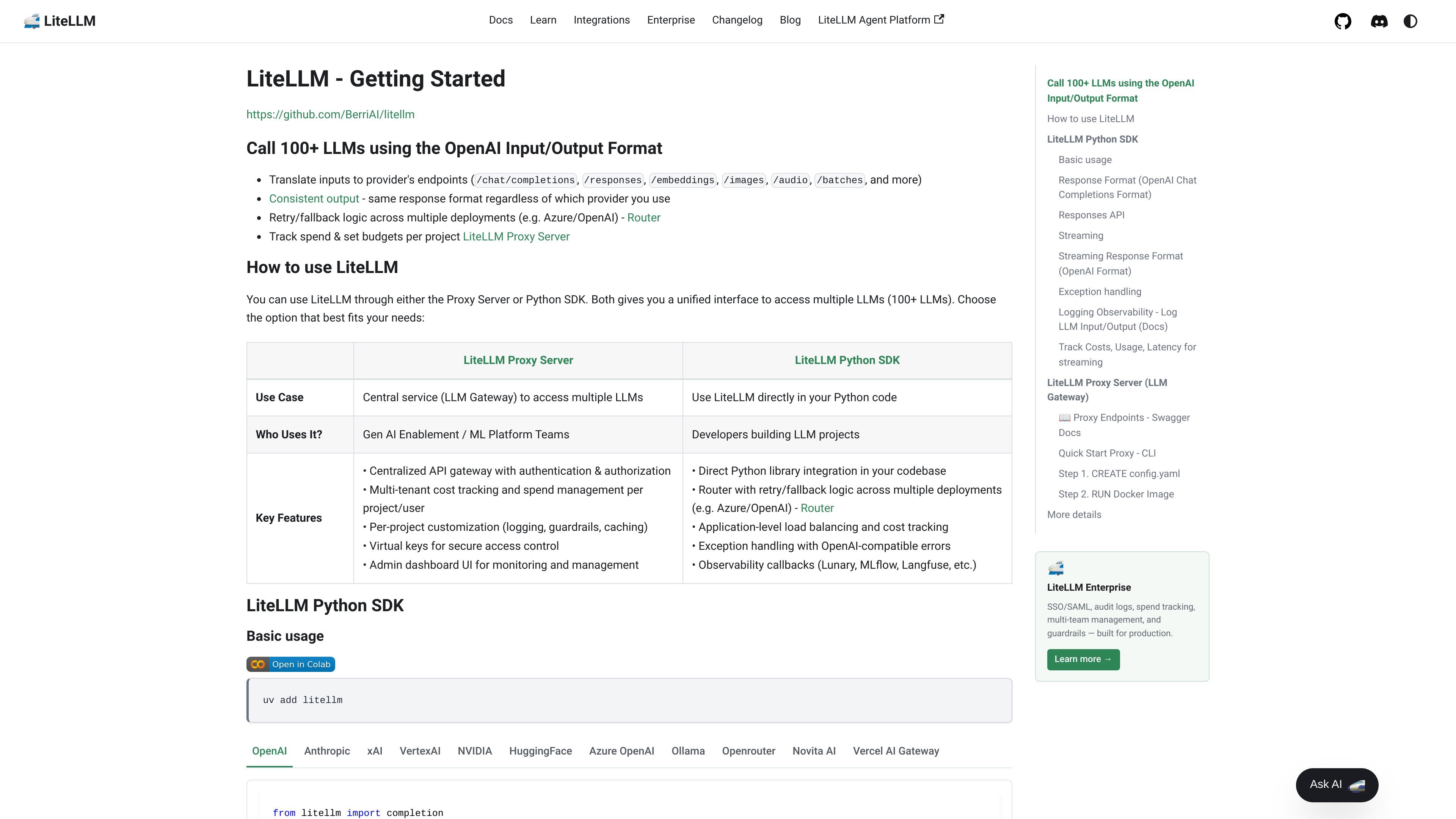
LiteLLM is a developer platform for calling and managing large language models through either a Python SDK or a proxy server. Its core purpose is to present an OpenAI-compatible interface while translating requests to many provider-specific endpoints behind the scenes.
The docs describe LiteLLM as supporting more than 100 models and a broad set of endpoint types, including chat completions, responses, embeddings, images, audio, batches, routing, and proxy-based gateway workflows. That makes it useful for teams that want a single access layer for multi-provider LLM usage, cost tracking, and request management.
Call more than 100 LLMs through an OpenAI-compatible interface, then translate those calls into provider-specific endpoints such as chat completions, responses, embeddings, images, audio, and batches.
Use the proxy as a centralized LLM gateway with authentication and authorization, virtual keys, and an admin dashboard for monitoring and management.
Track spend by project and user, set budgets, and apply per-project customization such as logging, guardrails, and caching.
Route requests across deployments with retry and fallback logic, including cooldowns, timeouts, queueing, and support for load balancing across Azure, OpenAI, and other providers.
Expose multiple supported surfaces through the proxy, including chat completions, embeddings, image generation, RAG endpoints, guardrails, memory, and other provider-specific endpoints.
Integrate observability callbacks such as Lunary, MLflow, and Langfuse, and use OpenAI-compatible errors for application-level handling.
Use the proxy as a central LLM gateway when multiple applications need controlled access to shared model providers. The docs highlight authentication, authorization, virtual keys, admin monitoring, and per-project policy controls for this setup.
Use the Python SDK when you want LiteLLM embedded directly in application code. The docs position this path for developers building LLM projects who need a unified interface without operating a separate proxy.
Use Router when traffic must be distributed across multiple deployments of the same model alias. The routing docs describe load balancing, retry, fallback, cooldowns, queueing, and latency- or cost-aware strategy options.
Use the platform to track spend and manage budgets across teams or projects. The home page calls out spend tracking and budgets per project, while the proxy docs add multi-tenant cost management and user/project-level controls.
Use LiteLLM when you need to reach many provider-specific endpoints through one interface. The supported endpoints page shows coverage beyond chat, including embeddings, images, audio, RAG, memory, guardrails, and other specialized APIs.
LiteLLM can be used either through the Proxy Server or directly from the Python SDK. The docs show both approaches as part of the same product, with the proxy positioned as a central LLM gateway and the SDK as the option for direct use in Python code.
The docs emphasize that LiteLLM translates requests into provider-specific endpoints while keeping an OpenAI-style input and output format. It supports chat completions, responses, embeddings, images, audio, batches, and more.
LiteLLM Router can load-balance across multiple deployments and supports retry, fallback, cooldowns, timeouts, and queueing. The proxy docs also mention Redis-based tracking for cooldown and usage when managing token-per-minute and requests-per-minute limits in production.
The collected sources do not show public pricing details. The pricing URL returns a page not found message, so pricing should be treated as unavailable from the provided docs.
The proxy is described for GenAI enablement and ML platform teams, while the Python SDK is described for developers building LLM projects. That suggests the product can serve both centralized platform workflows and direct application integration.
트래픽 데이터는 참고용으로만 확인하세요.
| 3월 | 468217 |
|---|---|
| 4월 | 399827 |
| 5월 | 398723 |