
Voice language and voice preview
Choose from a long list of supported languages and preview voices before generating audio, which helps match narration to the content language and tone.

Free Text to Speech Online is a web-based AI voice generator that converts text into speech, supports many languages, and lets users preview and download audio. It offers a free plan, paid tiers for heavier use, and email support.
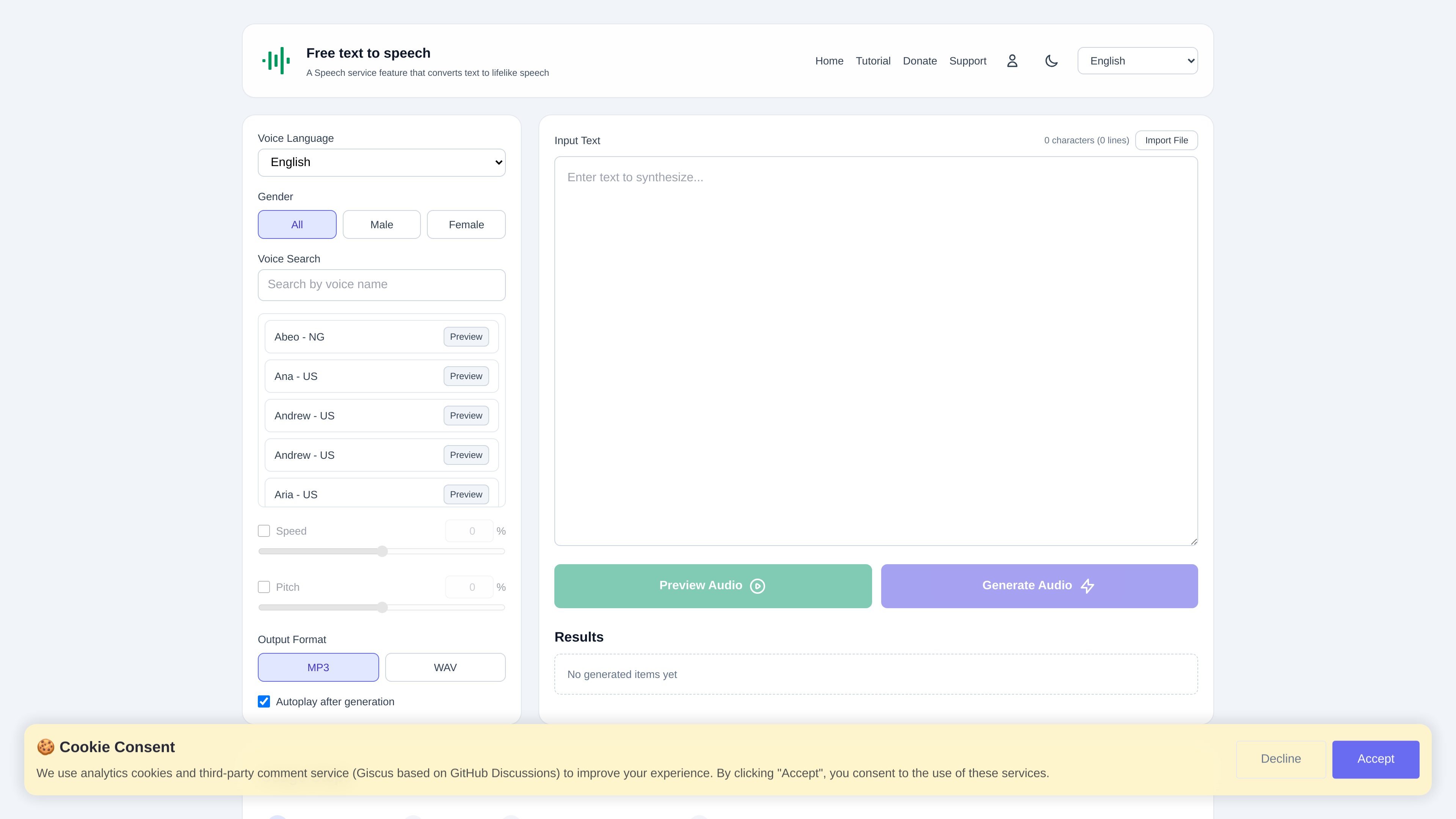
Free Text to Speech Online is a web-based text-to-speech tool that converts written text into lifelike speech using AI voices. The site positions itself as a free service for generating audio in many languages, with controls for voice selection, speed, pitch, and output format.
The workflow is built around selecting a language and voice, previewing the result, generating audio, and downloading the file. The product also surfaces a help center, tutorial area, and pricing page, which makes it suitable both for casual users and for people who need repeat generation at a higher usage level.
Choose from a long list of supported languages and preview voices before generating audio, which helps match narration to the content language and tone.
Filter voices by gender and search for specific voice styles, making it easier to narrow the voice collection to a suitable option.
Adjust playback speed from -50% to +50% and pitch from -100% to +200% to fine-tune delivery for different content types.
Generate speech in MP3 or WAV and use the site’s download workflow after previewing the result.
Import source text files or paste text into the input area before generating speech, giving users two basic input paths.
Enable autoplay after generation so the audio starts without an extra click.
Generate narration tracks for video content, then preview and export the audio for dubbing or voiceover work.
Turn written chapters or study material into spoken audio for listening on the go or accessible review.
Create spoken versions of lesson text, handouts, or learning materials for classrooms and self-study.
Produce speech samples for voice assistant or AI-related workflows that need synthetic narration in multiple languages.
Localize spoken content into different languages for audience expansion or regional publishing workflows.
Yes. The support page says the service is completely free to use with no hidden charges or subscription fees.
The site supports dozens of languages, and the home page lists languages such as English, Chinese, Japanese, Korean, Spanish, French, and German among many others.
The pricing page shows a free plan as well as paid plans for users who need higher daily preview and generation limits.
Yes. The home page includes an import file option, an input text field, voice preview, audio generation, and download for audio or subtitle files.
The support page provides an email contact for questions or issues and says the team typically responds within 24 to 48 hours.
트래픽 데이터는 참고용으로만 확인하세요.
| 4월 | 463407 |
|---|---|
| 5월 | 1136365 |
| 6월 | 576160 |
아직 트래픽 분석 데이터가 없습니다.
아직 트래픽 분석 데이터가 없습니다.