
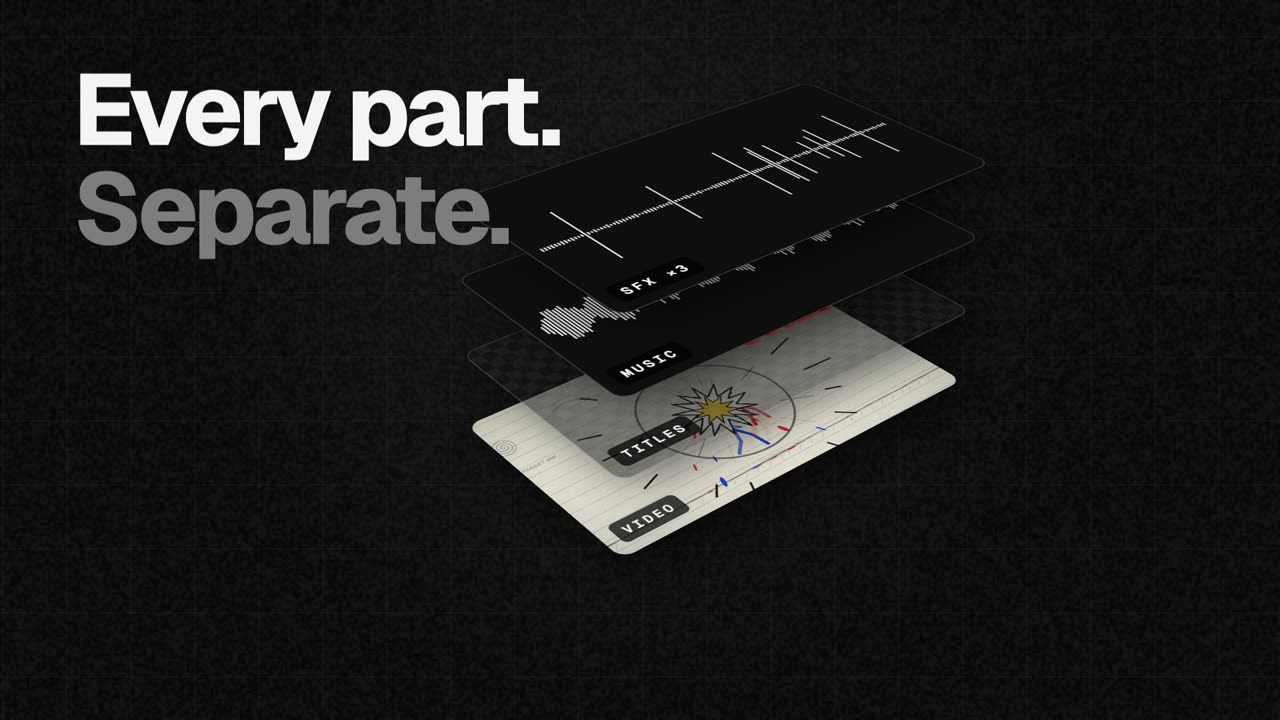
Track-based Claude projects
Opens Claude-generated scenes, titles, music, and sound effects as separate, named clips, allowing individual parts to be trimmed, moved, muted, deleted, or replaced.

A browser-based video editor for refining Claude-generated videos and editing local media.
EasyCut is a browser-based video editor for refining Claude-generated videos and editing local media. In the Claude workflow, scenes, titles, music, and sound effects can open as separate, labelled clips on the timeline, so users can revise one component without rebuilding the whole video. The editor also accepts videos, photos, and music from the user's computer and can record a screen or camera.
The product runs in the browser and states that files, editing, on-device AI processing, and exports remain on the computer. It requires no account or sign-up and adds no watermark. Projects save automatically in the browser on the current computer and can be moved as a single .easycut file.
Opens Claude-generated scenes, titles, music, and sound effects as separate, named clips, allowing individual parts to be trimmed, moved, muted, deleted, or replaced.
Provides a magnetic timeline with frame-exact cuts, trimming, splitting at the playhead, clip reordering, one-click transitions, markers, undo, and smooth speed ramps.
Creates word-by-word captions on the computer, exports them as SRT or VTT, removes pauses through the transcript, and fits music to a video's length while preserving the song's real ending.
Records a screen, camera, or both with voice, and includes colour looks, green screen, split screen, blur boxes, shapes, and stickers.
Includes voice clean-up, background removal, and an AI voice that run on the device without uploading footage; the site notes that AI models download once when a feature is first used.
Exports MP4 up to 4K and 60 fps in wide, tall, or square formats, and can also create a GIF or standalone MP3 or WAV. Projects can be saved as one .easycut file for transfer.
Connect Claude Desktop or Claude Code, ask Claude to create a motion graphics video as separate parts, then adjust individual scenes, animated titles, music, and sound effects in EasyCut.
Edit a project once and export wide, tall, and square versions for destinations such as YouTube, TikTok, Reels, or square social posts.
Bring in camera or screen recordings with voice, remove pauses, add captions and music, and finish the project without sending the footage to a server.
Use the brand kit for a logo, colours, and fonts, combine it with local footage or Claude-generated material, and export the result in the required shape.
The site describes EasyCut as free and says there is no trial, watermark, account, or sign-up requirement. The pricing page does not provide additional plan or paid-tier details.
No. The site states that files remain on the user's computer and that editing, AI features, and export run in the browser. AI models may download once when a feature is first used.
Google Chrome and Microsoft Edge support all functions, including export. Safari 16.4 or later and Firefox 130 or later can edit. EasyCut is designed for computers; the site says a phone screen is too small for its timeline.
Claude Desktop uses the downloadable EasyCut extension. Claude Code uses `claude mcp add easycut -- npx -y easycut-connector@latest` and requires Node.js 18 or newer. With claude.ai in a browser, download the generated parts and open them through EasyCut's Claude panel.
It exports MP4 up to 4K and 60 fps, in wide, tall, or square formats. It can also export a GIF or audio-only MP3 or WAV. Chrome or Edge is required for exporting.
トラフィックデータは参考情報としてご利用ください。

clipchamp.com
A browser-based video editor for recording, editing, and sharing videos, with a Windows app option.

story.com
Story’s timeline-based video editor for combining uploaded footage, generated scenes and AI editing suggestions.

www.supercut.cc
Supercut is a private AI video editor that runs in a browser or desktop app, letting creators describe edits such as trimming, reframing, captioning, color grading, and audio cleanup in plain English. It also includes a multitrack timeline and screen recorder for local video workflows.

www.arsaze.com
Arsaze is a multi-track video editor for manual editing and AI-assisted workflows. Users can connect Claude, ChatGPT, or Grok over MCP so an AI agent can operate the same timeline, while exports are available through the cloud or the Windows app.

vyond.com
A business video creation platform for generating, editing, and localizing videos.

kinemaster.com
A mobile video editor for creators, with layered editing, AI tools, and 4K export.