
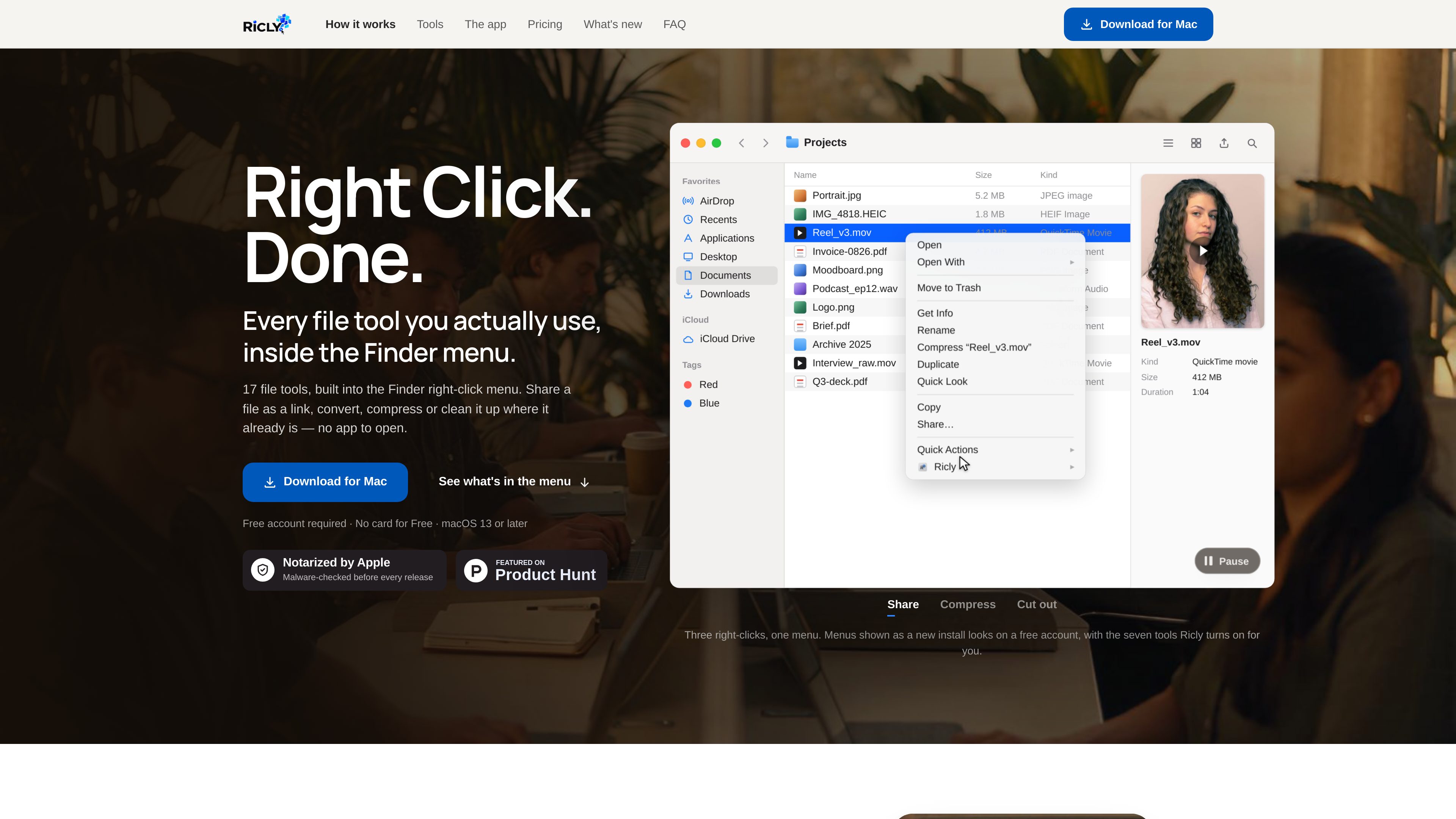
Finder context-menu tools
Select a file or folder in Finder and access Ricly actions from the right-click menu instead of opening a separate utility. The full toolkit contains 17 tools.

Ricly is a macOS utility that adds file conversion, cleanup, organization, sharing, and other tools to the Finder right-click menu. It helps Mac users handle common file tasks without opening a separate application or browser.
Ricly is a macOS utility that adds 17 file tools to the Finder right-click menu. It handles common file work such as conversion, compression, resizing, renaming, PDF creation, duplicate-file review, image background removal, and link sharing from the location where files already live. Local tools are designed to avoid a separate browser upload and download workflow.
The app supports macOS 13 or later and requires an account. Its free plan includes 13 tools with no card required; Pro adds the complete 17-tool set and removes the documented monthly limits. Ricly is listed as a 297 MB download for Apple silicon and Intel Macs.
Select a file or folder in Finder and access Ricly actions from the right-click menu instead of opening a separate utility. The full toolkit contains 17 tools.
The toolset includes Audio to MP3, HEIC to JPG, Image to WebP, Video to MP4, Compress Image, Compress PDF, Quick Resize, and Strip Metadata for common media and document workflows.
Remove Background processes JPG, PNG, HEIC, and TIFF images on the Mac. It can create a transparent PNG, pure-white JPG, or store-ready square output while leaving the original unchanged.
Find Duplicates scans a selected folder recursively for byte-for-byte identical files and sends reviewed copies to the Trash. PDF Merge lets users arrange files before combining them into one document.
Upload & Share copies a selected file online and puts the resulting link on the clipboard. A menu-bar view shows active shared links, their remaining lifetime, and opening counts.
Ricly also includes Batch Rename, Extract Text (OCR), Photo Grid, Generate Icon Set, and Upscale Image; these tools are part of the 17-tool product set, with availability depending on the plan.
Use background removal to turn portraits, product photos, logos, or other subjects into transparent, white-background, or store-ready square images. Results are saved beside the source file without overwriting it.
Convert formats such as HEIC to JPG, images to WebP, audio to MP3, or video to MP4, and compress large images or PDFs before delivery or storage.
Select scans, office documents, notes, and PDFs, arrange their order in the merge panel, and create a single PDF for handoff or submission.
Scan a project folder and its subfolders for exact duplicate files, review each group, and move selected copies to the Trash while keeping the operation recoverable.
Use Upload & Share from Finder when a recipient needs a URL rather than an email attachment. Free links last three days; Pro links last 30 days.
Ricly supports macOS 13 or later and is listed for both Apple silicon and Intel Macs. The download is listed as 297 MB.
The website states that operations such as Remove Background run on the Mac. For that tool, the image is not sent to a server; network access is needed for sign-in, not for processing the photo. Upload & Share is different because it intentionally uploads a file to create a link.
The free plan costs $0, requires an account, and does not require a card. It includes 13 tools. Documented examples include 10 background-removal images per month, 10 files sent to the Trash per month for duplicate cleanup, five PDF Merge runs per month, and Upload & Share links with three-day expiration, 1 GB online at a time, and three uploads per day.
Pro includes all 17 tools, 20 GB online at a time for sharing, 30-day links, unlimited uploads, and no monthly usage caps for the listed tools. The pricing page offers monthly and annual billing, and a 30-day trial for new subscribers that requires a payment method.
No. The Remove Background page says the output is saved in the same folder beside the original, and existing filenames are not overwritten. Repeated runs receive a new filename.

notchpop.com
NotchPop is a macOS productivity island that places media controls, file handling, clipboard history, timers, calendar information, live activity and other utilities in the Mac notch or a floating island. It supports Macs with or without a physical notch and is aimed at people who want quick access to these tasks without switching away from their current app.

www.stashformac.com
Stashは、アプリやシステムコントロールを常時表示せずに、画面の端や隅からすぐにアクセスできるmacOSユーティリティです。Hidden Dock、App Launcher、Edge Sliders、Corner Dials、App Profilesに加え、iPhone用コンパニオンアプリのStash Deckが付属します。

getaktar.com
Aktar is a free, open-source menu bar app for uploading files from macOS or Windows to your own S3-compatible storage and copying shareable links. It supports providers including Amazon S3, Cloudflare R2, Backblaze B2, DigitalOcean Spaces, MinIO, and other S3-compatible endpoints.

contrive.app
Contriveは、Slack、Notion、Google Driveなどの対応ワークスペースアプリを1つのコマンドバーから検索し、AIの回答を得て操作できるスタンドアロンのデスクトップアプリです。ブラウザーのタブを切り替える必要はありません。

focusfirewall.com
Focus Firewall is a macOS app that blocks distracting websites and apps across browsers without browser extensions. It helps people automate focus periods, take controlled breaks, and review local browsing-time reports.