
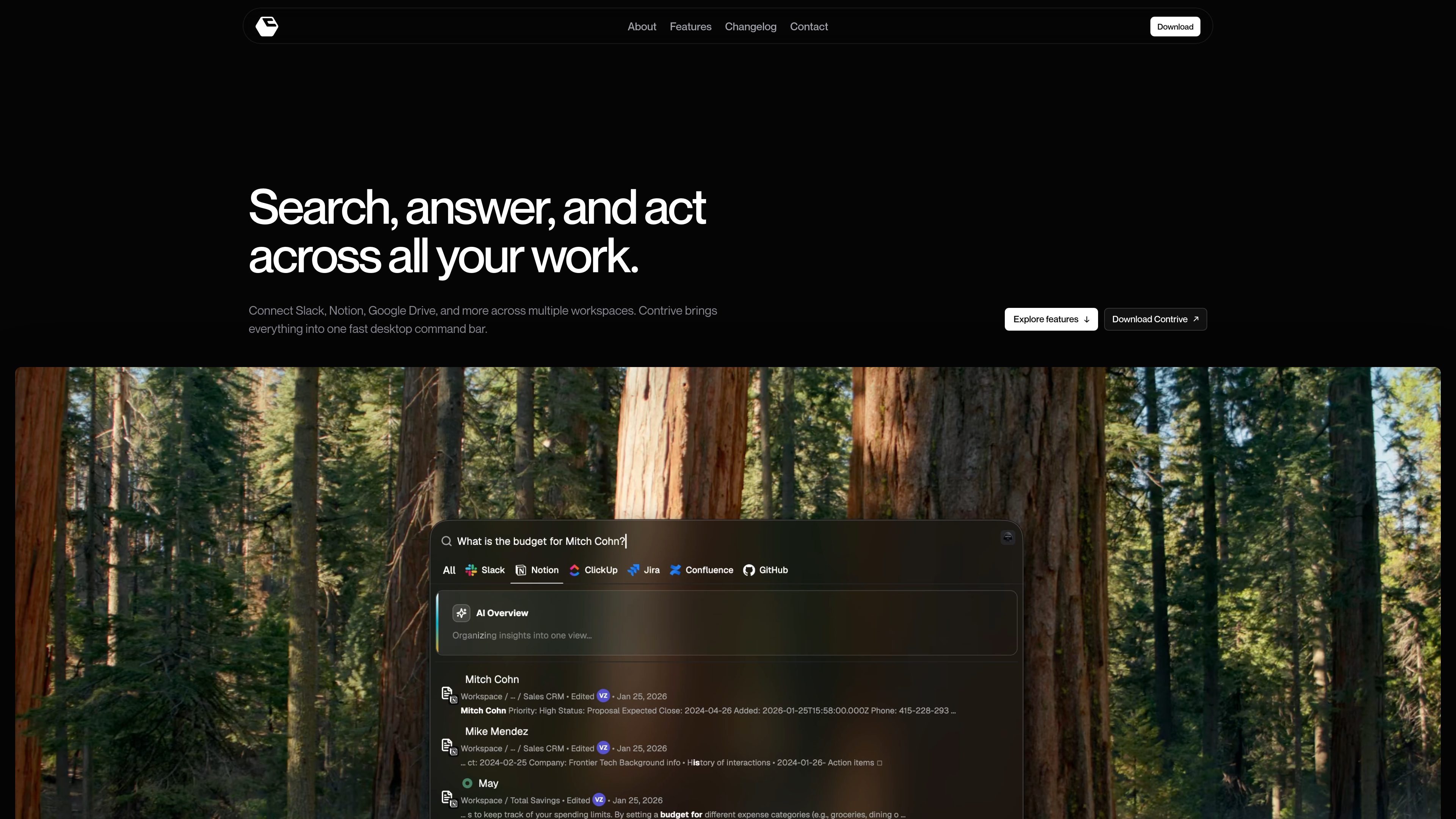
Cross-app search from one command bar
Search across connected workspace tools without moving between separate apps or browser tabs.

Contriveは、Slack、Notion、Google Driveなどの対応ワークスペースアプリを1つのコマンドバーから検索し、AIの回答を得て操作できるスタンドアロンのデスクトップアプリです。ブラウザーのタブを切り替える必要はありません。
Contrive is a standalone desktop application that lets users search, get AI-generated answers, and take action across connected workspace apps from one command bar.
It is built for macOS and Windows and is positioned around fast access to permitted workspace knowledge, with separate workspace contexts, role-based access controls, and support for multiple connected apps.
Search across connected workspace tools without moving between separate apps or browser tabs.
Ask in natural language and get AI-generated answers that use relevant workspace context the user is allowed to access.
Connect tools to more than one workspace, keep knowledge and permissions separate, and switch between workspaces when needed.
Create docs and pages, open and assign tasks, send messages and updates, and run workflows from the command bar.
Use roles and permissions to limit what teammates can search and what connected tools they can use.
Open Contrive with a keyboard shortcut on Mac or Windows and change the shortcut anytime in settings.
Use Contrive when the answer may be spread across Slack, Notion, Drive, docs, or issue trackers and you want one place to search them.
Ask a question in natural language and use the AI overview to turn several relevant search results into a concise answer.
Keep knowledge and permissions separated when you need to move between different workspaces or shared tool sets.
Create a page, assign a task, or send an update directly from the search flow instead of opening each app separately.
Invite teammates, assign roles, and let them search permitted workspace content without exposing tools or data they should not see.
Contrive is a standalone desktop application for searching, getting AI answers, and taking action across connected workspace apps from one command bar.
The download page says Contrive is available for macOS and Windows.
The site names supported workplace services including Slack, Notion, Google Drive, Google Docs, Gmail, Calendar, GitHub, GitLab, Jira, Linear, ClickUp, Confluence, Trello, and Asana, and the FAQ also mentions Slack, Notion, ClickUp, Jira, Confluence, and GitHub.
Yes. The site says you can connect multiple workspaces, keep their knowledge and permissions separate, and switch context when needed.
According to the privacy policy, Contrive uses the permissions you grant through connected services, encrypts OAuth tokens at rest, and processes selected workspace text to provide semantic search and AI overviews.
トラフィックデータは参考情報としてご利用ください。
sai.simular.ai
Saiは、アプリ、Webサイト、デスクトップツールにまたがる定型業務を処理する自律型コンピュータ群を指揮するAIロボ秘書です。Googleでサインインし、Saiサービスを通じてタスクを委任できます。

cuey.io
ChatGPT、Claude、GeminiなどのAIモデルの回答をサイドバーで比較できるChrome拡張機能です。AIツールを切り替えずに、回答の一致点や相違点、見落としの可能性を確認できます。

focusfirewall.com
Focus Firewall is a macOS app that blocks distracting websites and apps across browsers without browser extensions. It helps people automate focus periods, take controlled breaks, and review local browsing-time reports.

notchpop.com
NotchPop is a macOS productivity island that places media controls, file handling, clipboard history, timers, calendar information, live activity and other utilities in the Mac notch or a floating island. It supports Macs with or without a physical notch and is aimed at people who want quick access to these tasks without switching away from their current app.

snitchforslack.com
Snitch is a Slack-based org chart tool that asks employees who they report to, builds a live reporting structure, and answers org-chart questions. It helps teams keep reporting lines current without maintaining a separate HR system or spreadsheet.

chathop.tech
ChatHopは、対応するチャットサービス間で、コンテキストを保ったままAIとの会話を移行できるChrome拡張機能です。アシスタントの切り替えや、他のツールへのチャットのコピー、会話のダウンロードができ、やり取りを説明し直す必要はありません。