
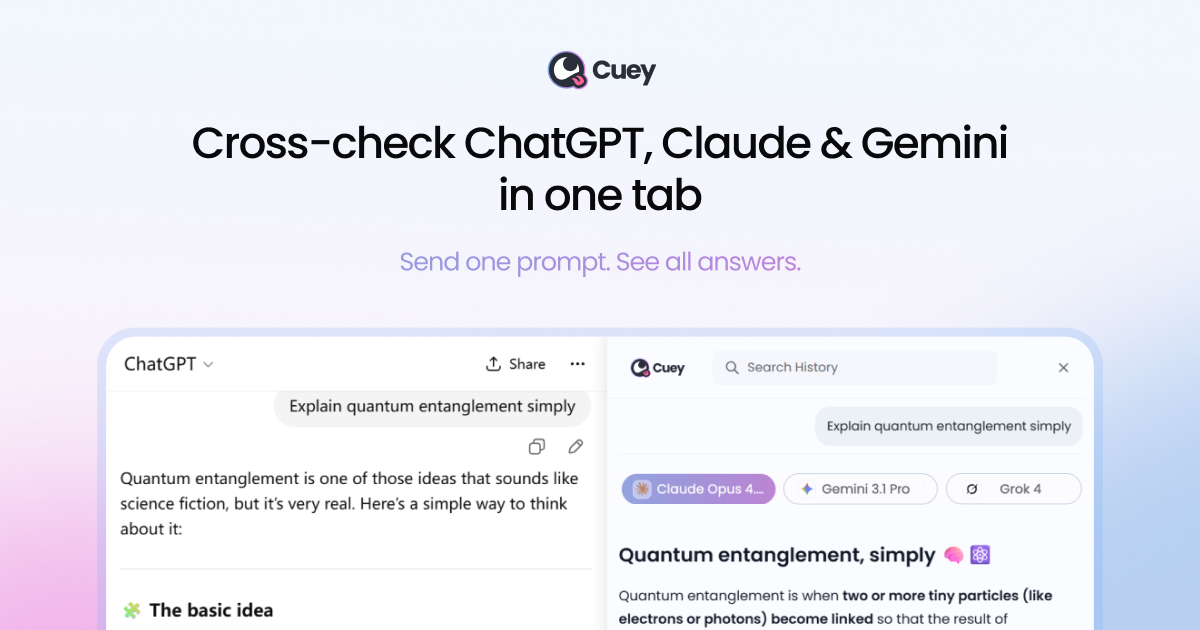
Side-by-side answer comparison
View responses from multiple selected models together in Cuey's sidebar, rather than manually moving between separate AI tabs.

ChatGPT、Claude、GeminiなどのAIモデルの回答をサイドバーで比較できるChrome拡張機能です。AIツールを切り替えずに、回答の一致点や相違点、見落としの可能性を確認できます。
Cuey is a Chrome extension that works alongside supported AI tools, including ChatGPT, Claude, and Gemini. It sends a prompt to selected models and displays their responses side by side in a browser sidebar, making it easier to inspect differences and get another perspective before acting on an answer.
Cuey also offers context and conversation-history features across supported tools. Its purpose is to make cross-model review and reuse of prior context part of an existing AI workflow; it does not guarantee that a response is correct, so important claims still need independent judgment and verification.
View responses from multiple selected models together in Cuey's sidebar, rather than manually moving between separate AI tabs.
See where model answers align or diverge. Differences can point to assumptions, uncertainty, or missing considerations that merit review.
Send one prompt to multiple models at once. The pricing page describes manual routing, with the user choosing the model.
Cuey says it can carry context, preferences, and history across supported models, helping users continue without repeatedly starting from zero.
The product page says users can import chat history and memories from ChatGPT, Claude, and Gemini, and revisit past comparisons.
Cuey advertises access to more than 20 models in its plan information and lists 39 supported models on its model catalog, spanning OpenAI, Anthropic, Google, xAI, DeepSeek, Moonshot, and Z.AI.
When an AI answer may inform a decision, compare other model perspectives and inspect disagreement before proceeding. Cuey supports review but does not establish which answer is correct.
Ask multiple models about a difficult or open-ended question, then use contrasting assumptions or omissions as prompts for further fact-checking.
Compare model feedback on a draft, plan, or proposed approach to identify differing interpretations and suggestions.
Import supported chat history or use carried context when changing between ChatGPT, Claude, Gemini, and other supported models, instead of re-entering the same background each time.
Add the extension to Chrome, open a preferred AI tool, enter a prompt, and use the Cuey sidebar to review the selected models' responses. The guide also recommends pinning the extension for access.
The product page says no account is required to start and no API keys need to be configured.
No. Cuey is designed to run alongside the AI tools people already use, adding comparison and context features rather than replacing those services.
No. Cuey explicitly does not guarantee correctness. Agreement can provide another perspective, but important facts and high-stakes decisions still require independent verification and judgment.
The pricing page lists a free plan with five comparisons per day and a Pro plan with 25 per day. Pro also lists 500MB of file storage, priority queueing during peak hours, advanced modes, and export, sharing, and prompt-history features.
トラフィックデータは参考情報としてご利用ください。

chathop.tech
ChatHopは、対応するチャットサービス間で、コンテキストを保ったままAIとの会話を移行できるChrome拡張機能です。アシスタントの切り替えや、他のツールへのチャットのコピー、会話のダウンロードができ、やり取りを説明し直す必要はありません。

contrive.app
Contriveは、Slack、Notion、Google Driveなどの対応ワークスペースアプリを1つのコマンドバーから検索し、AIの回答を得て操作できるスタンドアロンのデスクトップアプリです。ブラウザーのタブを切り替える必要はありません。

notchpop.com
NotchPop is a macOS productivity island that places media controls, file handling, clipboard history, timers, calendar information, live activity and other utilities in the Mac notch or a floating island. It supports Macs with or without a physical notch and is aimed at people who want quick access to these tasks without switching away from their current app.