
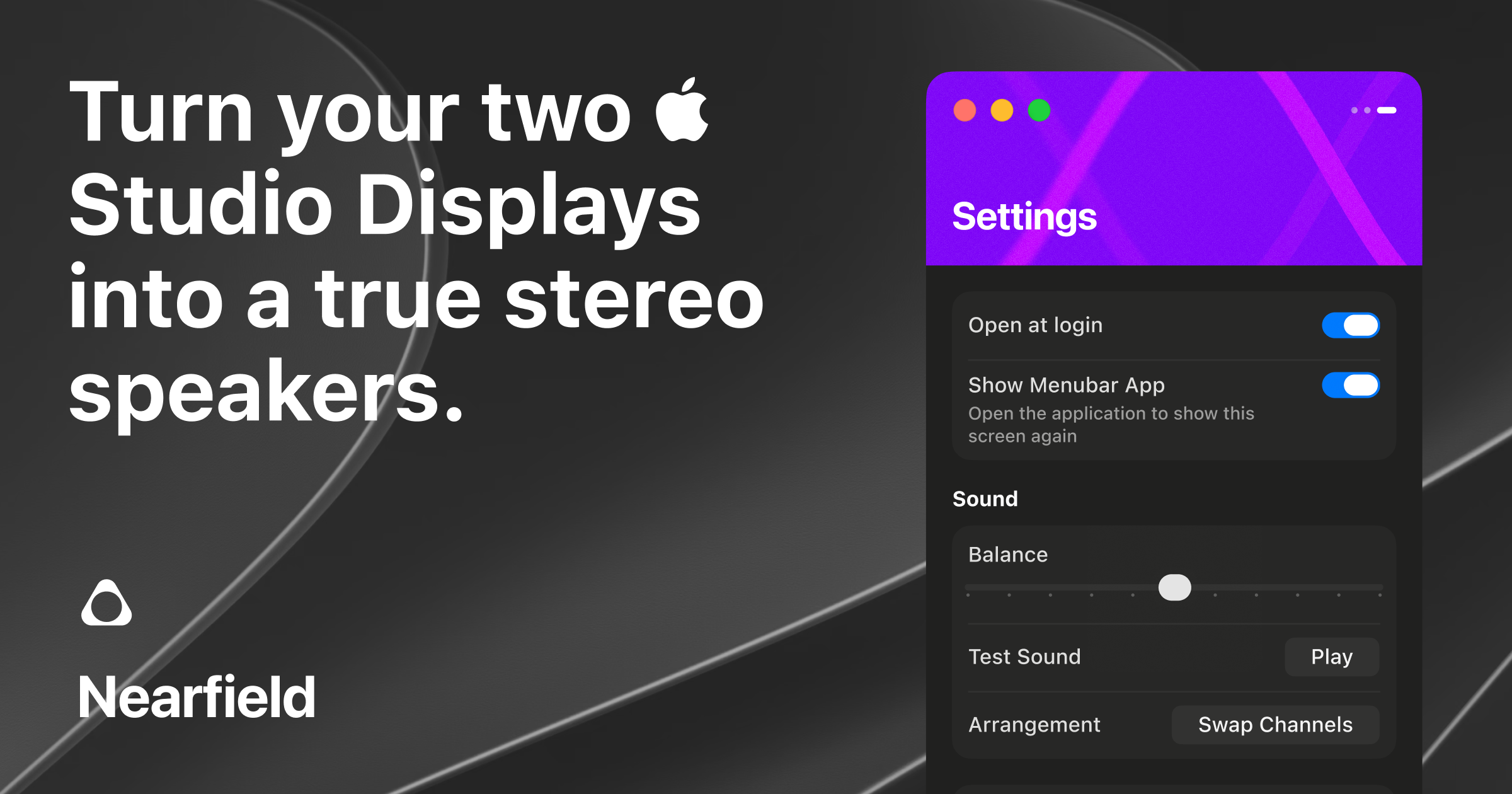
True left/right stereo output
Nearfield presents two connected Apple Studio Displays to macOS as one stereo device, routing the left and right channels to separate displays.

Nearfield is a native Mac app that combines two Apple Studio Displays into one true left/right stereo speaker system. It is designed for Mac users who want system-wide stereo playback, app-based routing, and normal volume control without manually maintaining an Aggregate Device.
Nearfield is a native Mac audio utility that turns two Apple Studio Displays into one true stereo output. It assigns the left channel to one display and the right channel to the other, using their built-in speakers as a single stereo pair.
Nearfield installs a lightweight virtual audio driver so macOS treats both displays as one output device. The documented implementation does not resample or add effects, and is designed to preserve normal system-wide volume control, including keyboard volume keys. This differs from a manual Audio MIDI Setup Aggregate Device, which can pair the displays but disables macOS global volume controls.
The app also includes app-based routing, display arrangement controls, test playback, balance controls, and channel swapping. It requires an Apple M-series Mac running macOS 14 or later and two connected Apple Studio Displays; Intel-based Macs are not supported.
Nearfield presents two connected Apple Studio Displays to macOS as one stereo device, routing the left and right channels to separate displays.
The virtual driver retains normal macOS output behavior, including keyboard and menu bar volume controls, unlike the manual Aggregate Device workflow described in the product comparison.
Selected applications can be routed according to their window location, including to the left display, right display, or the full stereo pair.
The app provides a visual display arrangement, left/right test playback, per-display balance, and a single-control option to swap channels.
Nearfield can select itself as the output when a second Studio Display connects, recover speaker settings after reconnects, and provide prompts for audio driver updates.
Nearfield is built as a native Mac application, and its full source code is available on GitHub. It does not require microphone access according to the product comparison.
A Mac user with two Studio Displays can use both sets of built-in speakers for music, video, and other system audio without selecting separate outputs for each display.
Users who keep applications on different displays can route selected apps based on window location, sending audio to the left display, right display, or both.
People who regularly change listening levels can use macOS volume controls and keyboard keys rather than adjusting separate display sliders after creating a manual aggregate setup.
Owners of a three-Studio-Display setup can use the version that added support for three displays, while arranging and testing the output inside the app.
Nearfield requires a Mac with an Apple M-series chip, macOS 14 or later, and two Apple Studio Displays connected to the Mac. Intel-based Macs are not supported.
It installs a lightweight custom audio driver that presents both displays to macOS as one stereo output device. Audio is split between the displays so one handles the left channel and the other handles the right.
The product documentation says the driver is a thin passthrough with no resampling or effects and no perceptible latency.
Yes. Nearfield can route selected applications based on their window location, including to the left display, right display, or the complete stereo pair.
The listed price is $14.99 as a one-time purchase. The product states that there is no subscription or account requirement and offers a 14-day money-back guarantee.
トラフィックデータは参考情報としてご利用ください。

thoughtsformac.com
Thoughts is a native macOS note-taking app that lives in the menu bar, letting you quickly save text, voice recordings, images, screenshots, links, and video notes. It is designed for capturing ideas without an account or subscription, with optional AI tools powered by a provider key you supply.

relic.space
Relic is a clipboard manager that saves what you copy, makes it searchable, and syncs your history across computers and phones. It is designed for people who need to recover text, files, images, links, and other copied material without sending it to themselves manually.

linkflick.com
LinkFlick is a macOS menu bar utility that transfers supported Apple Magic accessories between trusted Macs on the same local network. It is designed for people who use one Magic Keyboard, Mouse, or Trackpad with multiple Macs and want to avoid manual re-pairing.

blancbrowser.com
Blanc is a minimal desktop browser for macOS, Windows, and Linux with built-in ad and tracker blocking, private tabs, and keyboard-first navigation. It is designed for people who want a smaller browser surface while keeping tools for tab organization, profiles, reference viewing, and optional encrypted sync.

drawgenie.io
DrawGenie creates personalized, print-ready AI coloring books from a child’s first name, age, and a theme. It is designed for parents, grandparents, teachers, illustrators, and educators who want custom pages they can download and print at home.
kiwidesk.kiwicanopy.com
Mac向けのタイル型ウィンドウマネージャーです。開いているウィンドウを自動整列し、レイアウト、アプリのショートカット、プロファイル、マウスによるウィンドウ移動に対応。各ウィンドウのサイズや位置を手動で調整せずに、デスクトップを整理できます。