
Share-sheet capture
Save links, notes, photos, and files from supported apps such as Safari, Photos, Maps, and Files. FaveNest saves the item before returning you to the source app and can capture while offline.

FaveNestは、iPhone、iPad、Macでリンク、メモ、写真、ファイルを保存・整理できるプライベートなライブラリです。ライブラリは自分のiCloudに保存され、検索、オフライン閲覧、書き出しに対応。FaveNest Proでは、任意でデバイス上または自分のキーを使ったAI整理も利用できます。
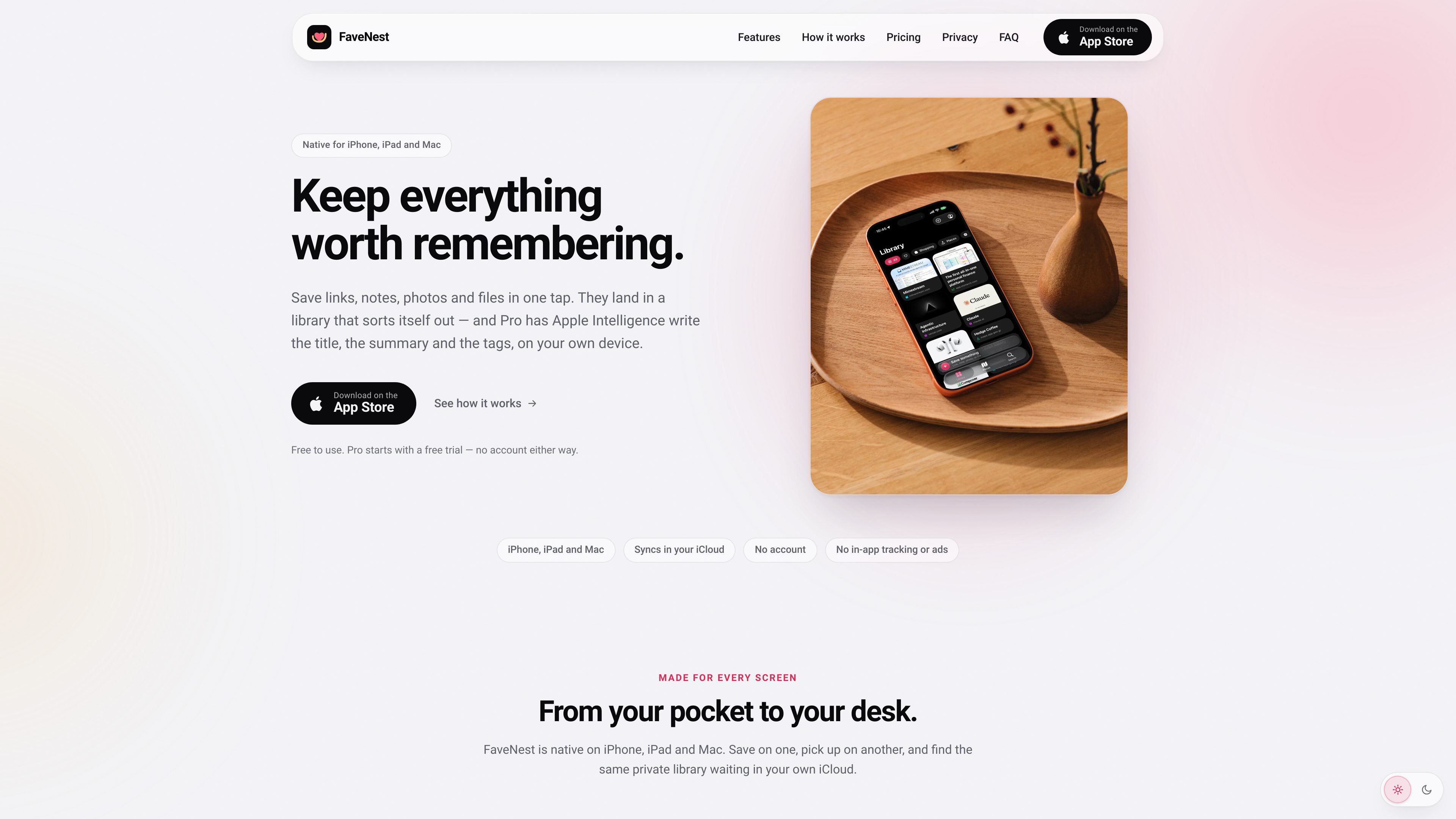
FaveNest is a personal library for saving links, notes, photos, and files from iPhone, iPad, and Mac. Items can be captured through the Apple share sheet and are stored in a library that syncs through the user’s own iCloud account, without a FaveNest account or in-app tracking.
The app is designed to make saved material easier to retrieve than an unstructured bookmark list. It supports browsing by category and tag, in-app and Spotlight search, offline reading for saved pages, and export of the whole library. FaveNest Pro adds written titles, summaries, and tags using Apple Intelligence on the device or a cloud model accessed with the user’s own OpenAI, Anthropic, or compatible API key.
Save links, notes, photos, and files from supported apps such as Safari, Photos, Maps, and Files. FaveNest saves the item before returning you to the source app and can capture while offline.
Use the same library on iPhone, iPad, and Mac through the iCloud account already configured on the devices. FaveNest does not require a separate account.
Search titles, summaries, tags, and notes inside the app or from Spotlight. Browse the grid, filter by category or tag, and use custom categories where available.
Saved Apple Maps and Google Maps links can become places with map display, city filtering, and Look Around imagery when location information can be read from the link.
Read saved pages without a connection and export the complete library to a single backup file that can be kept and loaded later.
FaveNest Pro can use Apple Intelligence on the device to write titles, summaries, and tags. Users can instead configure their own OpenAI, Anthropic, or OpenAI-compatible key; without either option, the app uses a plain title and the page’s own description.
Save pages from Safari as you encounter them, then use titles, tags, categories, and search to retrieve related material later instead of relying on a long browser bookmark list.
Save pages before travel or when connectivity is uncertain, then open the stored pages from FaveNest without a network connection.
Save map links while planning trips or recording places to revisit. The Places view can bring supported locations together on a map and filter them by city.
Capture something on an iPhone, browse the collection on an iPad, and continue from a Mac through the same iCloud-synced library.
Export the whole library to one file for backup or later loading, while keeping saved notes, media, and links organized in one app.
The core app is free and includes saving, syncing, search, offline reading, and export. FaveNest Pro is a paid upgrade that adds AI-written titles, summaries, and tags, as well as Places, unlimited custom categories, and all accent colors. The site lists monthly, yearly, and lifetime options; prices can vary by region.
No. FaveNest has no separate sign-up or password. Synchronization uses the iCloud account already signed in on the devices, and both devices need iCloud Drive enabled for the library to sync.
Apple Intelligence processing runs on the device. If the user adds an OpenAI, Anthropic, or OpenAI-compatible key, the text of a save is sent directly from the device to that provider under the user’s account; FaveNest says there is no FaveNest server in between.
Saving still works without waiting for AI processing. FaveNest uses a plain title and the page’s own description instead. Pro features such as Places, categories, and colors remain available on supported FaveNest devices.
The app can export the whole library to a single file for backup and later loading. Pro subscriptions can be managed or canceled through the Apple Account subscription settings; content already written by Pro remains in the library after cancellation, while new AI writing stops.
トラフィックデータは参考情報としてご利用ください。

blancbrowser.com
Blanc is a minimal desktop browser for macOS, Windows, and Linux with built-in ad and tracker blocking, private tabs, and keyboard-first navigation. It is designed for people who want a smaller browser surface while keeping tools for tab organization, profiles, reference viewing, and optional encrypted sync.

thoughtsformac.com
Thoughts is a native macOS note-taking app that lives in the menu bar, letting you quickly save text, voice recordings, images, screenshots, links, and video notes. It is designed for capturing ideas without an account or subscription, with optional AI tools powered by a provider key you supply.

playbook.com
クリエイティブチーム向けのビジュアル資産管理。AI整理とエンタープライズワークフローに対応。

relic.space
Relic is a clipboard manager that saves what you copy, makes it searchable, and syncs your history across computers and phones. It is designed for people who need to recover text, files, images, links, and other copied material without sending it to themselves manually.

bevell.app
Bevell is a browser-based converter that turns photos, sketches, scans, and PDF drawings into editable DXF and SVG files for CAD, CNC, laser cutting, and related workflows. It supports true-scale output from a known reference dimension and offers free previews before downloads.
shotonlightmeter.com
Lightmeter is an iPhone app that combines a reflected-light meter for film cameras with a film-look camera for everyday photography. It supports offline shooting and metering without an account, cloud storage, ads, or third-party tracking.