
Prompt-based image editing
Upload an image and apply edits by describing the change in text. The homepage examples include removing people, placing an object into a scene, and replacing text in an image.

Editaimg is a browser-based AI image editor for cleaning up photos, editing text in images, translating text-heavy visuals, and generating transformed image outputs. It supports common export formats and task-specific tools such as adding people to photos and upscaling images.
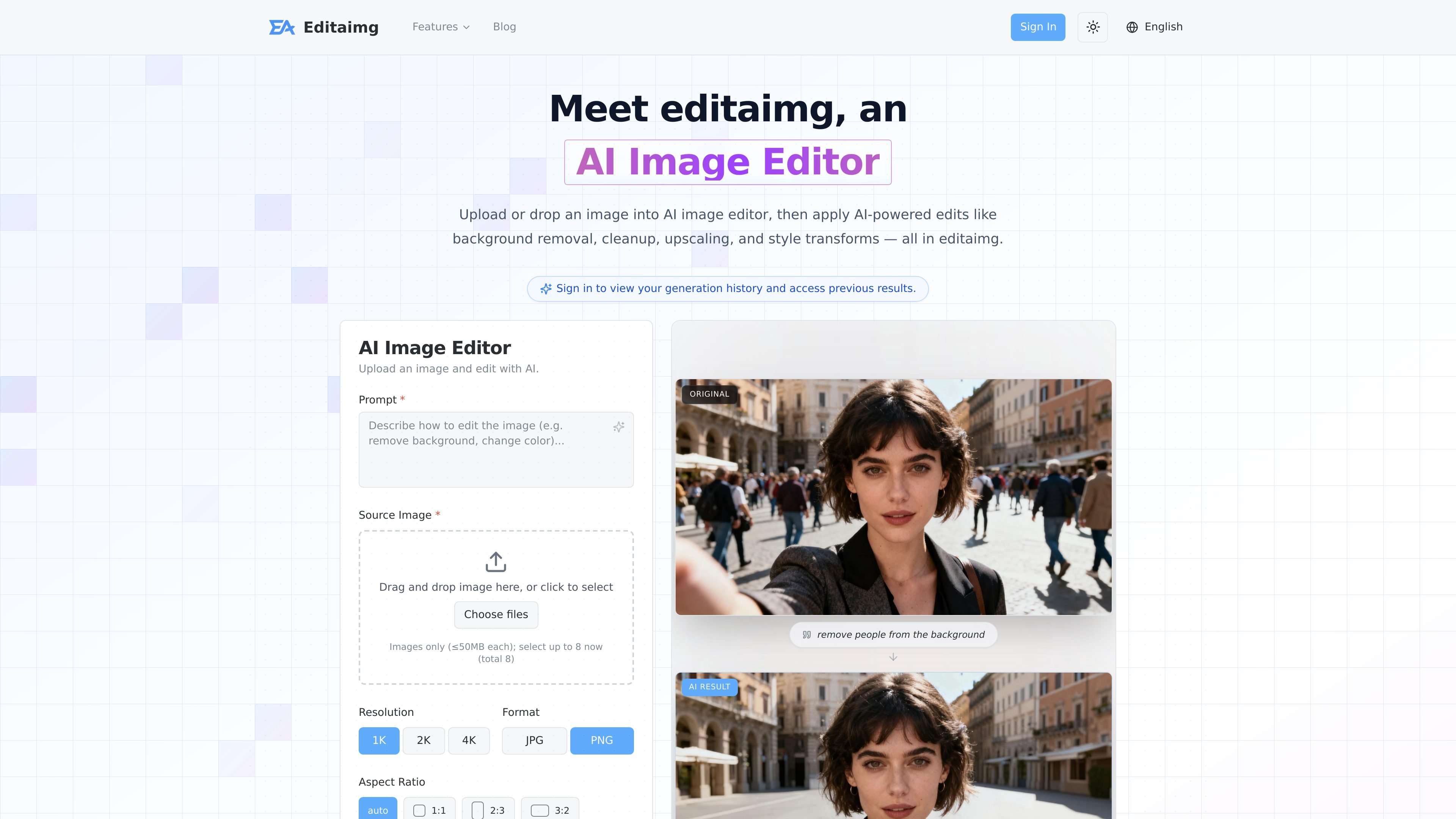
Editaimg is a browser-based AI image editor for uploading photos and applying targeted edits with text prompts and preset controls. The site positions it as a tool for background removal, cleanup, upscaling, text editing, and style transforms, with outputs that can be downloaded in common formats.
The homepage and feature pages show a workflow built around specific image tasks rather than general-purpose design. Users can edit a scene, add a person to a photo, translate text inside an image, or change text on an image, then review the result and export it as PNG or JPG.
Upload an image and apply edits by describing the change in text. The homepage examples include removing people, placing an object into a scene, and replacing text in an image.
Remove backgrounds, clean up distractions, and replace objects while keeping the surrounding scene coherent. The site frames this as AI-powered editing for quick fixes and more complex transforms.
Increase image resolution with one of the supported output sizes shown on the page: 1K, 2K, or 4K. The site positions this for detail recovery and higher-quality exports.
Editaimg includes dedicated image workflows for adding someone to a photo, translating text inside images, and editing text directly in an image.
Choose output format and aspect ratio before generating. The homepage shows JPG and PNG export options plus multiple aspect ratio presets.
Sign in to view generation history and reuse previous results. The site also describes instant previews and one-click download or sharing.
Clean up a photo by removing people, distractions, or objects and then export a more focused version of the scene.
Place a person into a group shot or missing-family portrait, with the site emphasizing lighting, shadow, and perspective matching.
Translate text in manga panels, posters, menus, screenshots, packaging, or labels while keeping the translated text inside the image.
Edit text directly in an image when you need to add, replace, or remove wording and keep the font and texture consistent.
Upscale an image and adjust format or aspect ratio before export when you need a cleaner final file for reuse or sharing.
Editaimg is an AI image editor for uploading a photo and applying AI-assisted changes such as background removal, object cleanup, upscaling, text editing, and image translation. The source pages describe a workflow where you upload an image, describe the change, choose settings, and generate a result.
The source pages show browser-based image upload workflows and export options for PNG, JPG, and common image formats, but they do not document desktop or mobile apps. Based on the site text, it is used directly in the browser.
Yes. The homepage says users can sign in to view generation history and access previous results.
For the image editor workflow, the homepage shows upload limits of up to 8 images and source files up to 50 MB each. The AI image translator page shows a separate workflow that accepts one image up to 20 MB.
The site describes non-destructive editing, instant previews, and one-click export, and it supports JPG and PNG output for the featured workflows.