
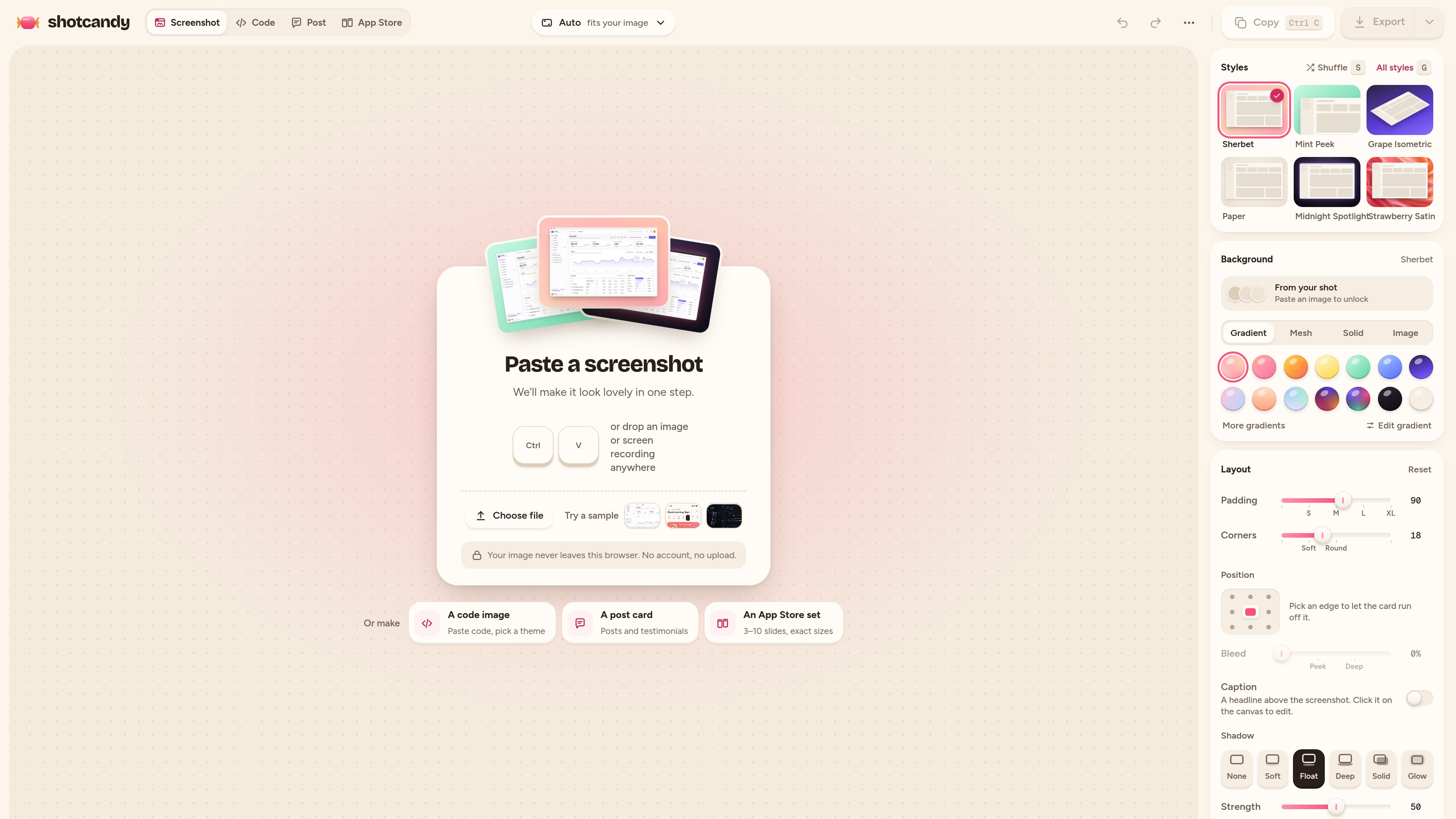
Screenshot styling
Apply gradient or mesh backgrounds, colours drawn from the source image, padding, rounded corners, shadows, and frames to produce a more polished screenshot.

Shotcandy è uno strumento gratuito e open source per browser che trasforma screenshot, registrazioni dello schermo e frammenti di codice in immagini o video pronti da condividere. Aggiungi sfondi, cornici, dimensioni e movimento senza caricare file né creare un account.
Shotcandy is a browser-based screenshot and code image editor for preparing visual assets to share online. It can style screenshots and screen recordings with backgrounds, padding, rounded corners, shadows, and optional window or device frames, while dedicated tools create Open Graph images and highlighted code visuals.
The editor accepts pasted or dropped screenshots, files, and—in supported workflows—MP4, MOV, or WebM recordings. Exports include PNG, JPEG, WebP, MP4, and GIF depending on the workflow, with presets for social networks, Open Graph cards, and App Store screenshots. Shotcandy states that processing happens in the browser, with no sign-up, upload, or watermark.
Apply gradient or mesh backgrounds, colours drawn from the source image, padding, rounded corners, shadows, and frames to produce a more polished screenshot.
Export at the screenshot’s own resolution or use sizes for Open Graph, X, LinkedIn, Instagram, and App Store assets. The screenshot beautifier supports 1× to 4× output, and the Open Graph tool provides a 1200 × 630 canvas.
Drop in an MP4, MOV, or WebM recording, trim it, choose whether to retain sound, and export it as MP4, WebM, or GIF in the browser.
Paste code into a styled window with syntax highlighting, automatic language detection or selection from 26 languages, eight themes, optional file names and line numbers, and configurable highlighted lines.
Build a link-preview image from a screenshot on an exact 1200 × 630 canvas, then download a PNG or JPEG at the selected scale.
Paste with a keyboard shortcut, drop a file, or choose a file, then edit and export without an account. The product says screenshots and code stay on the device.
Turn an application screenshot into a framed, styled image for a launch post, documentation page, slide deck, or other shareable material.
Create a 1200 × 630 Open Graph image from a webpage screenshot for use with page metadata and link cards on services such as Facebook, LinkedIn, Slack, and X.
Convert a code snippet into a themed image with syntax highlighting, line numbers, or selected lines emphasized for easier reading in an article or post.
Use the available App Store screenshot sizing options to prepare a set of 3–10 slides from product screenshots.
Import a screen recording, trim it, decide whether to keep its audio, and export a shareable MP4, WebM, or GIF.
No. The product states that editing, highlighting, and rendering happen in the browser and that screenshots and code stay on the device. It also says there is no server and no account requirement.
Depending on the tool, Shotcandy exports PNG, JPEG, and WebP images, plus MP4, WebM, or GIF for supported motion workflows. The Open Graph maker exports PNG or JPEG, and documented screenshot and code workflows support output up to 4×.
Yes. The screenshot beautifier page lists MP4, MOV, and WebM inputs. Recordings can be trimmed, audio can be kept or removed, and the result can be exported as MP4, WebM, or GIF.
Shotcandy lists 26 choices, including TypeScript, TSX, JavaScript, JSX, Python, Rust, Go, Java, Kotlin, Swift, C, C++, C#, PHP, Ruby, HTML, CSS, JSON, YAML, TOML, Markdown, SQL, Shell, Dockerfile, GraphQL, and diffs. Language detection can select one automatically.
The Open Graph tool uses a 1200 × 630 pixel canvas, the 1.91:1 size described for link previews. It also notes that dedicated 1200 × 628 presets are available for X and LinkedIn post images.
I dati sul traffico sono solo a scopo di riferimento.

pencil.dev
Pencil è uno strumento di progettazione assistito dall’IA per creare interfacce all’interno dell’IDE e della codebase. Designer e sviluppatori possono creare, iterare e gestire i file di design insieme al codice, senza cambiare strumento.

www.motionly.site
Motionly è un editor open source di motion graphics nativo per l’AI che trasforma prompt e risorse in progetti di animazione modificabili. Supporta un flusso di lavoro locale con editing su canvas e timeline, file sorgente .motion leggibili ed esportazione locale in MP4.

animaapp.com
Piattaforma AI attenta al design che trasforma file Figma, URL, prompt e cloni di siti web in app e codice pronti per la produzione, con integrazione API e SDK.

codia.ai
Piattaforma AI che converte screenshot, PDF, slide, immagini e file Figma in design modificabili e codice pronto per la produzione

3dlogolab.io
3DLogoLab trasforma i loghi 2D in animazioni 3D rotanti ed esporta immagini, video e modelli 3D. Offre un piano Basic gratuito; Pro aggiunge uso commerciale, nessuna filigrana ed esportazioni illimitate di video e 3D.

design.minimax.io
MiniMax Design è un agente AI multimodale che coordina modelli di immagini, video, voce e editing per trasformare idee creative in contenuti finiti. È pensato per chi vuole descrivere un brief, salvare workflow riutilizzabili e conservare i file sul proprio dispositivo.