
Visual workflow builder
Storyboard is a drag-and-drop canvas for building workflows from connected actions. The product page shows it using triggers, HTTP requests, email steps, transforms, conditions, and reusable subflows.

Tines is an intelligent workflow platform for security and IT teams to connect tools, automate repetitive work, and manage human-led and AI-assisted workflows securely.
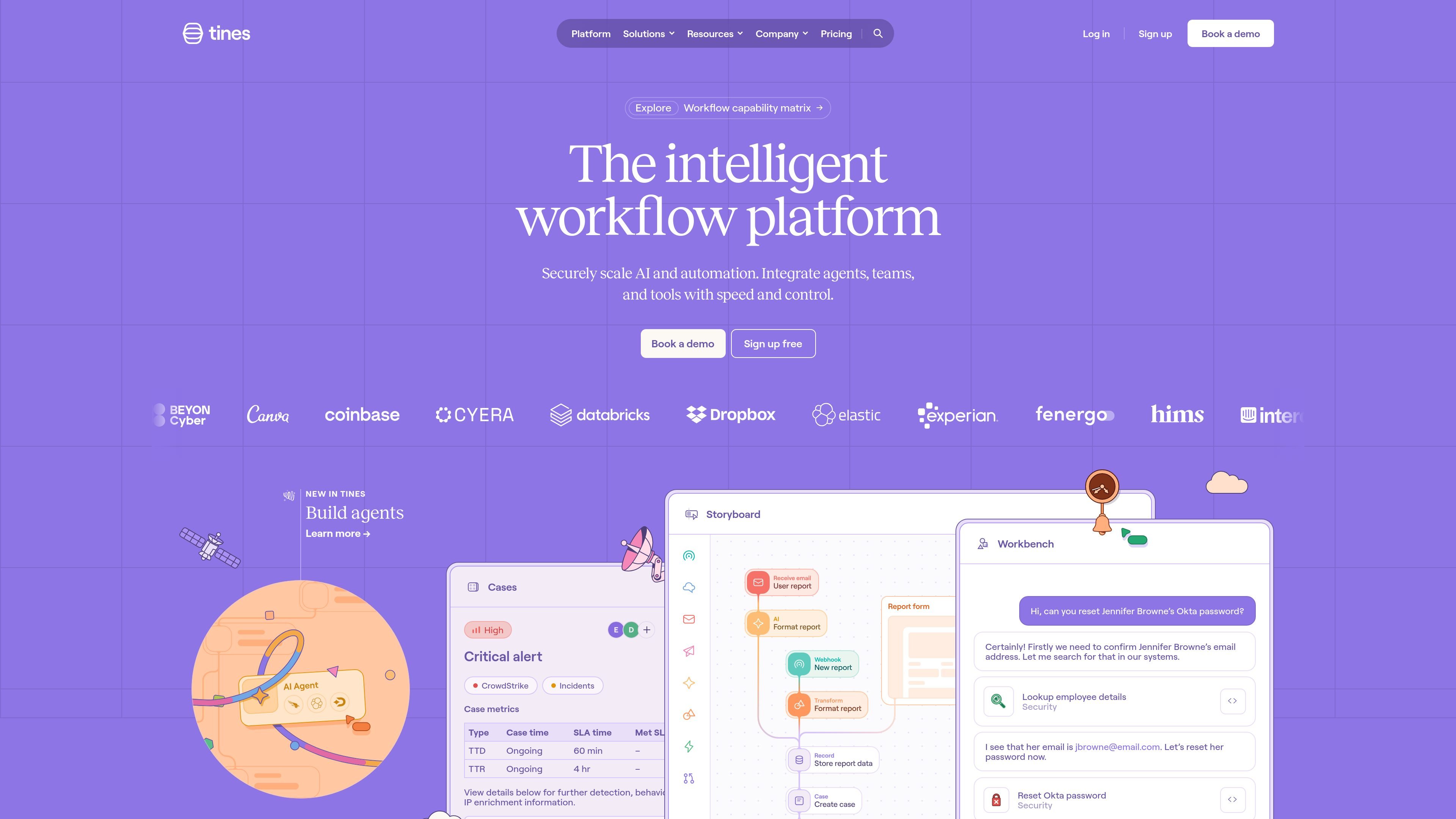
Tines is an intelligent workflow platform for security and IT teams that need to connect tools, automate repetitive work, and coordinate both human and machine activity. The product combines a visual workflow builder, AI-assisted workflows, case handling, and monitoring in one platform.
Across the site, Tines is positioned as a secure integration layer for organizations that want deterministic automation where predictability matters and agentic workflows where flexibility is useful. It supports actions such as HTTP requests, email intake and delivery, data transforms, conditions, agents, and reusable subflows, so teams can build workflows that move data, trigger actions, and route work across systems.
Storyboard is a drag-and-drop canvas for building workflows from connected actions. The product page shows it using triggers, HTTP requests, email steps, transforms, conditions, and reusable subflows.
Tines includes case management for incident handling and other structured work. The home page shows case metrics, comments, and alert tracking in one workflow context.
Workbench is presented as a universal AI copilot for tasks such as answering requests, looking up context, and proposing next steps. The platform page positions it as Tines-powered AI inside important workflows.
The platform supports AI agents that can reason, execute actions, and interact with users. The Storyboard page also shows agents as a workflow action alongside other building blocks.
The pricing page describes unlimited integrations in the Community edition and the product pages say Tines connects to any API-enabled tool. The solutions page also shows support for mainstream, niche, and internal systems through HTTP requests or copied cURL calls.
The platform includes built-in safeguards such as credential management, roles, change control, error handling, and smart retries. These controls are described at the action or workflow level to keep teams in the loop.
Build workflows that receive alerts, enrich them with context from external systems, and route them into a case for human review or action. The site’s examples include alert triage, incident tracking, and comment-based collaboration.
Use the Storyboard canvas to automate repetitive IT tasks such as password resets, data lookups, and request handling. The Workbench example shows a user asking for an Okta password reset and the system gathering the information needed to act.
Connect APIs across security, cloud, productivity, identity, and data tools without writing custom one-off integrations for every vendor. The product page emphasizes that if a system has an API, Tines can connect to it through HTTP requests or copied cURL commands.
Combine deterministic steps with AI agents for situations where the workflow needs reasoning, a quick answer, or a safe action after review. The platform’s workflow matrix explicitly distinguishes agentic work from predictable automation and human-led judgment.
Create reusable workflows and internal apps for secure information gathering, confirmation, and output sharing. The platform page highlights build apps and portals, while Storyboard mentions pages for user interaction and workflow transparency.
Tines is built to connect tools, trigger workflows from external events, and combine deterministic actions with AI-assisted steps. The Storyboard page shows actions such as HTTP requests, email handling, event transforms, conditions, and AI agents, while the platform pages position it for secure workflow building, running, and monitoring.
The pricing page shows a Free Community edition for experimenting with Tines and a paid Business and Enterprise path for scaling across an organization. It also states that Community includes one builder and three flows, while Business and Enterprise add extended capacity, more builders, multiple teams, flexible hosting options, and dedicated support and training.
Tines is aimed at teams that need secure workflow automation, especially security and IT operations. The site also highlights broader use across infrastructure, engineering, and product teams.
The platform page says Tines can be deployed in the cloud or self-hosted on higher-tier plans. The pricing page also notes single sign-on in Community and flexible hosting options in Business and Enterprise.
Tines supports human-led, deterministic, and agentic workflows. The site’s workflow capability matrix frames human-led work around judgment and communication, deterministic work around predictable automation and compliance, and agentic work around flexibility, quick review, and safe actions.