
Script writing and organization
Write, edit, save, and organize scripts in one place instead of moving content between documents and a separate prompting tool.

Speakflow online teleprompter for writing and organizing scripts, voice scrolling, team collaboration, and cross-device syncing. Free and paid plans available.
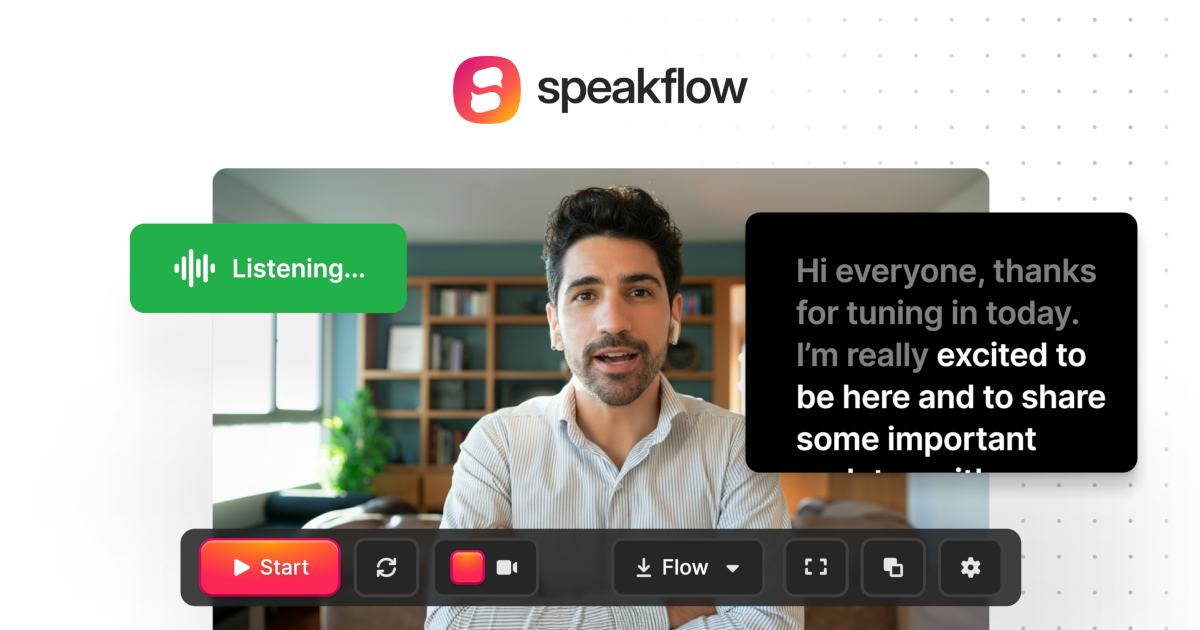
Speakflow is an online teleprompter for writing scripts, prompting on camera, and keeping a recording workflow in one place. The product focuses on reducing the steps between drafting a script and using it during presentations or video recording.
Its main capabilities center on voice-activated scrolling, script organization, team collaboration, and syncing across devices. The site also offers a desktop app on paid plans for users who want an always-on-top script overlay, adjustable opacity, and additional presentation controls.
Speakflow is positioned for creators, teams, and presenters who need to move from script drafting to delivery without rebuilding the setup each time. The source describes support for Windows, Mac, iOS, Android, and more, with both free and paid plans available.
Write, edit, save, and organize scripts in one place instead of moving content between documents and a separate prompting tool.
Use Flow Mode to scroll with your voice, or switch to Auto Mode and Manual Mode when you want timed or fully controlled prompting.
Share scripts with teammates, track changes, add comments, and collaborate in real time on paid plans.
Sync scripts across devices with Remote and QR pairing so the same script can follow you from one screen to another.
Record and share videos from the same workflow, with browser recording on the main product and additional overlay recording support in the desktop app.
The desktop app adds an always-on-top script overlay with resizing, opacity control, section jumping, mirrored text, and device or microphone checks.
Draft and store scripts in the same workspace where you will later prompt them, so you do not need to copy text into a separate teleprompter before recording.
Invite teammates to write, comment on, and revise scripts together, then keep everyone aligned on the same version when it is time to record.
Use Flow Mode for voice-following scrolling when speaking on camera, or switch to Auto Mode for timed playback during longer presentations.
Open the desktop app to keep a script pinned above meetings, slide decks, and browser windows while sharing your screen or presenting live.
Sync scripts across devices with Remote or QR pairing so you can move between a phone, tablet, and computer without rebuilding the setup.
Speakflow is a browser-based online teleprompter. The source also describes a desktop app for paid plans, which adds always-on-top overlay behavior and additional presentation controls.
Yes. The source says you can write, organize, and share scripts with your team, and the pricing page includes script commenting and real-time script collaboration on paid plans.
Speakflow supports voice-controlled scrolling through Flow Mode, plus Auto Mode for timed scrolling and Manual Mode for full control. The pricing page notes that Flow is limited on the free plan and unlimited on the Plus plan.
The source says Speakflow works on Windows, Mac, iOS, Android, and other devices, and that you can sync scripts across devices using Remote and QR pairing in the desktop app.
The pricing page shows a free plan, a Plus plan billed at $15/month yearly, and a Studio plan billed at $99/month yearly. It also says discounts are available for registered 501(c)(3) organizations and K-12 students and teachers.