
Multi-platform access
Use Shmooz on WhatsApp, Telegram, or the web, with the site positioning it as available across multiple channels for easier access.

Shmooz AI is an AI chatbot for WhatsApp, Telegram, and the web that supports chat, search, summarization, and image generation. It offers paid plans and is positioned for people who want messaging-style access to AI.
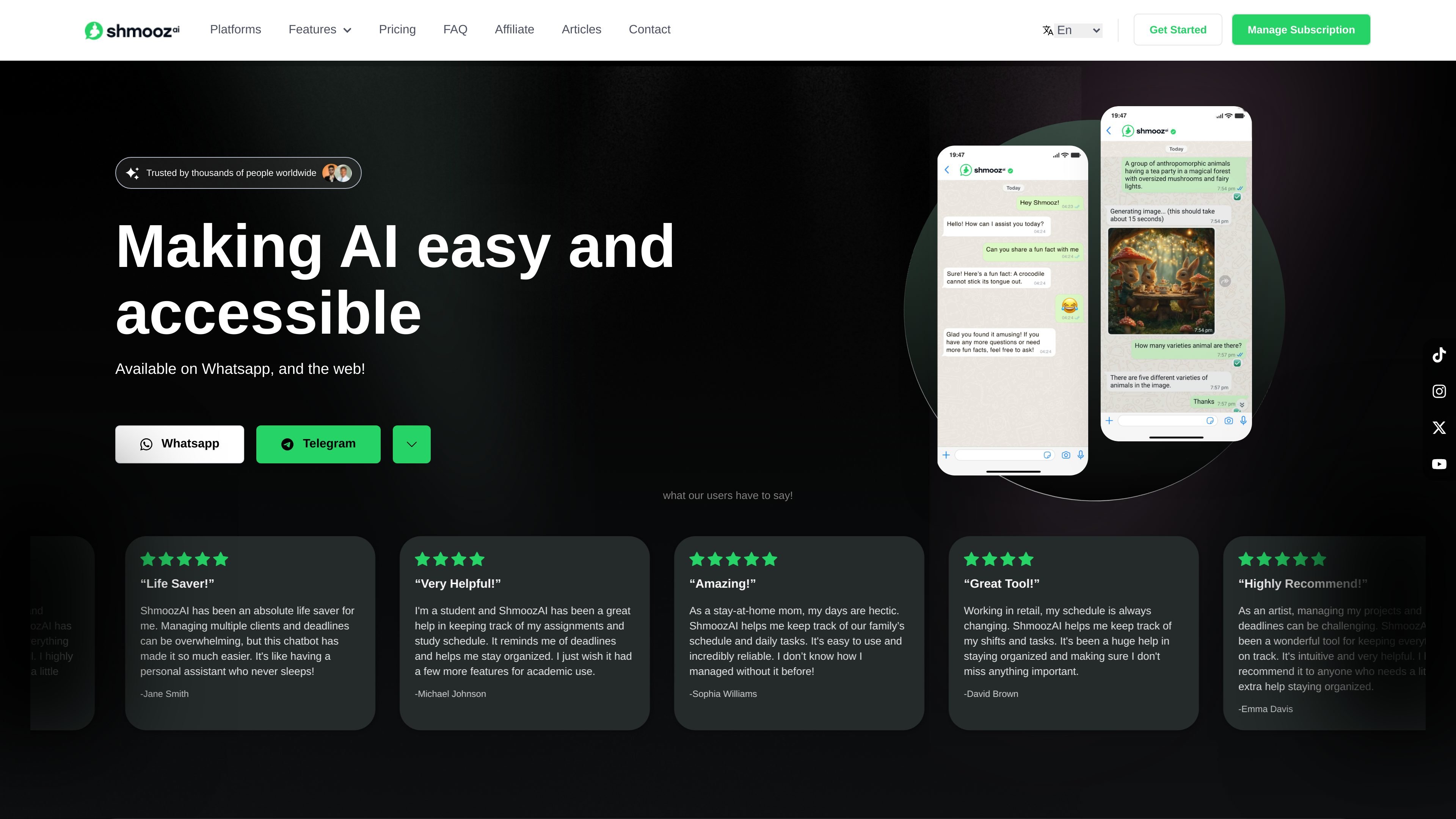
Shmooz AI is an AI chatbot and web app for WhatsApp, Telegram, and the web. It is presented as a way to make AI easier to use in everyday chat, with support for text conversations, image generation, file interaction, web search, and summarization.
The product is built for people who want access to AI models in a messaging-style interface rather than a standalone technical tool. The site says it uses models including OpenAI's ChatGPT and Claude, and it highlights use cases such as answering questions, working with files, browsing the web, and generating or transforming images.
Use Shmooz on WhatsApp, Telegram, or the web, with the site positioning it as available across multiple channels for easier access.
The product includes a context-aware assistant that can respond to instructions, ongoing conversation context, and custom characteristics on WhatsApp.
Shmooz can generate images, with the site also noting support for advanced image generation models and image-to-image transformations.
The product can summarize files and websites, and the FAQ says it can summarize URLs by extracting key points from a page.
Shmooz can access live information from the web and perform Google searches when prompted with the right keyword.
The site lists text-to-voice and text-to-music capabilities, along with file interaction and support for multiple file types.
People who want a messaging-based assistant can use Shmooz on WhatsApp or Telegram to ask questions, get explanations, and continue a threaded conversation without switching to a separate web app.
Users who need to work with documents or long pages can use the summarization features to condense files and URLs into shorter summaries before reading in full.
Teams or individuals who need quick web lookups can prompt Shmooz to search Google or surface live information from the web inside the chat workflow.
People creating visual content can ask for images by starting a message with "image," and the site also says it supports image-to-image transformations such as cartoon or pixel-art styles.
Businesses that want a chat-based AI contact point can use the product's 24/7 availability and multi-platform access for customer-facing or internal support workflows.
Shmooz is an AI chatbot that interacts through text-based conversation. The source describes it as using natural language processing and machine learning to understand questions and respond in real time.
Shmooz supports 24/7 chat, context-aware responses, image generation when a message starts with "image," Google search when a message starts with "google" or "Google," and summarization of URLs, files, and websites.
You can start using it by opening the chat interface on WhatsApp, Telegram, or the web and typing a question or instruction.
The FAQ says Shmooz is designed to be private and secure, and that information you share is kept confidential. It also states that answers are provided by ChatGPT and Shmooz is not responsible for the content of those answers.
The pricing FAQ says subscriptions renew automatically unless canceled. Cancellations can be made from the pricing section, and the site states that refunds are not offered for canceled subscriptions.