
Genre-aware DeepCull culling
DeepCull scores photos by genre, with modes mentioned for conference, sports, concert, and wedding work. The product page says it evaluates editorial relevance and attaches a score and reason to each selection.

FilterPixel AI photo culling and editing software for photographers handling large shoots and fast delivery, with Lightroom, Capture One, and Photo Mechanic workflows.
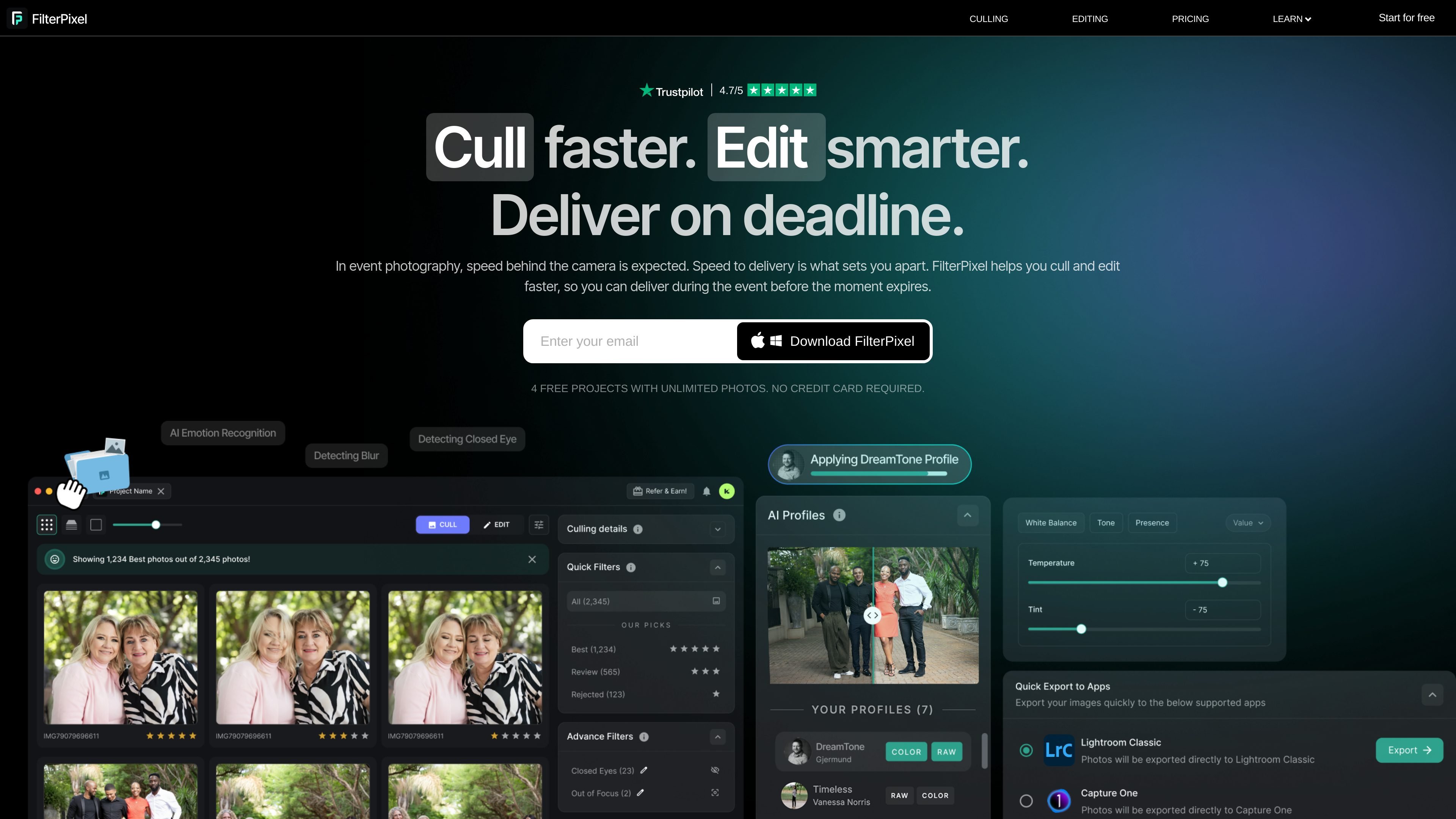
FilterPixel is an AI photo workflow tool for photographers who need to cull, edit, and deliver large shoots quickly. The site positions it around deadline-driven work such as weddings, sports, concerts, conferences, and other high-volume event jobs.
Its main job is to reduce the time spent sorting similar frames and applying consistent edits. The product combines AI culling features such as DeepCull, Survey Mode, and Magic Number with batch editing and export options that fit into existing Lightroom, Capture One, or Photo Mechanic workflows.
DeepCull scores photos by genre, with modes mentioned for conference, sports, concert, and wedding work. The product page says it evaluates editorial relevance and attaches a score and reason to each selection.
Survey Mode groups similar images so you can compare near-duplicates and choose with more context. This is aimed at burst sequences and large shoots where many frames differ only slightly.
Magic Number estimates how many images to keep and is listed as an AI culling feature on the pricing page. It is included in Pro and Studio plans.
AI Edit applies consistent adjustments across a shoot, including white balance, exposure, color tone, and contrast. The product also offers built-in AI profiles and custom trainable profiles.
FilterPixel can learn from an edited Lightroom catalog and apply that style at scale. The site frames this as a way to reuse a photographer's own tones and adjustments across large jobs.
Import supports RAW, JPEG, or both from a memory card, and the export flow can continue into Lightroom, Capture One, or Photo Mechanic. The pricing page also lists JPEG and RAW support.
Useful for wedding, sports, concert, and conference photographers who return from a shoot with thousands of similar frames and need to narrow them quickly before editing.
Helps photographers compare near-duplicate bursts, such as keynote moments or peak-action sequences, by grouping similar images and surfacing the differences between frames.
Fits photographers who already have a preferred style in Lightroom and want to apply that look consistently across a larger batch without rebuilding each edit manually.
Works for solo photographers and studios that need same-night or deadline delivery, including teams that want shared usage and a team dashboard on higher plans.
Supports existing post-production pipelines by exporting into Lightroom, Capture One, or Photo Mechanic instead of replacing a photographer's whole toolchain.
FilterPixel is designed for photographers who need to review, cull, and edit large sets of images under deadline pressure. The source material highlights event, sports, concert, conference, and wedding workflows, so it is best suited to high-volume shoots rather than casual single-image editing.
The workflow shown on the product site starts with importing RAW, JPEG, or both from a memory card, then culling with tools such as Magic Number, Survey Mode, and DeepCull, and then applying edits before exporting. The product description also says it can send final images to Lightroom, Capture One, or Photo Mechanic.
Pricing information shows plans with different DeepCull shoot allowances and team seats, including a Studio plan with up to 5 team seats. That indicates it can be used by individuals or teams, with higher tiers adding shared usage and onboarding support.
The source pages show export options for JPEG, RAW, or both, and mention same-night delivery on the pricing page. They also state that final images can be exported to Lightroom, Capture One, or Photo Mechanic.
The sources do not describe operating system support, hardware requirements, or every integration in detail. They do show support for Lightroom, Capture One, and Photo Mechanic in the workflow and pricing pages.