
Plain-English test authoring
Create mobile test steps in plain English instead of writing selector-heavy scripts. The site positions this as a way to author tests in minutes and reduce maintenance.

Drizz is a Vision AI mobile app testing platform for iOS and Android. Write tests in plain English, run them on real devices, and cut selector maintenance.
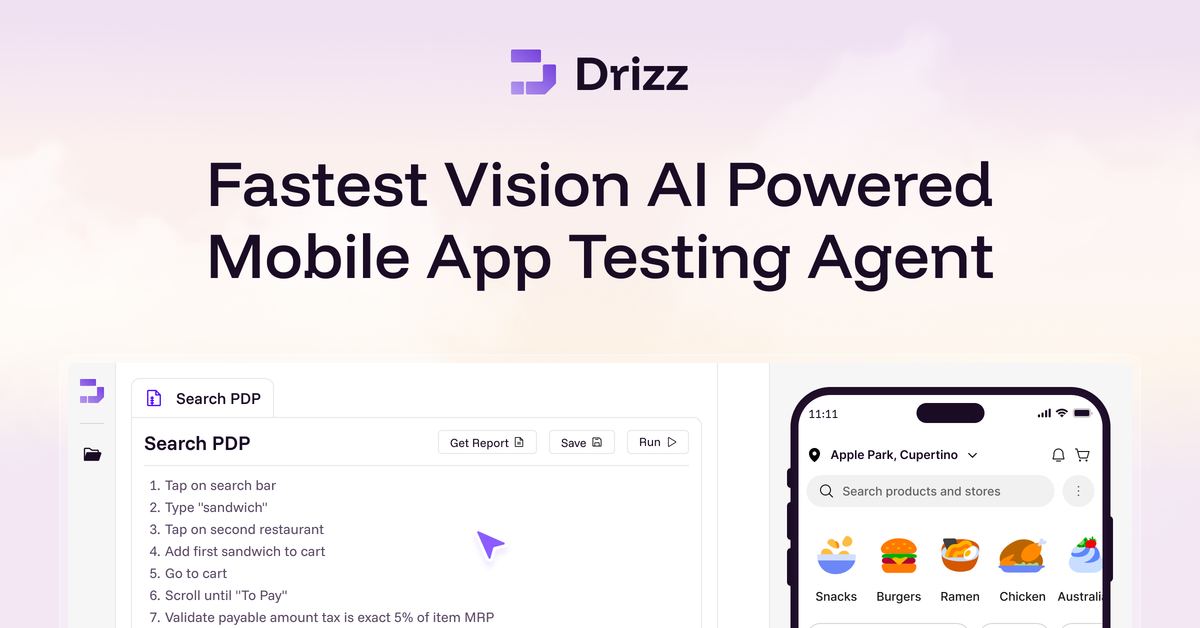
Drizz is a Vision AI mobile app testing platform for iOS and Android. It is designed to let teams write end-to-end mobile tests in plain English, execute them on real devices, and reduce the selector maintenance associated with traditional Appium-style automation.
The site presents Drizz as a tool for QA teams, developers, and tech leadership that need stable release validation for mobile apps. It also highlights real-device runs, self-healing behavior, centralized suite management, debugging artifacts, and CI/CD use as core parts of the workflow.
Create mobile test steps in plain English instead of writing selector-heavy scripts. The site positions this as a way to author tests in minutes and reduce maintenance.
Run tests on real iOS and Android devices so results reflect actual app behavior. The homepage and demo page both emphasize real-device execution.
Use vision-based automation that adapts when the UI changes. Drizz describes this as self-healing testing that reduces broken steps and selector maintenance.
Manage apps, suites, runs, builds, devices, and environments in one place. The product copy frames this as centralized mobile test management.
Get screenshots, logs, screen state, and detailed failure context for debugging. The site says every failure is unpacked for faster diagnosis.
Run mobile tests in CI/CD pipelines and across repeated release cycles. The homepage and pricing page both reference CI/CD-ready mobile testing.
QA teams can create and maintain end-to-end mobile test suites with less selector upkeep and more stable execution across app changes.
Developers can reproduce failures with screenshots, logs, and screen state so they can understand what happened without lengthy manual back-and-forth.
Release teams can run tests in CI/CD pipelines to validate builds on real devices before shipping to users.
Product and leadership teams can use the platform to monitor suite health, reduce triage time, and standardize testing across devices and OS versions.
Teams with UI-heavy flows such as checkout, login, or onboarding can automate repeatable journeys that are sensitive to visual and interaction changes.
Drizz is positioned as a Vision AI mobile app testing platform. The source says you can write tests in plain English and run them on real iOS and Android devices.
The source says setup starts by uploading your APK, describing test steps in plain English, and then executing them on real devices. The homepage also says teams can start testing in minutes.
The pricing and demo pages indicate Drizz is available through a demo-led sales flow rather than a self-serve checkout. The site also shows desktop app downloads for Apple Silicon and Intel Mac.
The homepage highlights CI/CD integration for mobile testing, but the collected sources do not list specific integrations or device-farm partners.
The site states that Drizz includes screenshots, logs, screen state, and accessibility testing, but the collected sources do not provide full documentation for all limitations or setup requirements.