Dokie AI icon

Dokie AI

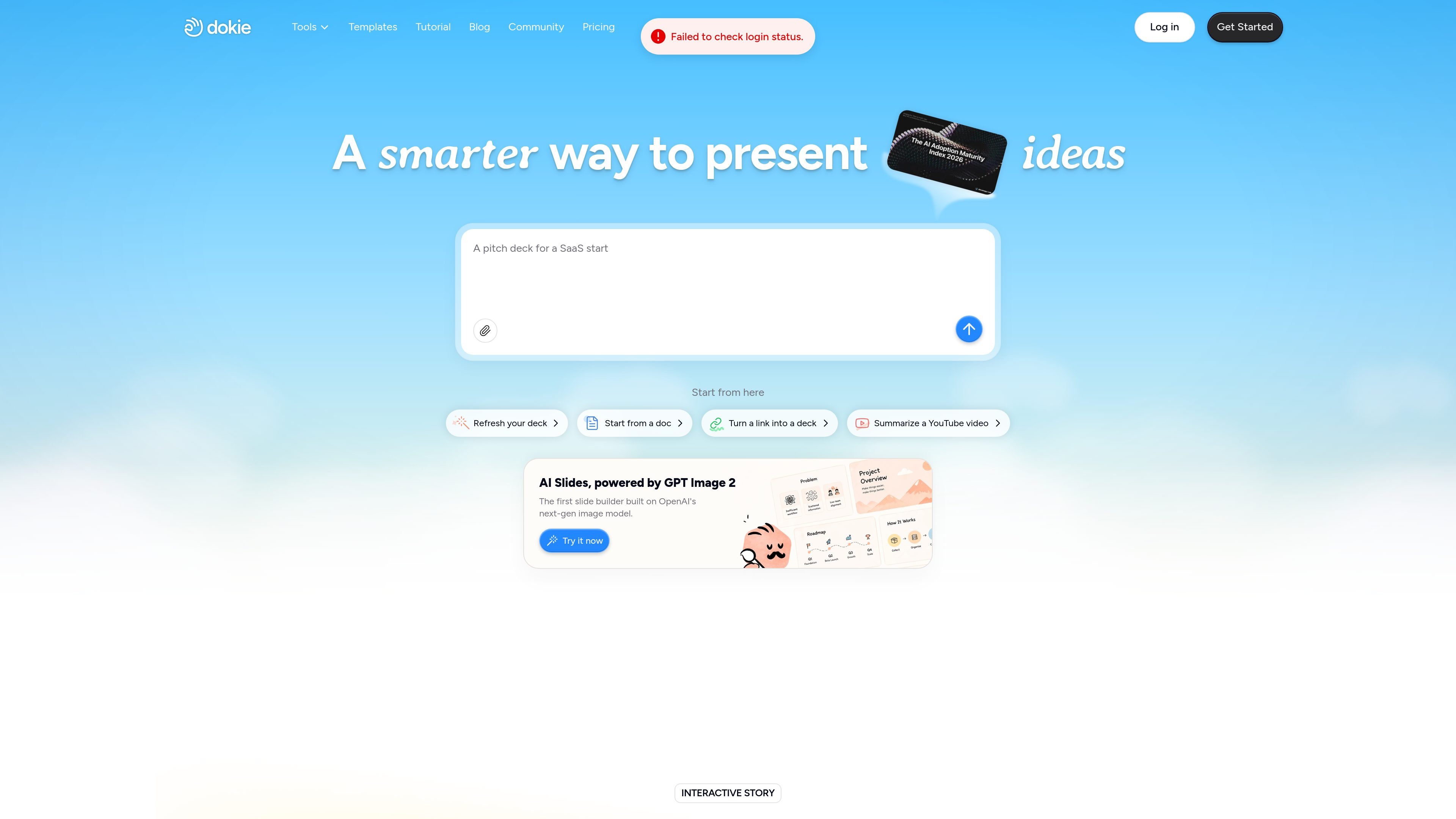
Dokie AI is an AI presentation maker that creates and edits slide decks from prompts, files, links, and videos. It offers a free Starter plan, credit-based paid tiers, and brand-aligned template support on paid plans.

Dokie AI

What Dokie AI is

Dokie AI is an AI presentation maker that generates and edits slide decks from prompts, documents, links, and other source files. The site positions it as a tool for creating clean, structured presentations quickly, with an emphasis on brand alignment and content-driven layouts.

The product combines automated slide generation with editing tools, template support, and multiple input paths such as PDF, Word, Excel, images, HTML, and YouTube videos. Pricing is credit-based, with a free Starter plan and paid tiers that add more monthly credits, custom templates, export options, and priority support.

Core capabilities

Create decks from different inputs

Dokie can generate presentations from prompts, documents, links, and YouTube videos, giving it multiple starting points for creating a deck.

Convert common file types to slides

The site lists dedicated conversion tools for PDF, Word, text, Excel, JPG, PNG, HTML, and DOC, so users can move source material into slide format.

Content-first slide structure

Dokie adapts slide layout and structure to the content it receives, which is meant to keep presentations clear and focused instead of forcing every deck into the same template.

Brand-aligned templates

Paid plans support custom templates and themes, allowing teams to upload their own branding and reuse it in generated presentations.

Refine slides with natural instructions

The product includes advanced custom editing, where users describe changes and Dokie updates layouts, visuals, and structure for them.

Editable templates and formats

Dokie’s template area highlights fully editable slides and multiple aspect ratios, including 16:9, for different presentation and social formats.

Typical use cases

  • Drafting presentations from scratch

    Turn a written brief, outline, or prompt into a first draft of a presentation when you need a deck started quickly.

  • Converting existing documents into decks

    Upload PDFs, Word files, spreadsheets, or images to convert source material into slides for review or presentation.

  • Brand-controlled presentation production

    Reuse company templates and themes on paid plans to keep client decks, team updates, and internal presentations aligned with brand standards.

  • Editing and refining existing slides

    Describe revisions in plain language and let Dokie update layouts, visuals, or structure instead of editing every slide manually.

  • High-clarity presentations for work

    Build decks for business, education, or marketing contexts where clear structure and fast turnaround matter more than decorative design work.

Pros and Cons

Pros

  • Supports multiple ways to start a presentation, including prompts, files, links, and YouTube videos.
  • Offers a broad set of source-to-slide tools for common file types such as PDF, Word, Excel, and images.
  • Paid plans support custom templates and themes for brand-consistent output.
  • Includes editing workflows so users can request changes to layouts, visuals, and structure.
  • Uses a credit model with a free Starter plan and several paid tiers for different usage levels.

Cons

  • The reviewed pages do not document full integration coverage or platform support in detail.
  • Team collaboration and security capabilities are mentioned only at a high level on the Enterprise plan.
  • Some feature details are available from site copy, but not from dedicated documentation pages in the provided source set.

FAQ

What does Dokie do?

Dokie is an AI presentation maker for creating and editing slide decks. The site says it can generate presentations from prompts, documents, links, and even YouTube videos, and it also supports editing existing slides.

Does Dokie have a free plan?

The pricing page describes a free Starter plan, plus paid Plus, Pro, Ultra, and Enterprise options. Paid plans add more monthly credits and access to features such as custom templates, export options, and priority support.

Can Dokie work with brand templates?

The pricing page says paid plans let you upload custom templates and themes so Dokie can generate presentations that match company branding.

What kinds of inputs can Dokie turn into slides?

The site lists tools for PDF, Word, text, Excel, JPG, PNG, HTML, and DOC to slides, so it is positioned around turning several file types into presentations.

Is Dokie suited for team workflows?

The source shows credit-based pricing and mentions custom templates, export options, and priority support on paid plans, but it does not provide detailed integration, collaboration, or security documentation on the pages reviewed.

Quick Facts

Category
AI presentation maker
Source domain
dokie.ai
Primary workflow
Generate and edit slide decks from prompts, files, links, and videos
Pricing model
Free Starter plan plus paid credit-based plans
Branding support
Custom templates and themes on paid plans
Template output
Fully editable slides, including multiple aspect ratios

Alternative a Dokie AI

Kimi AI icon

Kimi AI

Kimi AI is a web-based productivity platform from Moonshot AI that combines chat with specialized agents for websites, slides, docs, sheets, deep research, and coding workflows. It is aimed at users who want to move from prompts or source material to finished outputs with less manual assembly.

Slidesgo icon

Slidesgo

Slidesgo offers free and premium presentation templates for Google Slides and PowerPoint, with many templates also editable in Canva. It also includes an AI presentation maker, account-based downloads, and team features on Premium.

Notta icon

Notta

Notta is an AI note taker that transcribes meetings, interviews, lectures, and recordings, then helps summarize and organize the results. It also supports scheduling, screen recording, and structured outputs like presentations and infographics.

HeyGen icon

HeyGen

HeyGen is an AI video generation platform that turns text, images, audio, PDFs, and presentations into finished videos with avatars, narration, captions, and animations. It also supports translation, sales video workflows, and API-based integration for teams and developers.

Gamma icon

Gamma

Gamma is a web-based AI design tool for creating presentations, websites, documents, social content, and graphics. It offers a free plan and paid tiers with additional AI usage, branding controls, and advanced features.

Oreate AI icon

Oreate AI

Oreate AI is a web-based AI workspace for creating PPTs, essays, images, videos, deep research outputs, and chat answers in one place. It is aimed at users who want to manage drafting, generation, and saved work inside a single project-oriented interface.