
Run agents on your machine
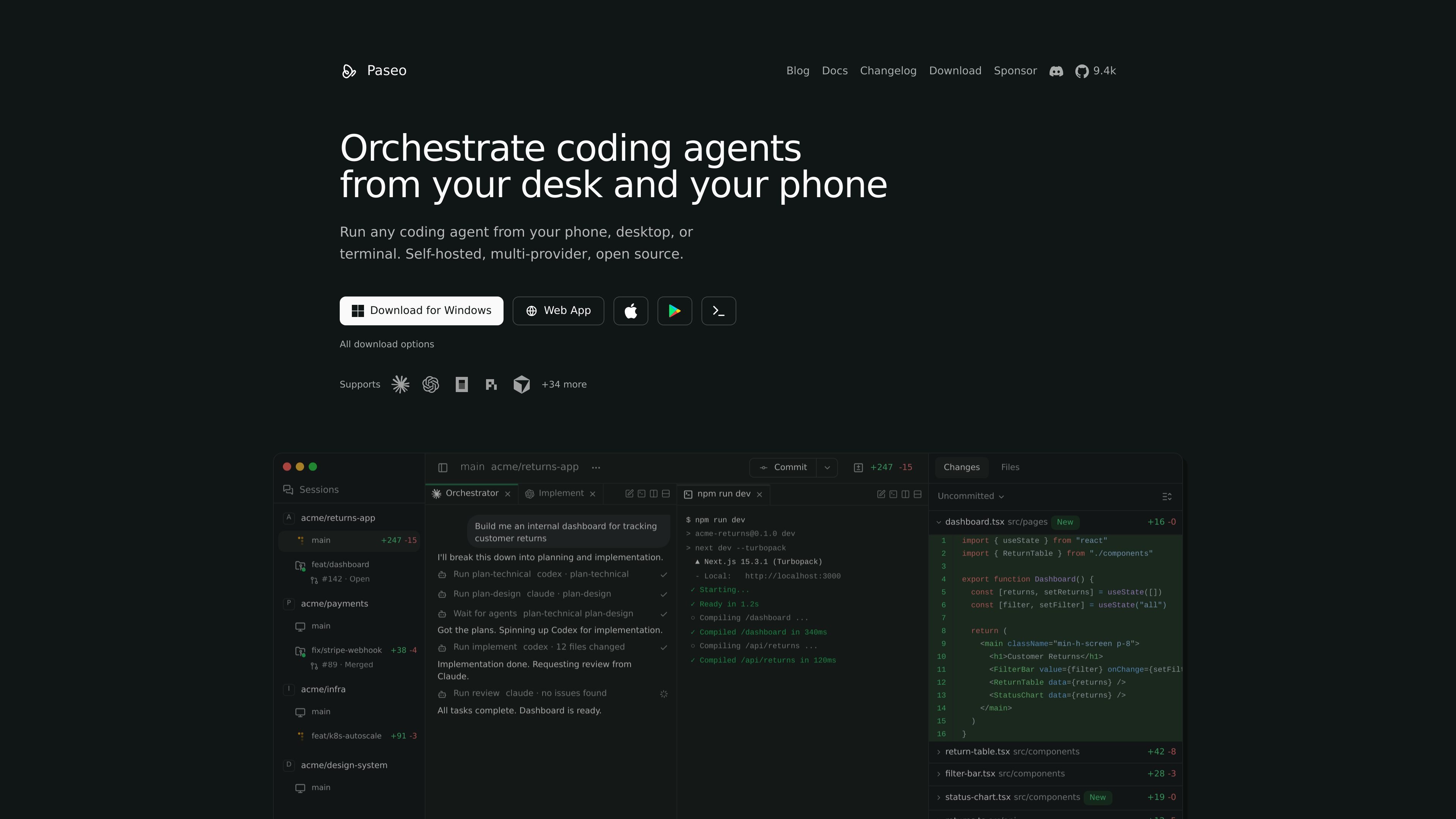
Start agents on a laptop, VM, or dev server and connect from desktop, web, mobile, or CLI. The daemon keeps the agent running on the machine where your code and tools already live.

Paseo exécute des agents de code en local et permet de les contrôler depuis tout appareil.
Paseo is a self-hosted daemon for running coding agents such as Claude Code, Codex, Copilot, OpenCode, Cursor, Gemini CLI, and Pi on your own machine. It lets you start and manage agents from phone, desktop, web, or terminal while the work stays in your local dev environment.
The product is built around remote control rather than cloud execution. According to the site and docs, agents run locally, can be connected through a direct link or an end-to-end encrypted relay, and can be launched in optional git worktrees for isolated feature work. Paseo also includes a local voice workflow and a CLI for scripting agent operations.
Start agents on a laptop, VM, or dev server and connect from desktop, web, mobile, or CLI. The daemon keeps the agent running on the machine where your code and tools already live.
Use Claude Code, Codex, Copilot, OpenCode, Pi, and other supported agents through Paseo without replacing their native harnesses. The site says your subscriptions, skills, config, and MCP servers keep working.
Launch tasks in isolated git worktrees when you want parallel work or branch-specific changes. The CLI docs show worktree support for feature development and for keeping agent work separate from your main directory.
Review diffs inline, preview the app in the browser, commit, open a PR, and merge from the same workspace. Paseo is positioned as a place to manage the full review-to-ship flow.
Use the built-in relay or connect directly to a remote daemon. The docs say the relay is end-to-end encrypted and that you can also use your own tunnel or local network access.
Control the app from the terminal with commands such as `paseo run`, `paseo ls`, `paseo attach`, `paseo send`, and `paseo logs`. The CLI is the same interface exposed by the daemon API.
Launch an agent on your laptop or VM, then keep checking progress from a phone, browser, or desktop app without staying at the machine.
Run multiple feature branches in separate worktrees so different agents can work in parallel without stepping on the same files or port.
Use the CLI in scripts or lead-agent workflows to start tasks, wait for completion, stream output, and send follow-up instructions.
Preview a branch in the browser, inspect diffs inline, and then commit, open a PR, and merge after review.
Use local speech input and output to talk to an agent without sending your code off machine, then optionally connect speech providers if configured.
Yes. Paseo is free and open source. The site says you need Claude Code, Codex, Cursor, OpenCode, or Pi installed with your own credentials.
Paseo runs agents locally on your machine and says it does not send your code anywhere. For remote access, you can use the optional end-to-end encrypted relay, connect on your local network, or use your own tunnel.
Paseo supports Claude Code, Codex, Cursor, OpenCode, Pi, and additional agents listed on the supported agents page. The docs also say any ACP-compatible agent can be configured.
No. The CLI docs say Paseo can run headless, and the desktop app just bundles the daemon with a UI. You can use the CLI, web app, or mobile app to connect.
By default, voice runs locally on your device: the app transcribes speech and sends it to your agent as text. The site also says OpenAI speech providers can be configured optionally for transcription and text-to-speech.
Les données de trafic sont fournies à titre indicatif uniquement.

voidleap.com
Voidleap Code est un IDE de bureau destiné aux développeurs professionnels et aux ingénieurs en IA qui créent des logiciels avec des agents IA. Il s’exécute en local sur Mac et Windows, prend en charge les comptes de fournisseurs cloud ou les modèles locaux et permet d’inspecter et de contrôler les prompts, les appels d’outils, le contexte et les modifications de fichiers.

kortix.com
Kortix est un centre de commande IA open source qui permet aux entreprises de créer, exécuter et gouverner leurs agents IA depuis un même endroit. Il propose des options gratuites, équipe et entreprise, avec contrôles de gouvernance, choix des modèles et déploiement flexible.

openfang.sh
OpenFang est un système d’exploitation open source pour agents, développé en Rust, qui permet d’exécuter, configurer et superviser des agents autonomes, avec déploiement local ou auto-hébergé, modèles intégrés, manifestes personnalisés, canaux de messagerie et contrôle par navigateur ou API.

ollama.com
Exécutez des modèles ouverts en local ou dans le cloud pour le code, l’automatisation, l’analyse et les agents.

devin.ai
Devin est un agent de codage et un ingénieur logiciel doté d’IA pour les développeurs et les équipes d’ingénierie. Il propose un accès depuis un ordinateur, la CLI et les IDE, ainsi que des offres pour les équipes et les entreprises, avec des workflows d’agents cloud et des contrôles d’administration.

e2b.dev
E2B exécute des agents IA dans des sandboxes isolés avec des SDK Python et JavaScript pour la recherche, le code et l’analyse de données.