
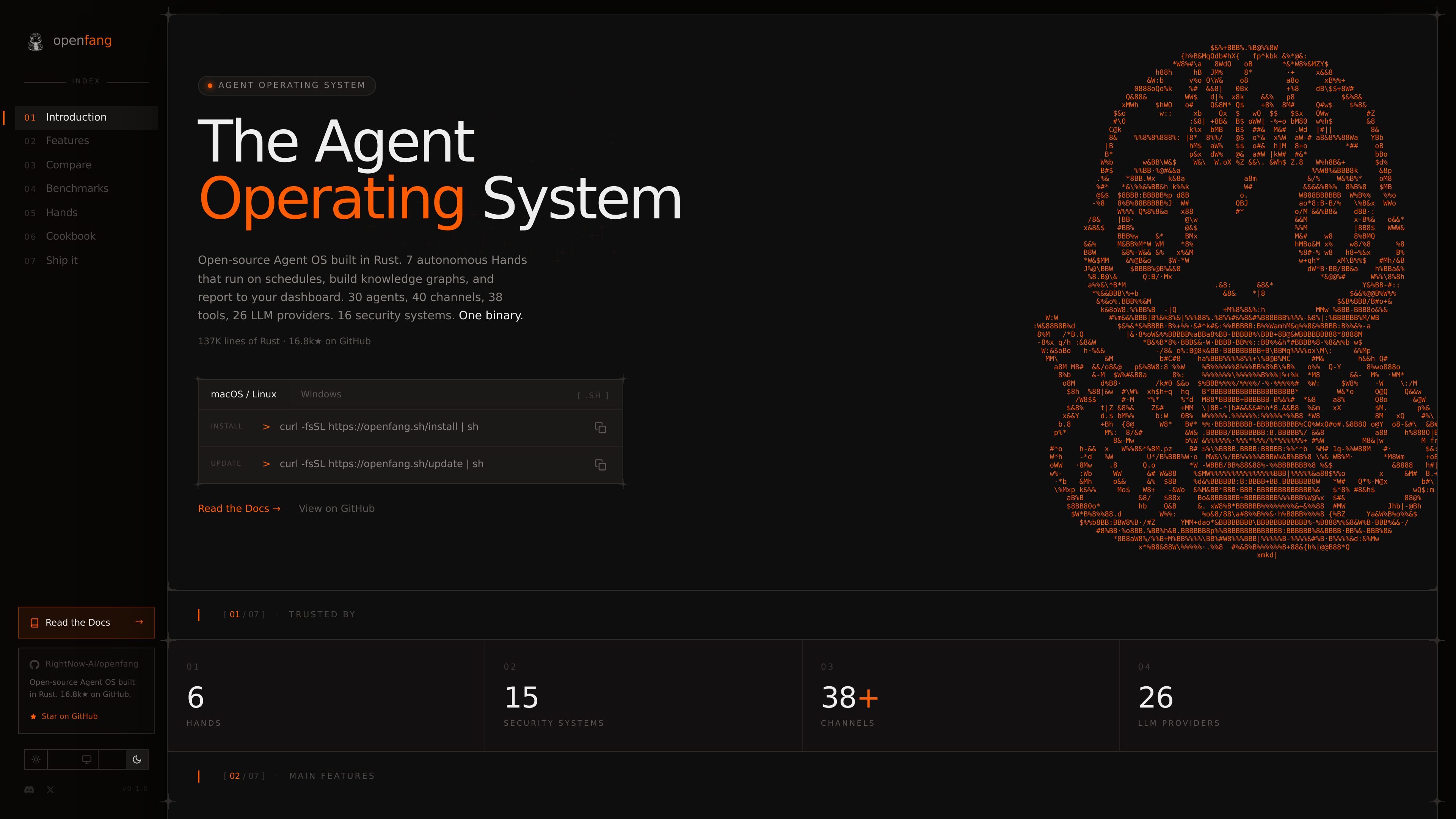
One-binary runtime and desktop app
OpenFang ships as a Rust workspace with a single compiled binary, plus a native desktop app and a daemon for persistent operation.

OpenFang est un système d’exploitation open source pour agents, développé en Rust, qui permet d’exécuter, configurer et superviser des agents autonomes, avec déploiement local ou auto-hébergé, modèles intégrés, manifestes personnalisés, canaux de messagerie et contrôle par navigateur ou API.
OpenFang is an open-source Agent OS built in Rust for installing, configuring, and operating autonomous agents. The public docs position it as a runtime for hands, agents, tools, security, memory, channels, protocols, and a native desktop app, with a daemon for persistent and multi-user use.
It is aimed at people who want to run agents locally or self-host them, choose an LLM provider, attach messaging channels, and manage workflows from templates or custom manifests. The docs also show support for browser-based chat, API access, MCP, A2A, and a native desktop application.
OpenFang ships as a Rust workspace with a single compiled binary, plus a native desktop app and a daemon for persistent operation.
The product includes 7 pre-built autonomous Hands such as Clip, Lead, Collector, Predictor, Researcher, Twitter, and Browser, each meant for a specific workflow.
The docs describe 16 security systems including WASM dual metering, manifest signing, audit trails, taint tracking, SSRF protection, secret zeroization, mutual auth, and prompt-injection scanning.
OpenFang supports 40 messaging channel adapters, 20 LLM providers, and 60 bundled skills, with additional agent templates and workflow composition.
The getting started guide shows installation via shell script, Cargo, or Docker, then configuration through `config.toml` and environment variables.
The docs expose REST, WebSocket, and SSE endpoints, plus an OpenAI-compatible `/v1/chat/completions` API for external integration.
Install OpenFang, set an API key, run `openfang init`, and spawn a built-in template such as `hello-world` to get a working agent running quickly.
Create a custom `agent.toml` with a chosen provider, model, and capability set when you want an agent tailored to a specific task or workflow.
Run `openfang start` to expose the REST API, WebSocket endpoint, WebChat UI, and persistent daemon behavior for ongoing use.
Connect messaging platforms, MCP servers, or A2A integrations when you need agents to interact with external tools and channels.
Use the native desktop app or browser chat interface when you want a local UI for monitoring running agents, reading responses, and checking token usage.
OpenFang’s getting started guide shows three installation paths: a shell installer for Linux and macOS, `cargo install` for any platform with Rust 1.75+, and Docker.
The docs say OpenFang needs at least one LLM provider API key. It supports environment variables such as `ANTHROPIC_API_KEY`, `OPENAI_API_KEY`, and `GROQ_API_KEY`.
The getting started guide shows both built-in agent templates and custom `agent.toml` manifests. You can spawn a template agent or define your own model and capability settings.
The daemon supports persistent agents, multi-user access, the WebChat UI, REST API, WebSocket access, and token usage visibility in the browser UI.
The architecture and docs pages describe OpenFang as a Rust workspace with sandboxing, security hardening, channel adapters, skills, MCP, and A2A support. The public docs do not provide a complete list of every supported provider or integration detail on the pages used here.
Les données de trafic sont fournies à titre indicatif uniquement.

kortix.com
Kortix est un centre de commande IA open source qui permet aux entreprises de créer, exécuter et gouverner leurs agents IA depuis un même endroit. Il propose des options gratuites, équipe et entreprise, avec contrôles de gouvernance, choix des modèles et déploiement flexible.

panguard.ai
Panguard AI est une plateforme de sécurité open source pour les agents IA. Elle analyse les skills et les serveurs MCP avant leur exécution et protège les actions des agents à l’exécution, avec des contrôles auto-hébergés et des preuves de conformité signées pour les développeurs, fournisseurs d’IA et équipes réglementées.

www.agentconnect.md
AgentConnect permet aux équipes d’intégrer des agents ACP comme Claude Code, Codex et Gemini CLI à Slack, Telegram, Discord et GitHub, afin qu’ils puissent prendre en charge des tâches dans les canaux où les équipes collaborent déjà. La solution est open source et auto-hébergeable, avec des rôles, des outils, une mémoire et des déclencheurs configurables pour les workflows des agents.

opencodesuper.app
OpenCode Superapp est un espace de travail natif pour Mac qui permet d’utiliser des modèles d’IA locaux, auto-hébergés ou dans le cloud, avec du code, de l’automatisation du navigateur, la voix, des extensions, des widgets et un accès à distance sécurisé. Il s’adresse aux personnes qui souhaitent un environnement OpenCode privilégiant le local, sans compte.

heym.run
Heym est une plateforme d’automatisation de workflows d’IA, disponible avec son code source et auto-hébergée, qui permet de créer et d’exécuter des workflows agentiques avec un éditeur visuel. Elle aide les équipes d’automatisation, de plateforme et d’IA à orchestrer agents, RAG, validations et traces d’exécution sur leur propre infrastructure.

dify.ai
Dify est un outil de création de workflows agentiques pour développer, déployer et gérer des agents autonomes, des pipelines RAG et des applications d’IA associées, avec des options cloud, auto-hébergées et d’entreprise.