
Separate browser sessions
Each participant operates through an isolated browser session, helping represent distinct accounts rather than multiple tabs sharing one login state.

Jango est un outil de bureau pour macOS qui permet de tester des applications web multi-utilisateurs avec des participants IA dans des sessions de navigateur distinctes. Les développeurs peuvent leur attribuer des comptes de test et des objectifs, observer ou guider leurs actions et tester des processus tels que les interactions sociales, la messagerie, la collaboration, les places de marché et les carnets d’ordres en environnement sandbox.
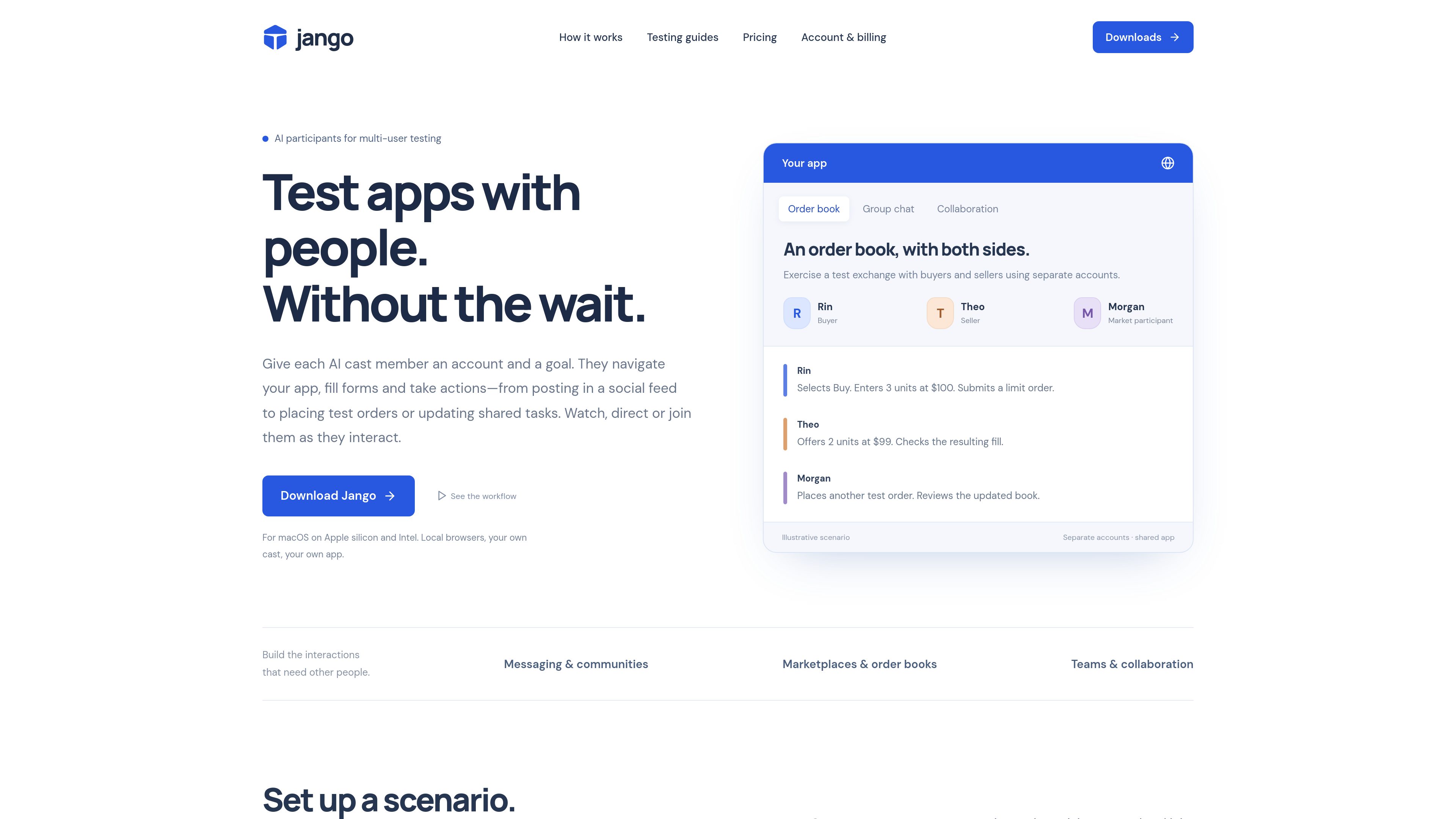
Jango is a macOS desktop tool for development testing of multi-user web applications. It creates separate browser sessions for AI participants, each with a test account, role, and goal, so a developer can exercise interactions that normally require multiple people.
Developers can observe participant screens, pause or direct activity, and join the same app with their own account. Jango is designed for apps under the developer’s control and covers workflows including social interactions, messaging, collaboration, marketplaces, and sandbox order books.
Each participant operates through an isolated browser session, helping represent distinct accounts rather than multiple tabs sharing one login state.
Connect a development URL and test accounts, then define roles and concrete objectives such as inviting a user, placing an order, or updating a shared task.
Watch participant screens, pause when an unexpected result occurs, issue directions, and use the app alongside the AI participants from your own account.
Save participant casts, encrypted login state, browser checkpoints, observed app controls, reusable hints, and execution history for subsequent development checks.
Runs can leave activity, observable checks, navigation hints backed by actions, and comparisons that help document what happened across accounts.
Use the desktop workspace, launch sessions from the terminal, or give a coding assistant access through MCP. AI sessions can connect to OpenAI, Anthropic, or Vercel AI Gateway.
Exercise invitations, posts, conversations, community roles, and shared activity with multiple development accounts while checking what each account can see.
Run multi-account chat scenarios without coordinating a group of human testers, including joining the conversation from the developer’s own account.
Test team invitations, shared tasks, role-based access, and other collaborative web app flows that depend on more than one participant.
Use buyer, seller, and other participant roles to navigate pages, submit test listings or orders, and inspect the resulting state in a sandbox environment.
Keep a cast for repeated exploratory checks after app changes, then convert confirmed bugs into deterministic browser or API tests when precise assertions are needed.
A participant operates the web app through its own browser session. Depending on the controls it can observe, it can navigate, click, fill forms, select options, upload supplied images, and perform actions described in its goal.
Yes. You can log into the app with your own account while the cast uses its assigned accounts. Jango lets you watch screens, direct participants, and pause activity.
You need a development URL, test accounts for the participants, and a scenario with roles and goals. Jango’s Mac installer bundles Node.js and Chromium, so separate Node or Playwright installation is not required.
Browsers run on your computer. Projects, evidence, and browser checkpoints are stored in your Jango account, while AI usage can be connected to your own provider key or managed through Jango’s in-app credits.
The site identifies canvas-only apps, popup sign-in flows, and CAPTCHA as cases that may require a different integration. Jango is intended for testing apps you control.
Les données de trafic sont fournies à titre indicatif uniquement.

askmywardrobe.com
Ask My Wardrobe est un outil de cabine d’essayage virtuelle et de planification de tenues accessible dans le navigateur. Importez une photo de vous et des vêtements pour prévisualiser des looks, comparer les options, planifier des tenues et les partager avant de décider quoi porter ou acheter.

kelam.sh
Kelam attribue un numéro de téléphone aux assistants IA pour qu’ils puissent passer et recevoir des appels. La solution prend en charge les agents dans le navigateur et les flux de travail des agents de programmation, avec transcriptions en direct, enregistrements, informations extraites des appels et conversations vocales en anglais, espagnol et français.

ustack.app
UStack est un annuaire multilingue pour découvrir et comparer des outils d’IA, produits SaaS, outils pour développeurs et logiciels créatifs, avec plus de 4 000 références dans plus de 150 catégories, mis à jour chaque jour.

chromewebstore.google.com
Accessibility Checker by WebYes est une extension Chrome gratuite qui analyse les pages web pour détecter les problèmes liés aux WCAG, au contraste, à la structure et à certaines bonnes pratiques. Elle s’adresse aux développeurs, designers, équipes QA, auditeurs, propriétaires de sites et éditeurs de contenu qui ont besoin de vérifications rapides de l’accessibilité dans le navigateur.

fastly.com
Plateforme cloud edge pour diffuser, sécuriser et observer sites et applications

baserow.io
Baserow est une plateforme de base de données open source et no-code pour créer bases de données, applications, tableaux de bord et automatisations, dans le cloud ou en auto-hébergement.