
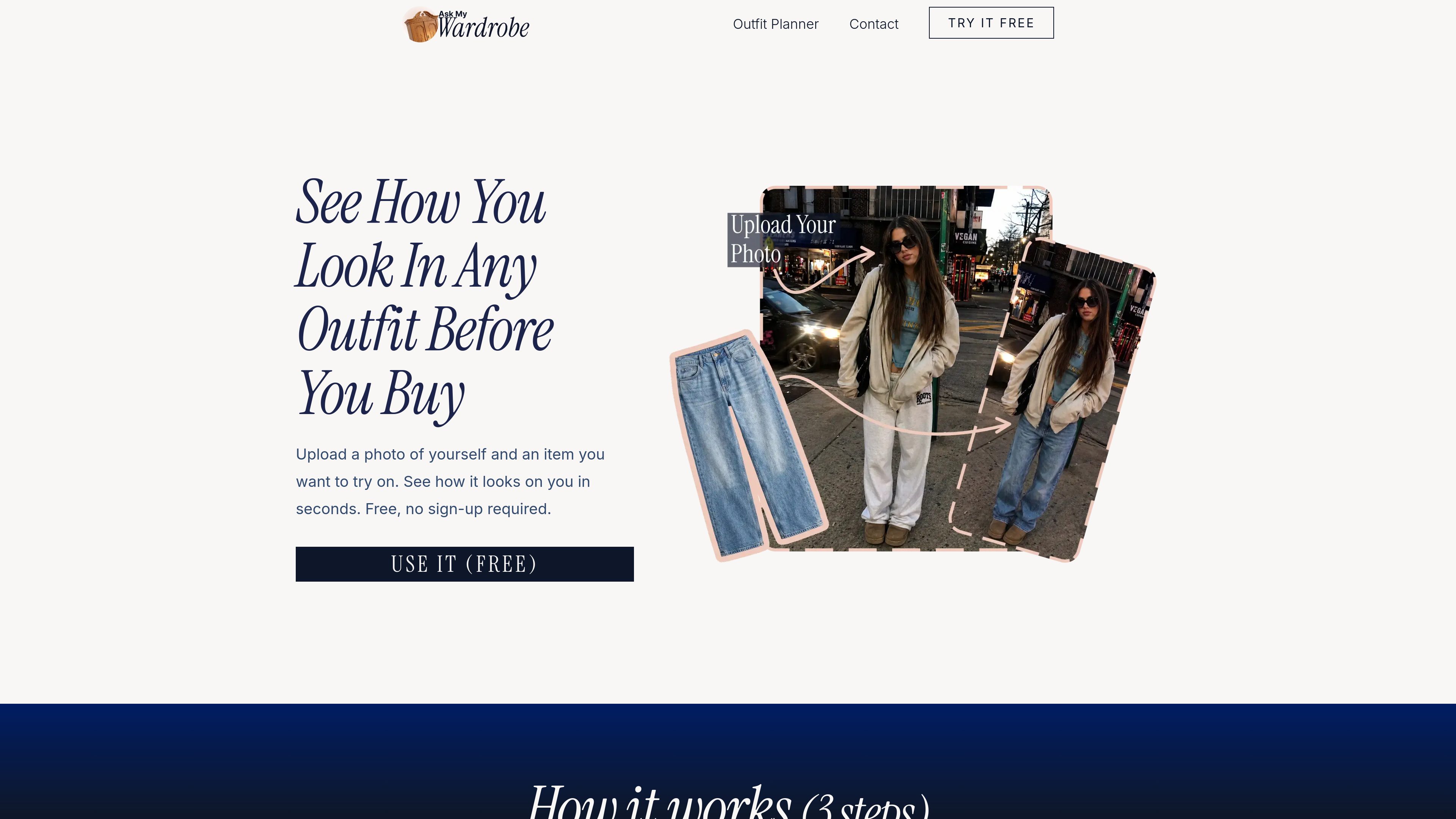
Virtual clothing try-on
Upload a personal photo and an image of a clothing item to see a generated preview of the look.

Ask My Wardrobe est un outil de cabine d’essayage virtuelle et de planification de tenues accessible dans le navigateur. Importez une photo de vous et des vêtements pour prévisualiser des looks, comparer les options, planifier des tenues et les partager avant de décider quoi porter ou acheter.
Ask My Wardrobe is a browser-based virtual try-on and outfit planning tool. It lets you upload a photo of yourself and a clothing item, then preview how the item looks on you. The service is designed to reduce guesswork when shopping or deciding what to wear.
The tool supports tops, bottoms, and full outfits when the clothing image is clear. Results are intended to show the overall fit, look, and suitability of an outfit rather than provide a perfect representation. Users can test several options, compare looks, and download or share the results.
Upload a personal photo and an image of a clothing item to see a generated preview of the look.
Try tops, bottoms, or complete outfits, depending on the available clothing image.
Review different looks, choose between options, and download or share images with friends for feedback.
Build a visual plan using wardrobe images, uploaded images, text, backgrounds, and background removal, then arrange the elements into an outfit composition.
Organize planned looks by date in a monthly calendar and connect them with Apple Calendar, Google Calendar, Outlook Calendar, or another calendar app.
Preview a clothing item on your own photo before buying it, helping you decide whether the style appears to work for you.
Prepare looks for workdays, dinners, weekends, happy hours, dates, or events and assign them to specific days.
Combine items from a digital wardrobe or uploaded images on a custom canvas to visualize a complete outfit.
Download or share planned looks through messaging or social platforms when you want opinions from friends.
No. You can start with a few free tries without signing up. An account is needed to unlock more tries and save looks for later.
You need a photo of yourself and an image of a clothing item. A full-body, forward-facing photo with good lighting and a simple background is recommended.
The site says the tool can work with tops, bottoms, and full outfits when the clothing image is clear.
Yes. You can assign planned looks to days, view them in a monthly calendar, and sync them with Apple Calendar, Google Calendar, Outlook Calendar, or another calendar app.
You can download a planned look or share it through a social media or messaging app to get feedback from friends.
Les données de trafic sont fournies à titre indicatif uniquement.

usejango.com
Jango est un outil de bureau pour macOS qui permet de tester des applications web multi-utilisateurs avec des participants IA dans des sessions de navigateur distinctes. Les développeurs peuvent leur attribuer des comptes de test et des objectifs, observer ou guider leurs actions et tester des processus tels que les interactions sociales, la messagerie, la collaboration, les places de marché et les carnets d’ordres en environnement sandbox.

kelam.sh
Kelam attribue un numéro de téléphone aux assistants IA pour qu’ils puissent passer et recevoir des appels. La solution prend en charge les agents dans le navigateur et les flux de travail des agents de programmation, avec transcriptions en direct, enregistrements, informations extraites des appels et conversations vocales en anglais, espagnol et français.

ustack.app
UStack est un annuaire multilingue pour découvrir et comparer des outils d’IA, produits SaaS, outils pour développeurs et logiciels créatifs, avec plus de 4 000 références dans plus de 150 catégories, mis à jour chaque jour.

chromewebstore.google.com
Accessibility Checker by WebYes est une extension Chrome gratuite qui analyse les pages web pour détecter les problèmes liés aux WCAG, au contraste, à la structure et à certaines bonnes pratiques. Elle s’adresse aux développeurs, designers, équipes QA, auditeurs, propriétaires de sites et éditeurs de contenu qui ont besoin de vérifications rapides de l’accessibilité dans le navigateur.