
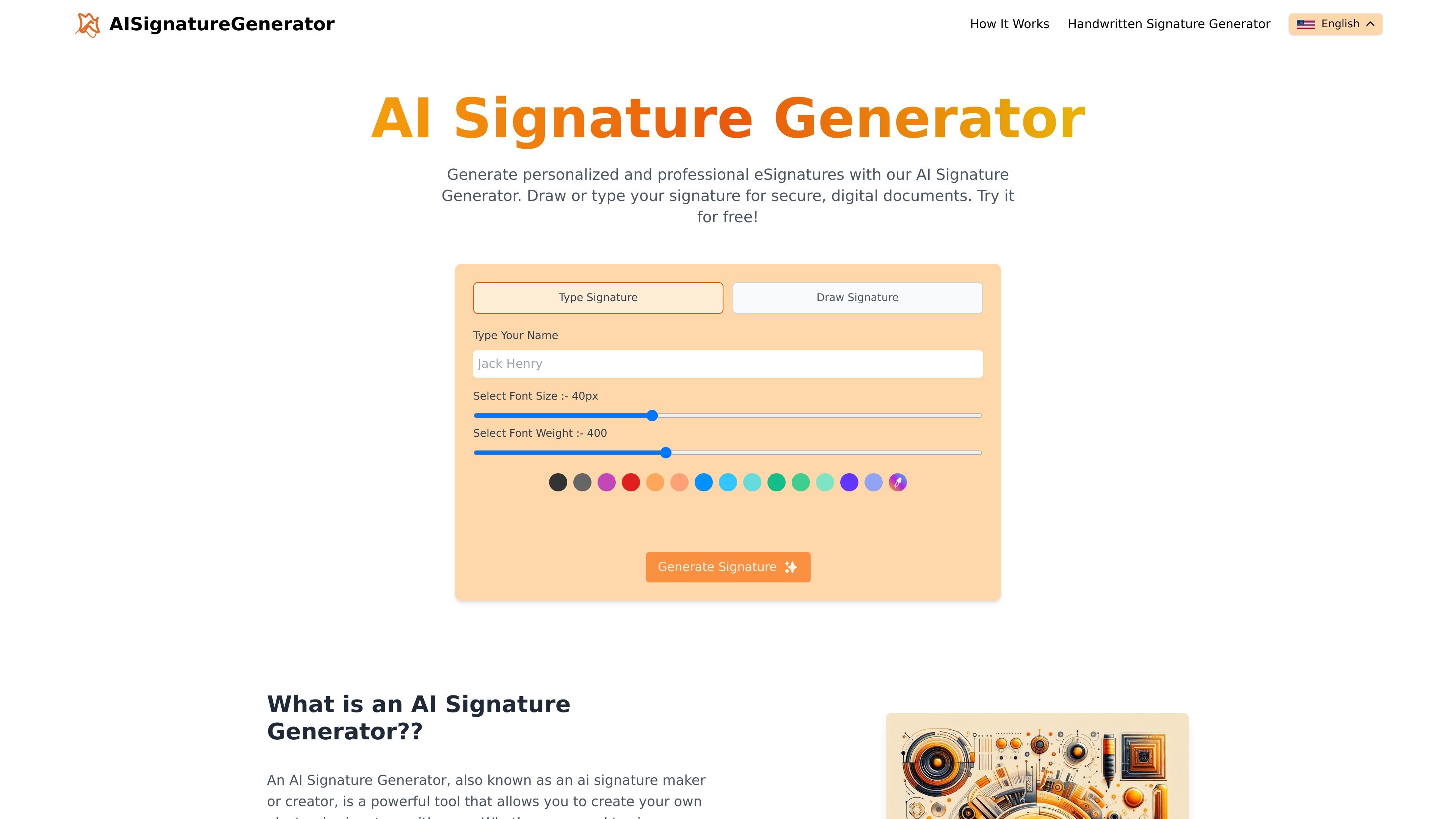
Typed signature creation
Create a signature by typing your name and adjusting the on-page font controls before generating the result.

Créez des signatures électroniques en les tapant ou en les dessinant dans votre navigateur.
AI Signature Generator is an online tool for creating electronic signatures from either typed input or a drawn signature. The homepage describes it as a free way to generate personalized and professional eSignatures for digital documents.
The product is positioned for quick signature creation in the browser, with controls for font size and font weight when typing a name. The page text also says the generated signature can be downloaded and used in PDFs, Word documents, and email.
Create a signature by typing your name and adjusting the on-page font controls before generating the result.
Switch to a draw mode for producing a handwritten-style electronic signature directly in the browser.
Use the generated signature for digital documents, with the site explicitly mentioning PDFs and Word documents.
Download signatures for repeated use; the homepage describes the tool as offering unlimited downloads.
Generate output quickly without a complex setup; the homepage highlights rapid rendering and a user-friendly interface.
A person who needs a quick electronic signature can type a name, tune the font controls, and generate a reusable signature without downloading software.
Someone who wants a more handwritten look can use the draw mode to produce a custom signature for documents or email use.
A user preparing paperwork in common office formats can generate a signature for PDFs or Word documents and download it for later insertion.
Anyone who sends signed messages regularly can create a signature once and reuse it in email, based on the site’s stated output uses.
The site presents the generator as a free online tool for creating electronic signatures. The rendered page text also mentions unlimited downloads, but the pricing page does not provide any plan details beyond a missing page, so there is no confirmed paid tier information to report.
The homepage indicates two input modes: typing a signature or drawing one. It also shows controls for font size and font weight before generating the result.
The page text says signatures can be downloaded for PDFs and Word documents and can also be used in email. Those are the only output destinations explicitly mentioned on the site content provided.
No team, account, or multi-user setup is described in the provided source. The published content only explains individual signature creation from the homepage.
The pricing URL shown in the source returns a page-not-found message, so there is no accessible pricing detail to confirm limits, subscriptions, or paid features.
Les données de trafic sont fournies à titre indicatif uniquement.
| mai | 531 |
|---|---|
| juin | 618 |
| juil. | 328 |
Les analyses de trafic ne sont pas encore disponibles.

costlogic.co
CostLogic est un outil d’estimation de travaux de construction accessible depuis un navigateur, conçu pour le métré sur plans, les devis et les factures. Importez des plans PDF, mesurez directement sur les dessins et passez du métré à la facturation dans un même flux de travail.
claudewatermark.xyz
Claude Watermark est un outil accessible dans le navigateur qui détecte les traces repérables dans le texte collé depuis Claude ou ChatGPT et aide à les nettoyer. Supprimez la mise en forme masquée, les caractères invisibles et autres résidus de collage sans téléverser le texte vérifié.

shogunaios.com
ShogunAI est un assistant mémoire IA privé et axé sur le traitement local pour macOS. Il capture le contexte de travail sur votre Mac afin de vous aider à retrouver des informations et à préparer des actions dans vos outils.

www.trycherryblossom.com
Cherry Blossom est un outil de conception de PCB dans le navigateur qui transforme des instructions en anglais courant en schémas modifiables, en routages de PCB et en fichiers de fabrication. Il aide les ingénieurs à passer d’une idée de carte à une conception exportable sans repartir de zéro.

www.tryaidiy.com
ai.diy est un espace de travail IA open source géré depuis le navigateur, avec chat BYOK, outils locaux et changement de fournisseur. Il conserve l’état de l’espace de travail dans le navigateur et se connecte à plus de 20 fournisseurs d’IA cloud et locaux via un relais auto-hébergé.