
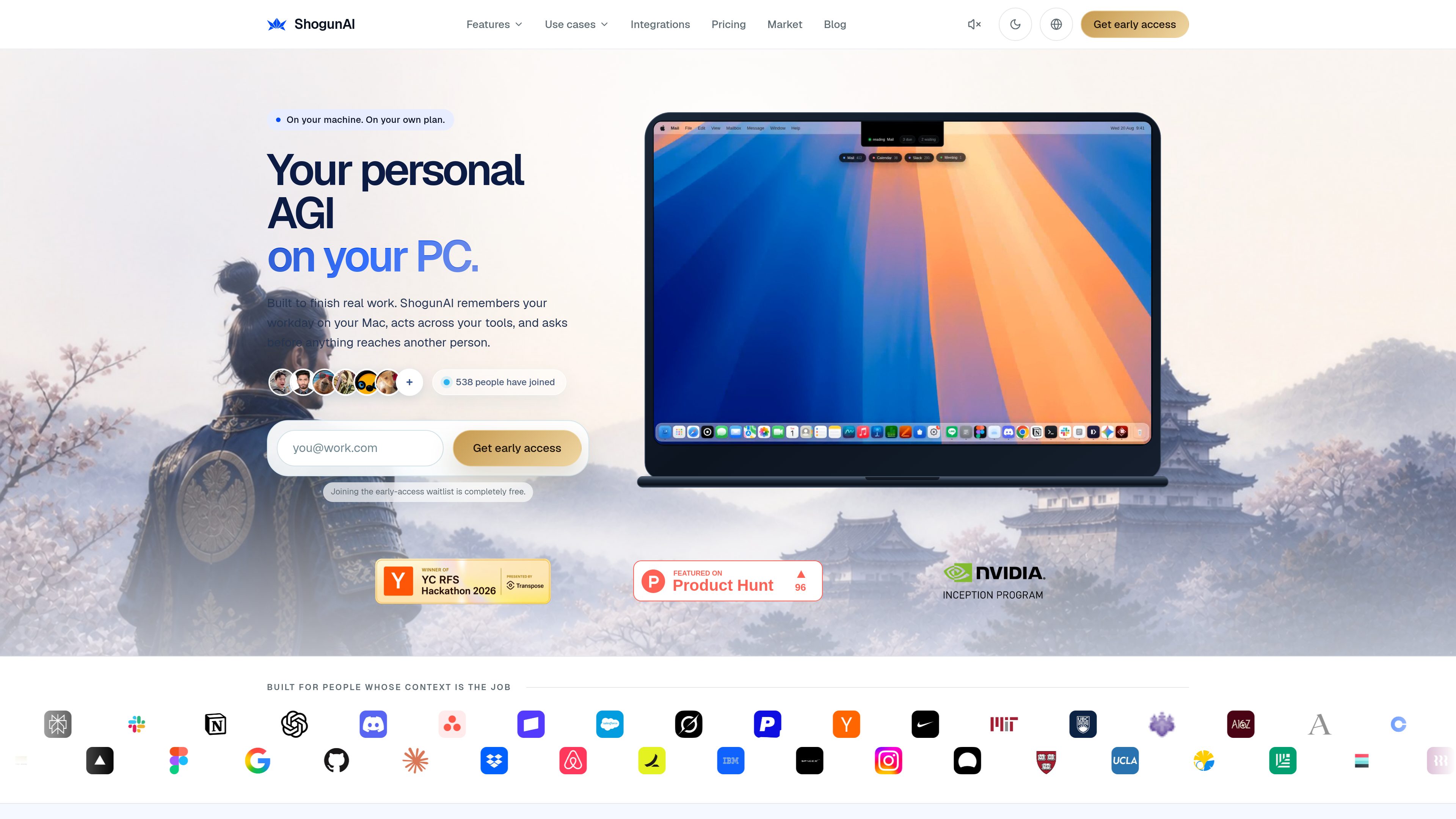
On-device work memory
Captures text from macOS accessibility data, stores it encrypted on your Mac, and indexes it locally so your work history stays available without a cloud copy by default.

ShogunAI est un assistant mémoire IA privé et axé sur le traitement local pour macOS. Il capture le contexte de travail sur votre Mac afin de vous aider à retrouver des informations et à préparer des actions dans vos outils.
ShogunAI is a local-first AI memory assistant for macOS that records work context on your Mac, lets you ask about it in plain language, and turns selected context into drafts, updates, and other actions inside the tools you already use.
Its core purpose is to reduce the time spent re-explaining context, searching across apps, and copying information between tools. The site describes it as a way to keep one private memory on your Mac and use that memory to finish work rather than only answer questions.
Captures text from macOS accessibility data, stores it encrypted on your Mac, and indexes it locally so your work history stays available without a cloud copy by default.
Searches mail, chat, docs, and calendar from one query and attaches the source and time to each result so answers can be checked against the original evidence.
When text capture does not return enough information, ShogunAI can take a compressed screenshot on your Mac. The site says screenshots stay encrypted locally and are deleted after the retention period you choose.
Can draft replies, updates, and filings inside the app you are already using, with three levels of autonomy that determine when work runs, when drafts wait, and when approval is required before anything reaches another person.
Detects meetings, produces transcripts, and creates minutes with summary, decisions, and commitments heard during the meeting. Audio is not written to disk; only the transcript persists.
Connects to supported work tools and AI providers through optional integrations, with your permissions and provider keys remaining under your control. The site lists connections for communication, documents, product and design tools, and multiple model providers.
Use one search across mail, chat, documents, and calendar to recover the thread, decision, or commitment that a reply depends on, instead of copying the backstory into a prompt.
Press Option in a text field to have ShogunAI write a continuation at the caret in the app you are already using, then review and send it yourself when the draft is ready.
Have meetings transcribed and summarized into minutes, decisions, and proposed next actions so you can file follow-ups without manually reconstructing what happened.
Review what changed overnight, what remains open, and what you promised before starting the day, using the memory layer rather than separate notes in each app.
Use the execution layer to turn remembered context into updates, filings, or other tool-based work, with approval gates for actions that leave your Mac.
No. The site says it can run on the assistant plan you already pay for, within that plan’s limits. You can also bring your own API key and switch providers without losing your memory history.
It captures text, where it came from, and when. If visual recall is enabled, it can also capture compressed screenshots when text capture is not enough. Meeting audio is not written to disk; only the transcript is kept.
Only the specific slice needed for a request, such as the thread to summarize or the context for a draft. The site says each such transfer is recorded in a traceability log and marked when it passes through a third party.
Yes. The site says it is built for macOS, uses native macOS capabilities, and runs on Apple Silicon.
Yes. The integrations page says connections are optional and controlled by you. The local-first memory layer is the foundation, and connecting tools adds richer context and approved actions.
Les données de trafic sont fournies à titre indicatif uniquement.

www.basecompute.co
Local est une app macOS qui exécute l’IA sur votre propre machine, optimisée pour la puce et la mémoire de votre Mac afin de gérer chat, code, notes de réunion et workflows privés sur l’appareil.

littlebird.ai
Assistant IA qui apprend votre contexte de travail pour répondre aux questions, rédiger du contenu et effectuer des actions sur Mac, Windows, iOS et Android.
actx0.com
Actx0 est une infrastructure de mémoire gérée pour les agents d’IA et les applications. Elle aide les équipes à stocker les souvenirs de session et les connaissances de l’espace de travail, puis à récupérer le contexte pertinent en quelques millisecondes avant la prochaine réponse du modèle.

monolog.ing
monolog est une application privée de journal intime et de capture de souvenirs. Notez vos pensées comme dans une conversation, puis organisez-les et retrouvez-les par contexte, date, mots-clés ou tags. Tenez un journal, gardez des rappels et revisitez vos souvenirs épars.

sshly.app
Sshly est un client SSH natif pour Mac qui regroupe les connexions, les clés SSH, la gestion des fichiers et la redirection de ports dans une seule app. Il propose un flux de travail SSH local avec une licence à paiement unique, sans abonnement.

invisionapp.com
Miro est une plateforme de collaboration visuelle basée sur l’IA qui aide les équipes à transformer idées et recherches en plans structurés et en actions dans un espace de travail partagé, avec IA collaborative, canevas multijoueur, formats structurés et intégrations.