
Photo input flow
Upload a photo by drag-and-drop or file selection, or use the take-a-photo option shown on the page. The upload area accepts .png, .jpg, and .jpeg files up to 1 MB.

Avatarify AI is a web app for creating custom AI avatars from a photo with preset styles, prompt controls, and credit-based access.
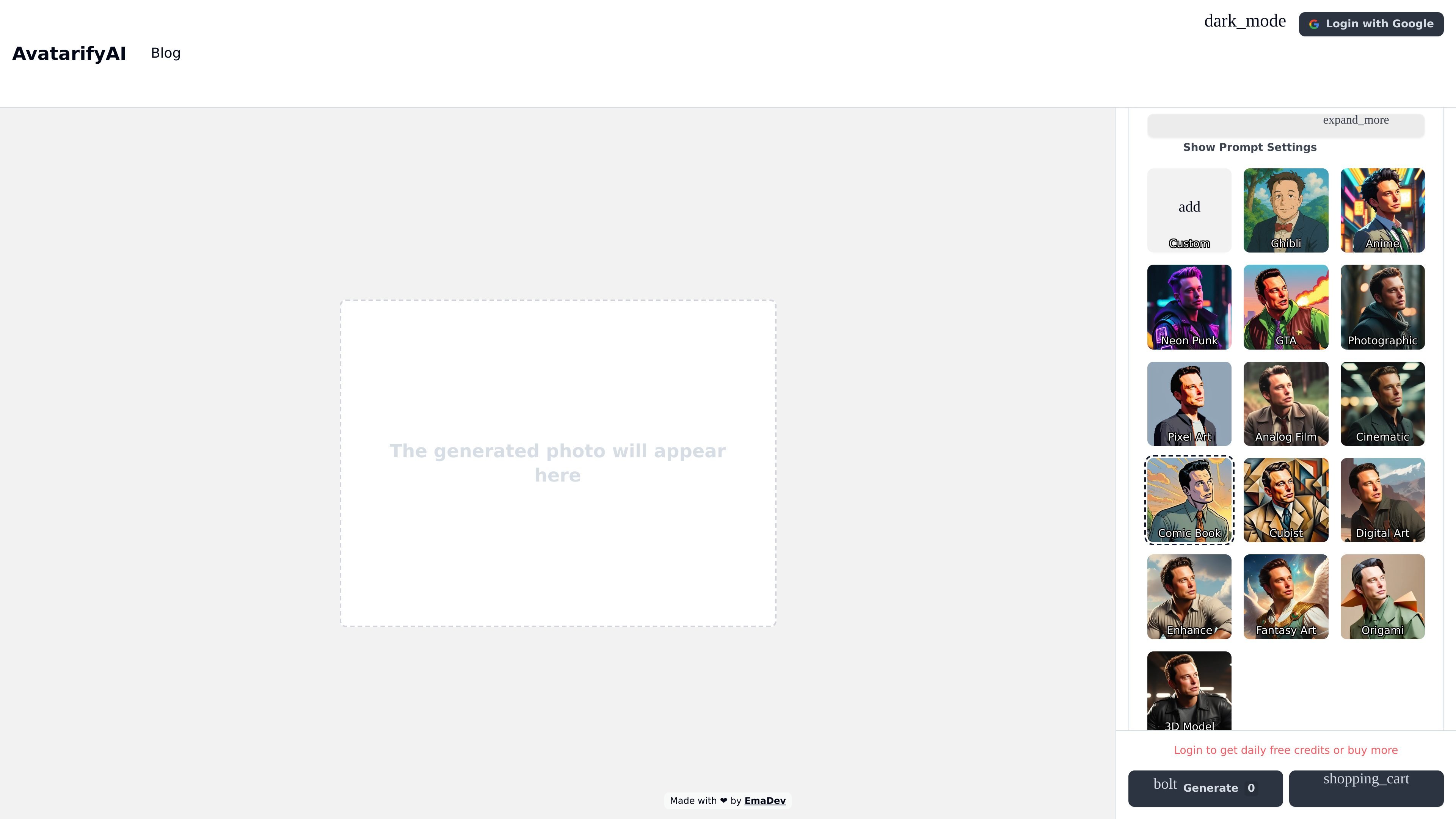
Avatarify AI is a web-based tool for creating custom AI avatars from a photo. The homepage centers on a single workflow: upload an image, choose a style, refine the prompt if needed, and generate a transformed avatar.
The product is positioned for people who want stylized portrait outputs rather than general-purpose image editing. The captured pages show a wide style library, prompt and negative-prompt controls, and a credit-based access flow tied to login or credit purchases.
Upload a photo by drag-and-drop or file selection, or use the take-a-photo option shown on the page. The upload area accepts .png, .jpg, and .jpeg files up to 1 MB.
Choose from preset styles such as Ghibli, Anime, Neon Punk, GTA, Photographic, Pixel Art, Analog Film, Cinematic, Comic Book, Cubist, Digital Art, Fantasy Art, Origami, and 3D Model.
Enter a prompt to describe the image you want the system to generate, giving users more control over the output direction.
Use a negative prompt to describe elements to avoid in the generated image, which helps narrow the result.
Reset back to the original setup after editing settings, which supports quick iteration on a source photo.
The blog says the product is open source and self-hostable, and that it uses Stable Diffusion under the hood.
Turn a portrait or selfie into a stylized avatar for a profile image or personal use, using one of the built-in styles as the starting point.
Try different visual directions such as Anime, Ghibli, or Photographic to compare how the same source photo changes across styles.
Use prompt and negative-prompt settings to steer the output toward a specific look while avoiding unwanted elements.
Self-host the project if you want to run the open-source implementation in your own environment instead of using only the hosted web flow.
Users upload a photo, choose a style, optionally adjust prompt settings, and generate an avatar. The page also shows an option to take a photo directly.
The homepage shows style options such as Custom, Ghibli, Anime, Neon Punk, GTA, Photographic, Pixel Art, Analog Film, Cinematic, Comic Book, Cubist, Digital Art, Enhance, Fantasy Art, Origami, and 3D Model.
The homepage says users can log in to get daily free credits or buy more credits. The pricing page itself is not populated in the captured text, so no plan details are available here.
The source does not provide integration, API, or team-workflow documentation, so those capabilities cannot be confirmed from the captured pages.