
Photo-to-style generation
Upload portrait photos and choose a style pack to generate personalized AI images based on the photos you provide.

PhotoAI is an AI photo generation platform that turns portrait uploads into styled images for dating profiles, professional headshots and social content.
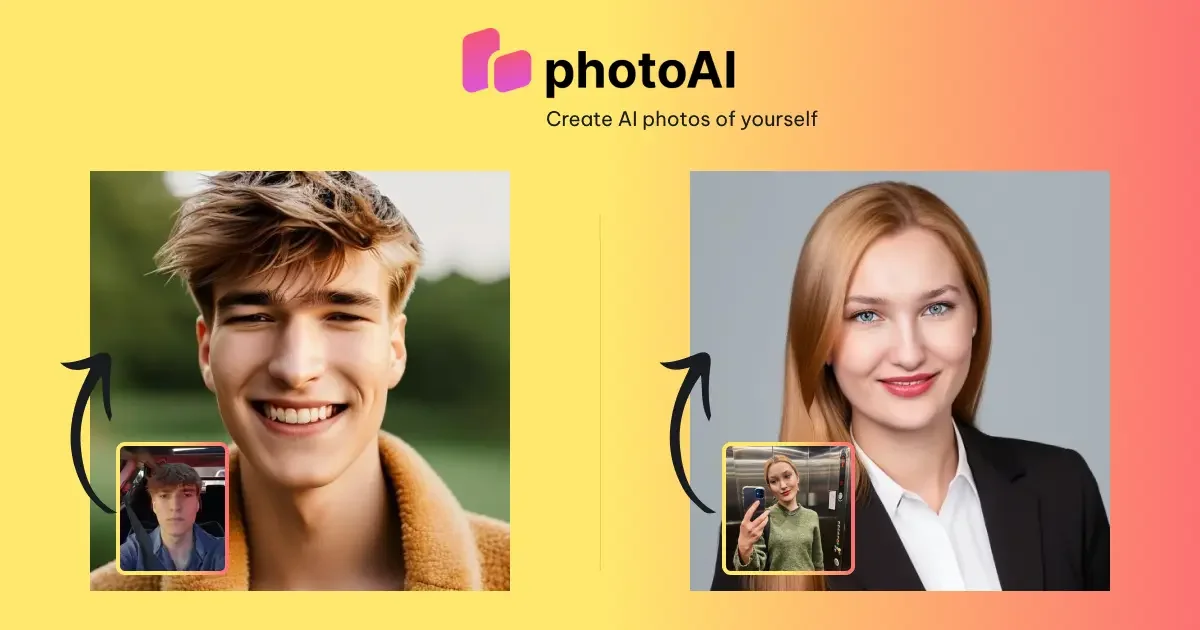
PhotoAI is an AI photo generation platform that turns uploaded portrait photos into styled images. The site positions it around personal photo packs such as Tinder photos, LinkedIn headshots, professional portraits, and themed styles like Polaroid, Avatar, Royal, and seasonal packs.
The product workflow shown on the site is straightforward: upload a set of your own photos, select a package or style, complete payment, and wait for the generated images to be delivered. The pages emphasize that each package includes more than 100 AI photos and that delivery typically happens within a couple of hours.
Upload portrait photos and choose a style pack to generate personalized AI images based on the photos you provide.
The site presents a simple three-step flow: upload photos, choose a package or style, then receive the images after processing.
Style pages state that each package comes with more than 100 AI photos, giving users a large set of generated outputs per pack.
The homepage and style pages highlight multiple packs, including Tinder, LinkedIn/Professional Headshots, Polaroid, Avatar, Royal, and seasonal styles.
The professional page says photo processing uses advanced AI algorithms to analyze uploaded images and apply transformations based on the chosen pack.
The professional page says processed photos are delivered by email after a couple of hours, and payment is handled through Stripe.
Create profile photos for dating apps such as Tinder, Bumble, and similar services using style packs aimed at dating and profile presentation.
Generate LinkedIn-ready headshots and other professional portraits for job seeking, resumes, or company profile pages.
Turn personal portraits into themed looks such as Polaroid, Royal, Avatar, or seasonal holiday styles for social sharing or avatars.
Produce a larger set of AI-generated images from a single upload set when you want many variations rather than one edited photo.
Create a cleaner, studio-style headshot without arranging a traditional photoshoot or manual retouching workflow.
PhotoAI is an AI photo generation platform that transforms uploaded portrait photos into styled images such as Tinder photos, LinkedIn headshots, professional photos, and other themed packs.
The site describes a simple workflow: sign up or log in, buy a pack, upload your photos, choose a style pack, and wait for an email link to the processed images.
The professional headshot page says the service accepts payments through Stripe, which supports credit cards, debit cards, and other popular online payment methods depending on country.
The professional headshot page says AI photos are typically delivered within a couple of hours.
The site recommends uploading photos of yourself and says not to upload other people without permission. It also advises uploading at least 10 portrait photos for the workflow shown on the style pages, and at least 20 close-up photos for best results on the professional page.