
Sketch to render
Draw and render in seconds using AI, turning rough sketches into more finished artwork without switching tools.

Wand is an AI drawing app for iPhone and iPad to sketch, render, edit, and style artwork in one place with Apple Pencil support.
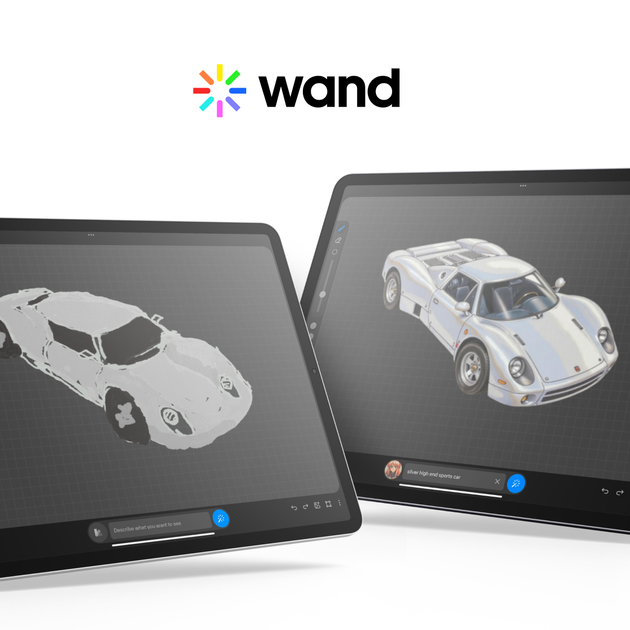
Wand is an AI drawing app for iPhone and iPad that helps users sketch, render, edit, and style artwork in one place. The homepage describes it as a tool for going from sketch to fully rendered results in seconds, with support for Apple Pencil and iPadOS.
The product is positioned for artists, illustrators, designers, and students who want to blend hand drawing with AI assistance. The site also emphasizes private models, custom style control, and workflows for creating finished images, lettering, and concept sketches.
Draw and render in seconds using AI, turning rough sketches into more finished artwork without switching tools.
Make changes while you work, with real-time editing and regional iterative editing for focused adjustments.
Apply preloaded styles or create your own style to guide the look of outputs and keep a consistent aesthetic.
Work across multiple elements with layer support, helping you organize and refine more complex compositions.
Export finished work as transparent PNGs for design use cases that need clean, background-free images.
Use the app on iPhone and iPad with Apple Pencil and iPadOS support, and keep work in private models and dataset storage.
Start with a rough sketch and use AI rendering to produce a more polished illustration quickly, without leaving the app.
Adjust specific parts of an image in place, using real-time and regional editing to refine details and correct areas that need work.
Set or create a style before generating work so the output follows a chosen visual direction across multiple pieces.
Create lettering or custom typography-like artwork directly in the app using the rendering workflow described on the homepage.
Use the app as a mobile sketchbook for class, portfolio work, or quick concept exploration on iPhone or iPad.
Wand is an AI drawing tool for iPhone and iPad. It combines sketching, rendering, editing, and style application in one app, with Apple Pencil support.
The homepage says Wand is designed for iOS and works with iPhone, iPad, and iPadOS. No other platforms are listed on the site.
The site says you can draw and render in seconds, edit in real time, apply preloaded styles or create your own, and export transparent PNGs.
The pricing page is currently not available and shows a not found message, so the site does not provide current pricing details.
The homepage says Wand was acquired by Krea.ai and that models are private and protected. It also mentions secure private models and private work.