
Analytics with exports
Review profile stats, post performance, and team analytics from the Analytics tab, with CSV export and screenshot options for sharing or record-keeping.

Taplio is a LinkedIn marketing tool with analytics, scheduling, content creation and engagement features for creators and teams.
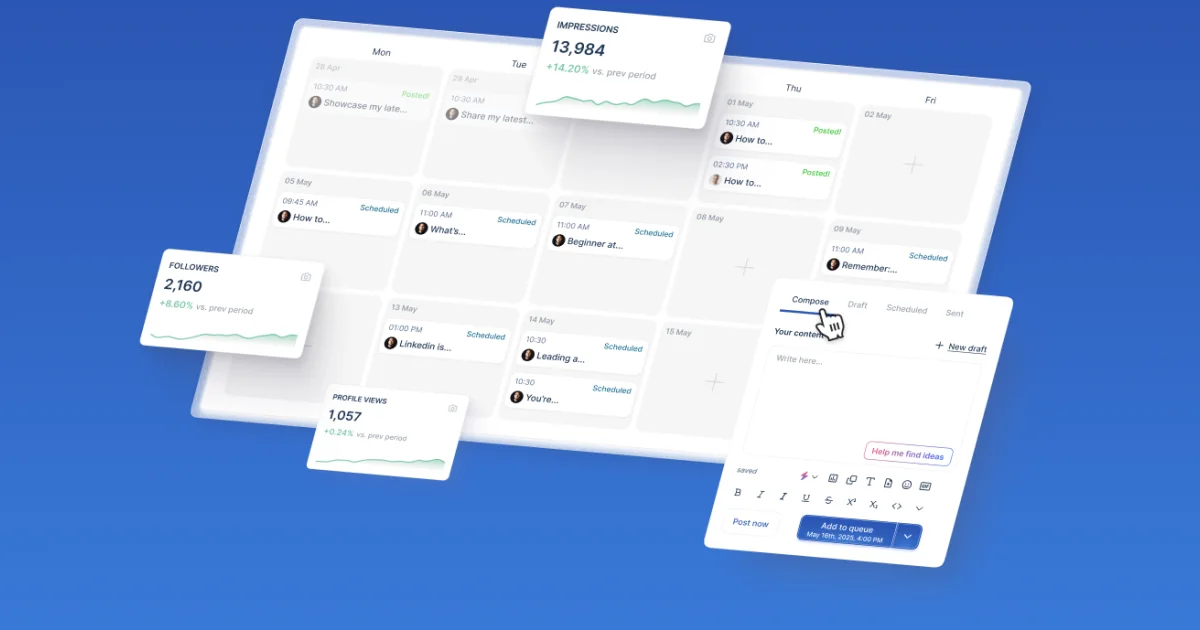
Taplio is presented here as an alternative for people moving away from Aware after its shutdown. The site frames Taplio as a LinkedIn growth product that combines analytics, scheduling, content creation, and engagement tools in one workflow.
According to the page, Taplio covers the main Aware use cases and adds AI-assisted features such as Auto-plug, Auto-DM, Auto-reply, carousel generation, and repurposing tools. It also supports team-level analytics, draft organization, contacts, custom lists, and a transition flow for users switching from Aware.
Review profile stats, post performance, and team analytics from the Analytics tab, with CSV export and screenshot options for sharing or record-keeping.
Write and publish posts in the Composer, which adds Auto-plug, Auto-DM, Auto-reply, carousel generation, polls, media, GIFs, previews, and AI extras.
Plan content with calendar views, time slots, queues, shuffle controls, and a Published view for past posts and their analytics.
Organize ideas in Drafts with a Kanban-style board and keep working posts separated from scheduled or published content.
Manage replies, custom lists, inbound engagement auto-lists, and org member engagement in the Engage area.
Find and save people through the database, LinkedIn save-to-lists, and exportable contacts CSVs.
A creator or operator moving off Aware can use Taplio to keep analytics, scheduling, drafts, and engagement in one place while adopting AI-assisted posting tools.
A LinkedIn publisher can draft posts in the Composer, add media or GIFs, use AI extras, and schedule them through calendar views and time slots.
A growth-focused user can monitor profile and post performance, export data as CSV or screenshots, and review team analytics for reporting.
A community or sales user can manage replies, custom lists, inbound engagement auto-lists, and contacts to organize follow-up work.
A team can use org member engagement and team analytics to coordinate activity across multiple people instead of handling everything individually.
Yes. The page states that the core Aware features are available in Taplio, including analytics, scheduling, drafts, engagement, contacts, and lists. It also notes that some features such as audience stats and followers tracking are still on the roadmap.
Use the Analytics tab. The page says it includes profile stats, post performance, and team analytics, with CSV export and screenshots available.
Use the Composer for writing and publishing. The page says it supports Auto-plug, Auto-DM, and Auto-reply alongside the editor.
Scheduler handles planned posts and publishing with calendar views, time slots, queues, and shuffle. Drafts uses a Kanban-style board, and Published shows past posts with analytics.
There are no direct CRM integrations yet. The page says you can use Zapier to send likes, comments, and contacts into your CRM.