
PDF reading and viewing tools
Open PDFs in multiple viewing modes, rotate pages, split the screen, count words, search deeply, take snapshots, control rulers, and use slideshow or measurement tools for review work.

SwifDoo PDF is a cross-platform PDF editor for creating, editing, converting, annotating, OCR, protecting, and signing documents. It also includes AI tools for summarizing, translating, rewriting, and explaining PDFs.
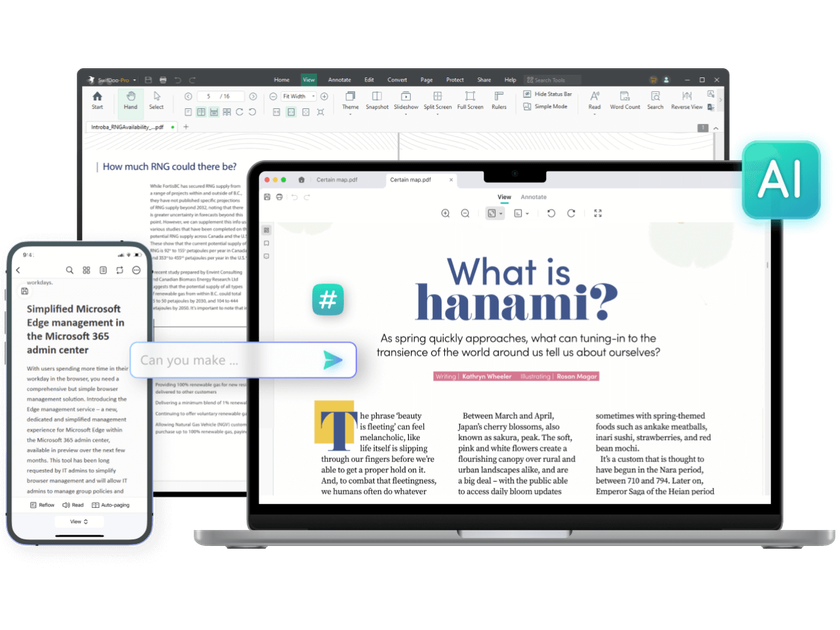
SwifDoo PDF is a PDF editor and document management tool built for creating, editing, converting, annotating, protecting, and signing PDF files. The site positions it as an all-in-one PDF product available across Windows, macOS, iOS, and Android, with a web option also presented in the product pages.
Its feature set covers common document workflows such as reading, editing text and images, converting between PDF and Office or image formats, running OCR on scanned files, compressing and merging documents, and adding signatures or passwords. The product also includes AI tools for summarizing, translating, rewriting, proofreading, explaining, and analyzing PDFs.
Open PDFs in multiple viewing modes, rotate pages, split the screen, count words, search deeply, take snapshots, control rulers, and use slideshow or measurement tools for review work.
Edit text, images, hyperlinks, and page content directly in PDFs. The site also lists replace text, white-out, background changes, cropping, deskewing, and page-level editing functions.
Convert PDFs to and from Word, PowerPoint, Excel, JPG, PNG, TIFF, HTML, EPUB, TXT, XPS, DWG, DXF, PDF/A, and Markdown, plus image-to-image and office-to-image conversions.
Turn scanned or image-only PDFs into searchable text with OCR and convert PDFs to searchable PDFs so copied, pasted, and searched content becomes usable.
Add highlights, underlines, notes, stamps, attachments, text boxes, signatures, watermarks, and passwords, with batch options for converting, merging, printing, flattening, compressing, and encrypting.
Use the AI assistant to summarize, translate, rewrite, proofread, explain, and analyze PDFs, with translation also available from the reader experience.
Use SwifDoo PDF to make direct changes to PDF text, images, links, and page structure when a file needs more than basic viewing or commenting.
Convert reports, forms, or scanned files into office formats, images, or searchable PDFs when the next step depends on reuse or text extraction.
Apply OCR, translation, and the AI assistant when working with scanned documents, multilingual files, or long PDFs that need faster review.
Add highlights, notes, stamps, signatures, passwords, and watermarks when a document needs review, approval, or controlled distribution.
Use the cross-platform apps and web access to continue PDF work across desktop and mobile devices without changing tools.
SwifDoo PDF is available for Windows, macOS, iOS, and Android, with a web option also shown on the site. The comparison page lists supported OS versions for each platform, including Windows 11/10/8/7, macOS 10.13 or later, iOS 14.0 or later, and Android 6.0 or later.
The site shows SwifDoo PDF as a paid product with Monthly, Quarterly, Yearly, 2-Year, and Perpetual plans. Pricing pages also mention a 7-day free trial and a 30-day money-back guarantee.
The pricing comparison indicates that individual plans are linked to a user account and do not require a license code. After purchase, users can sign in to the User Center with their email address to check account benefits.
The product can edit PDFs, convert to and from Office files and images, add annotations and signatures, run OCR, protect files, and use AI features such as summarizing, translating, rewriting, proofreading, and explaining PDFs.
The source does not show full details for every integration or team workflow. It does state that cloud-related features are available and that the product can share files to Email, Google Drive, and Dropbox on the pricing comparison page.