
Build agents three ways
Use the workflow builder to assemble agents visually, or switch to Chat for natural-language control of your workspace, or use the API for programmatic creation and management.

Sim is an open-source AI workspace for teams to build, deploy and manage AI agents with visual workflows, Chat, API access, integrations and collaboration.
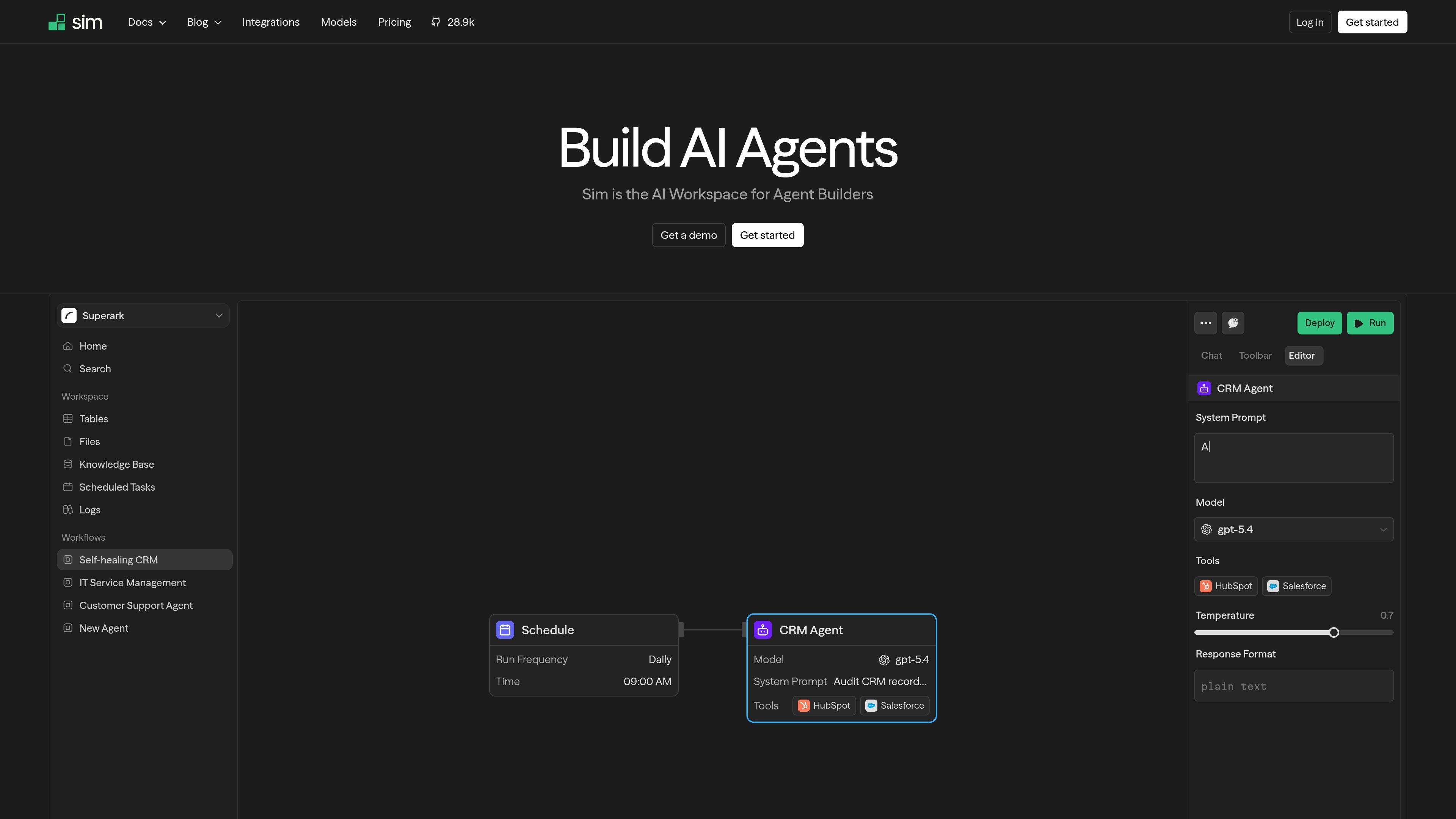
Sim is an open-source AI workspace for teams that build, deploy, and manage AI agents in one place. It combines agent creation, workspace data, execution monitoring, and collaboration so teams can move from idea to deployed workflow without stitching together separate tools.
The product supports three creation modes: visual workflows, conversational control through Chat, and programmatic access through an API. It also connects to more than 1,000 integrations and multiple major LLM providers, letting teams build agents around existing data, apps, and tasks. The site positions Sim as a shared workspace for agent builders rather than a single-purpose chat app.
Use the workflow builder to assemble agents visually, or switch to Chat for natural-language control of your workspace, or use the API for programmatic creation and management.
Connect agents to 1,000+ integrations and major model providers such as OpenAI, Anthropic Claude, Google Gemini, Mistral, and xAI Grok.
Start from 11 pre-built templates for common workflows including OCR, release management, meeting follow-ups, resume scanning, email triage, and knowledge base Q&A.
Use Tables as a built-in database for filtering, sorting, and wiring data into workflows, and Files as a shared store for documents, spreadsheets, and media.
Track each run with Logs, which show execution inputs, outputs, cost, and duration for visibility into workflow behavior.
Work in a shared workspace with real-time multiplayer collaboration, including live cursors, presence indicators, concurrent editing, and role-based access control.
Build an internal agent that pulls from connected apps, processes data, and runs repeatable workflows with a mix of models and integrations.
Use the pre-built templates to launch common automations such as invoice OCR, email triage, meeting follow-ups, or competitor monitoring without starting from a blank slate.
Let a product, ops, or engineering team co-build agents in a shared workspace with live editing, presence indicators, and role-based access.
Centralize model selection by comparing providers and model capabilities in the directory before wiring a workflow to the right LLM.
Monitor workflow behavior by reviewing logs for inputs, outputs, duration, and cost when iterating on agent performance.
Sim is designed for building, deploying, and managing AI agents in a shared workspace. The source shows teams can use it with Chat, the workflow builder, or the API.
The source shows three main ways to work: build visually with the workflow builder, converse through Chat, or create agents programmatically with the API.
The homepage says Sim includes 11 pre-built workflow templates covering tasks such as OCR processing, email triage, meeting follow-ups, resume scanning, and knowledge base Q&A.
The pricing page text shows a free Community plan, paid Pro and Max plans, and a custom Enterprise plan. The page also lists CLI, SDK, and MCP access across plans.
The source does not provide a full setup guide, but it does indicate Sim is a shared workspace with collaboration features such as live cursors, presence indicators, role-based access control, and team workspace management.