
Text-to-app workflow
Describe an app in chat and have Rork generate a mobile app from that prompt, rather than starting with a blank project.

Rork is an AI app builder that turns a written description into a mobile app using AI and Expo (React Native). It is positioned for people who want to build, test, and in some cases publish mobile apps from a chat-based workflow.
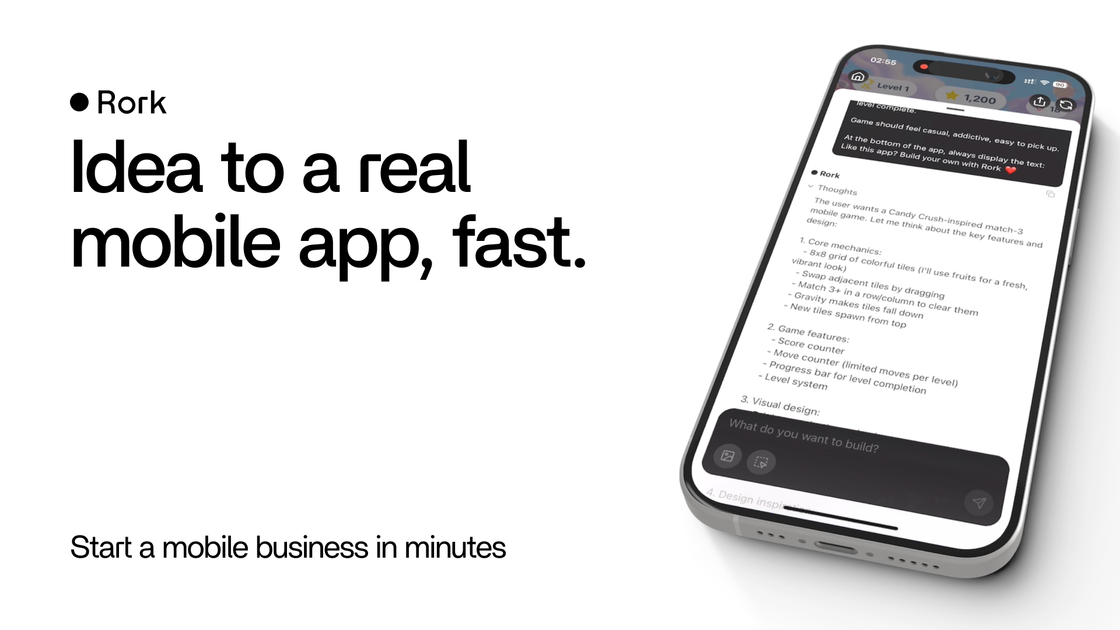
Rork is an AI app builder that turns a written description into a mobile app. Its homepage positions the product around creating apps by chatting with AI, and its meta description says it builds complete, production-ready mobile apps using AI and Expo (React Native).
The public site emphasizes a mobile-first workflow that can start from a prompt and include uploaded files, then move toward testing and shipping. Rork Max extends that idea for Apple platforms, with browser-based iPhone installation and direct App Store/TestFlight submission described on the product page.
Describe an app in chat and have Rork generate a mobile app from that prompt, rather than starting with a blank project.
Upload files into the conversation to provide reference material or assets alongside your prompt.
Rork Max is described as building for Apple platforms including iPhone, iPad, Apple Watch, Apple TV, Vision Pro, and iMessage.
The Max page says apps can be installed on an iPhone directly from the browser, without Xcode, provisioning profiles, or a paid Apple developer account.
Submit apps to the App Store and TestFlight from Rork, with one-time Apple ID sign-in, tester invites by email, and real-time build status tracking.
The product claims a cloud-based development loop where an AI agent writes SwiftUI code, reads build errors, fixes them, and rebuilds using Macs running Xcode and the iOS SDK.
Use Rork when you have a mobile app idea and want to move from description to a functioning prototype without assembling a manual starter project.
Use the chat and upload flow to translate a design mock, reference document, or existing asset into an app build direction.
Use Rork Max when you want to target Apple devices and need a browser-based path from build to iPhone installation and App Store/TestFlight submission.
Use the Max capabilities when your project involves platform-specific Apple features such as widgets, Live Activities, Siri intents, AR, or Vision Pro interfaces.
Use the founders and success-story positioning as evidence that the product is meant for solo builders and small teams trying to ship an app and learn from usage after launch.
Rork is built from a natural-language description and is presented as a way to create mobile apps by chatting with AI. Its public pages also show a flow for uploading files into the conversation and, on the Max page, moving an app to iPhone and App Store publishing.
The homepage and Max page position Rork for people who want to build mobile apps without starting from a blank development environment. The founders page also suggests it is used by solo builders and non-coders, but the site does not spell out a formal target customer list.
The site describes Rork as using AI and Expo (React Native), and Rork Max says it can build for Apple platforms including iPhone, iPad, Apple Watch, Apple TV, Vision Pro, and iMessage. The public text does not provide a full list of third-party integrations.
Rork Max says you can install an app on your iPhone from the browser, and submit to the App Store and TestFlight directly from Rork after signing in with an Apple ID. The site does not describe equivalent publishing flows for non-Apple platforms in the same detail.
The pricing page text available here does not show plan names or prices. It does show upgrade prompts and a trial-style call to try Rork Max for free, but the exact commercial terms are not visible in the provided page text.