
Start from multiple inputs
Ask a question, add files, or start from an existing knowledge base. Ponder is positioned to help you create a working space before you settle on a final answer.

Ponder is a web-based AI research workspace for organizing sources, building visual knowledge maps, and turning research into structured outputs.
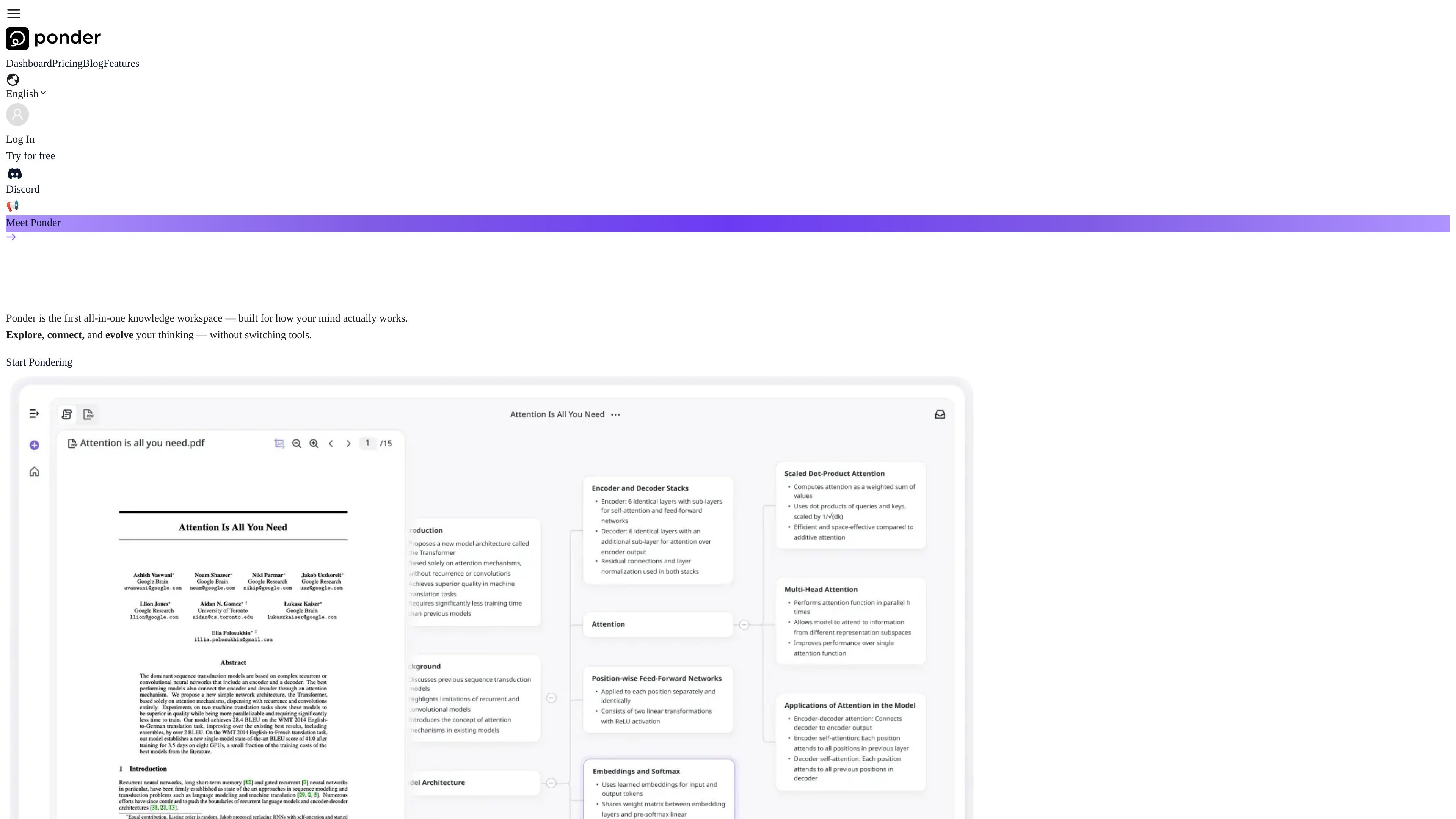
Ponder is an AI research workspace for people who need to organize, compare, and develop ideas from source material. The website describes it as an all-in-one knowledge workspace built around structured thinking, visual mapping, and interactive analysis.
It accepts inputs such as PDFs, videos, text, web pages, and notes, then helps users connect those materials into editable knowledge maps and other structured outputs. The product page and feature pages position it for research, literature review, paper summaries, knowledge discovery, and team collaboration.
Ponder’s core workflow is to start with a question or source, build a visual thinking space, and keep refining the network of ideas with AI assistance. The published materials also describe exports to reports, mind maps, documents, slides, and Markdown, so the workspace is meant to support both analysis and downstream sharing.
Ask a question, add files, or start from an existing knowledge base. Ponder is positioned to help you create a working space before you settle on a final answer.
Ponder organizes ideas on an infinite canvas where branches and connections can be explored visually. The product frames this as a way to match how people actually think about complex topics.
The AI can be used as a thinking partner for follow-up questions, challenge prompts, and exploratory “what-ifs.” The source emphasizes ongoing interaction rather than one-off summaries.
Ponder can import PDFs, videos, text, and web pages so you can work from the original material instead of switching between tools.
The product describes comparing multiple sources to surface patterns and deeper connections across documents. This is positioned as a research and synthesis workflow.
Users can export thinking as structured reports, mind maps, or Markdown, turning research work into shareable outputs.
Researchers can bring papers, notes, and web sources into one workspace, compare them side by side, and build connected summaries for literature review or ongoing study.
Students can turn lectures, readings, and class materials into structured knowledge maps that help them organize concepts and follow relationships between topics.
Analysts can collect reports and source documents, trace patterns across them, and turn findings into coherent written or visual outputs for decision support.
Teams can use the shared workspace to explore ideas together and export the result into documents, slides, or mind maps for later reuse.
Writers or product thinkers can start from a question, explore related branches, and refine ideas on the canvas before turning them into a structured draft or presentation.
Ponder is designed as an AI research workspace for working with files, web pages, notes, and other source material in one place. The source pages describe it as a space for research notes, literature review, paper summaries, knowledge graphs, and team collaboration.
The source pages indicate that Ponder lives on the web today. A blog post also says the team is planning a desktop app, mobile companion, and browser extension, but those are described as future directions rather than current products.
Ponder supports creating and exporting mind maps, docs, slides, and structured reports. The pricing page also says users can fetch and save external sources with AI.
Yes. The homepage describes team collaboration, and the pricing page promotes shared research workflows with exportable outputs. The source material does not provide detailed workspace or permission controls.
The pricing page shows a free plan and paid plans with monthly or yearly billing. The source does not mention a traditional free trial separate from the free tier.