Octolane AI logo

Octolane AI

Reclamar

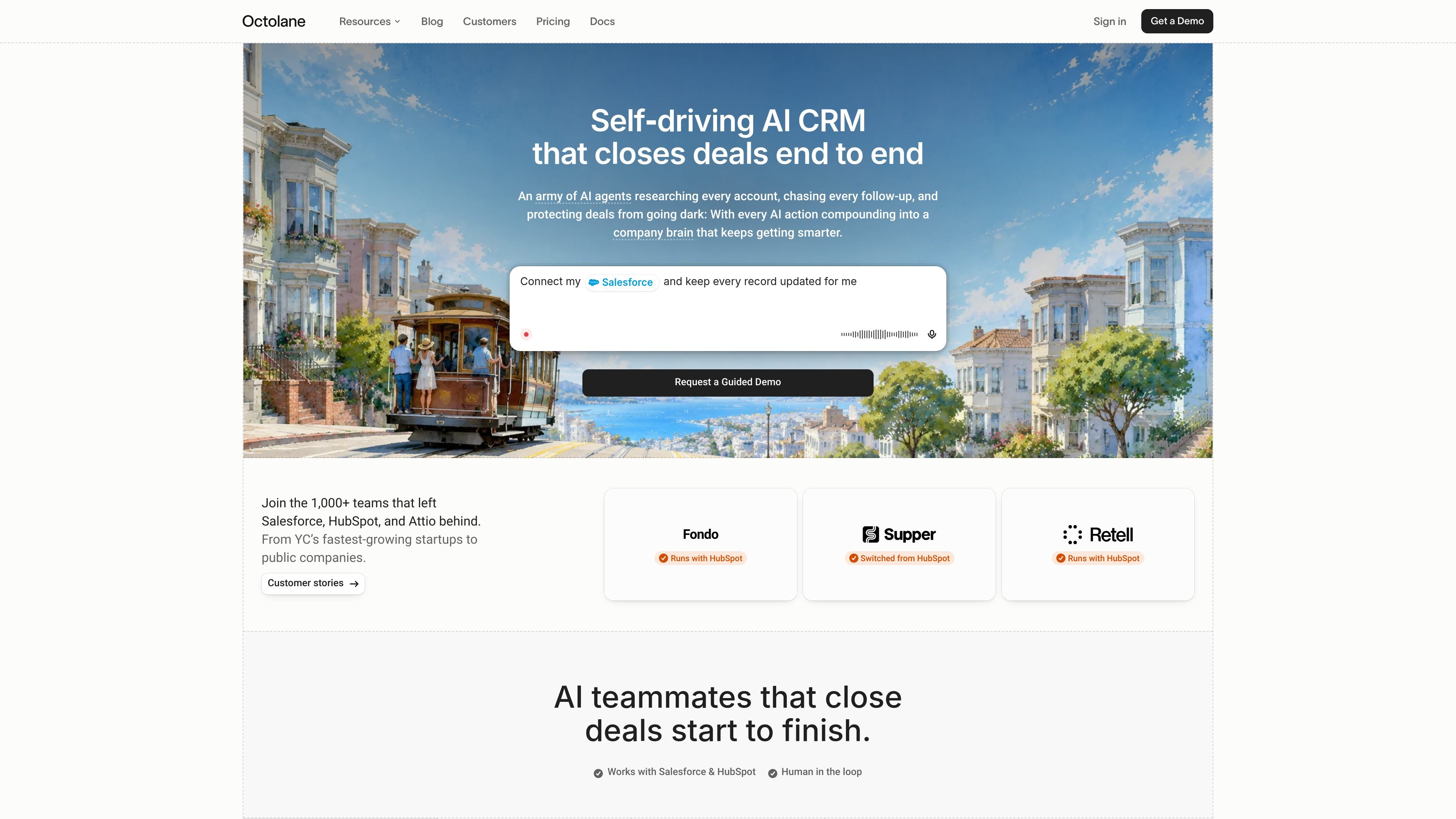
Octolane AI is an AI CRM for sales and revenue teams, using agents to research accounts, manage follow-ups, update CRM records, and automate pipeline work.

Octolane AI preview

Overview

Octolane is an AI CRM built to help sales and revenue teams manage pipeline work through agents rather than manual data entry. The site presents it as a self-driving CRM that can research accounts, follow up on deals, update records, and keep a company-specific memory of past activity.

The product is positioned for teams that want to replace or layer on top of tools such as Salesforce, HubSpot, Attio, Gong, Clay, Outreach, and similar GTM software. Users can interact with it through natural-language prompts in iMessage, Slack, email, and connected workspace tools, then approve or automate actions depending on the workflow and plan.

Core capabilities

Natural-language agent interface

Let users ask Octolane what to do in natural language through channels like iMessage, Slack, email, and other connected tools. The product shows examples for briefing a rep, drafting follow-ups, logging calls, and updating records without opening the CRM.

Role-based AI agents

Use AI agents for tasks such as research, outreach, pipeline review, data engineering, and closing support. The site includes dedicated agents like Head of Sales, Data Engineer, Prospect Researcher, SDR, AE, RevOps, and Data Analyst.

Automated CRM upkeep

Capture and update CRM data from calls, emails, meetings, calendar events, and web leads. The pricing page lists transcription, summaries, auto CRM updates, enrichment, and web lead capturing as included capabilities on higher plans.

Workflow automation and sequences

Automate multi-step workflows that can enrich, score, draft, route, and follow up on records. The Team plan describes end-to-end multi-step agents, AI email sequences, reporting, and forecasting.

CRM migration support

Import and align data from other CRMs with automatic field mapping and review for ambiguous records. The home and playbook pages specifically mention migrations from Attio, HubSpot, and Salesforce.

Approval and audit controls

Restrict autonomy with approval rules, workflow-level controls, logging, and workspace isolation. The security page emphasizes human approval gates, full audit trails, and encrypted storage and transport.

Common use cases

  • Daily pipeline prioritization

    A founder or sales leader can get a daily or weekly priority list that surfaces hot leads, slipping deals, replies owed, and other follow-up work from the live CRM.

  • CRM migration and cleanup

    A revenue team can migrate records from an existing CRM, with examples for HubSpot, Attio, and Salesforce, while Octolane maps fields and flags ambiguous data for review.

  • Assisted outbound and follow-up

    An SDR or AE can ask for personalized outbound drafts, win-back emails, or deal-specific one-pagers based on recent activity and deal context.

  • Operational workflow automation

    A RevOps or operations team can automate enrichment, lead routing, field updates, and multi-step actions triggered by new leads, meetings, or emails.

  • Controlled automation for larger teams

    A security-conscious organization can set approval gates and audit requirements so agents only act autonomously where the team allows it.

Pros and Cons

Pros

  • Supports natural-language interaction across common work channels such as iMessage, Slack, and email.
  • Covers several sales workflows end to end, including research, outreach, pipeline review, CRM updates, and follow-up drafting.
  • Includes migration examples for HubSpot, Attio, and Salesforce, which helps readers understand a path off existing CRMs.
  • Provides approval gates, audit trails, and encryption details on the security page for teams that need more control.
  • Offers a clear plan structure from self-serve trial to demo-led team and enterprise options.

Cons

  • The source does not provide a full list of third-party integrations beyond a few named systems and generic CRM references.
  • Some capabilities are plan-dependent, so buyers need to compare Pro, Business, Team, and Enterprise carefully before assuming the same level of automation everywhere.
  • The public pages show examples and playbooks, but they do not include detailed case-study documentation for every workflow.

FAQ

What is Octolane used for?

Octolane is designed to replace a traditional CRM with an AI CRM that can draft, update, and route work from natural-language instructions. The source shows it connects with products like HubSpot and Attio, and it can also be used as a native AI CRM or on top of Salesforce and HubSpot.

Does Octolane offer a trial or sales-led plans?

The pricing page shows four offerings: Pro, Business, Team, and Enterprise. Pro is presented as a 7-day trial with yearly billing, while Business, Team, and Enterprise use a request-a-demo flow.

How does Octolane handle agent approvals and security?

The site shows human approval gates for actions that touch customers, with autonomy levels set per workflow and per agent. Enterprise security pages also mention audited, documented controls and zero-retention terms with model providers.

What kinds of tasks can the AI agents perform?

The site advertises AI-assisted CRM work such as call transcription, follow-up drafts, next-step suggestions, field updates, enrichment, web lead capturing, reporting, forecasting, and custom AI agents. The exact behavior depends on the plan and workflow.

Can Octolane migrate data from another CRM?

Octolane positions migration from HubSpot, Attio, and Salesforce as a supported setup path in its playbooks and pricing page. The source does not provide a detailed migration service checklist beyond those examples.

Quick Facts

Category
AI CRM
Website
octolane.com
Primary use
Sales and revenue workflow automation
Interaction channels
iMessage, Slack, email
Plans
Pro, Business, Team, Enterprise
Trial
7-day trial on Pro