
AI image generation
Generate original images from text prompts or uploaded references, with exports up to 4K in PNG or WebP formats.

MagicShot is an AI creative studio for generating images, videos, photoshoots, photo edits, and audio from prompts or uploads. It helps creators, marketers, and sellers produce publishable content without switching tools.
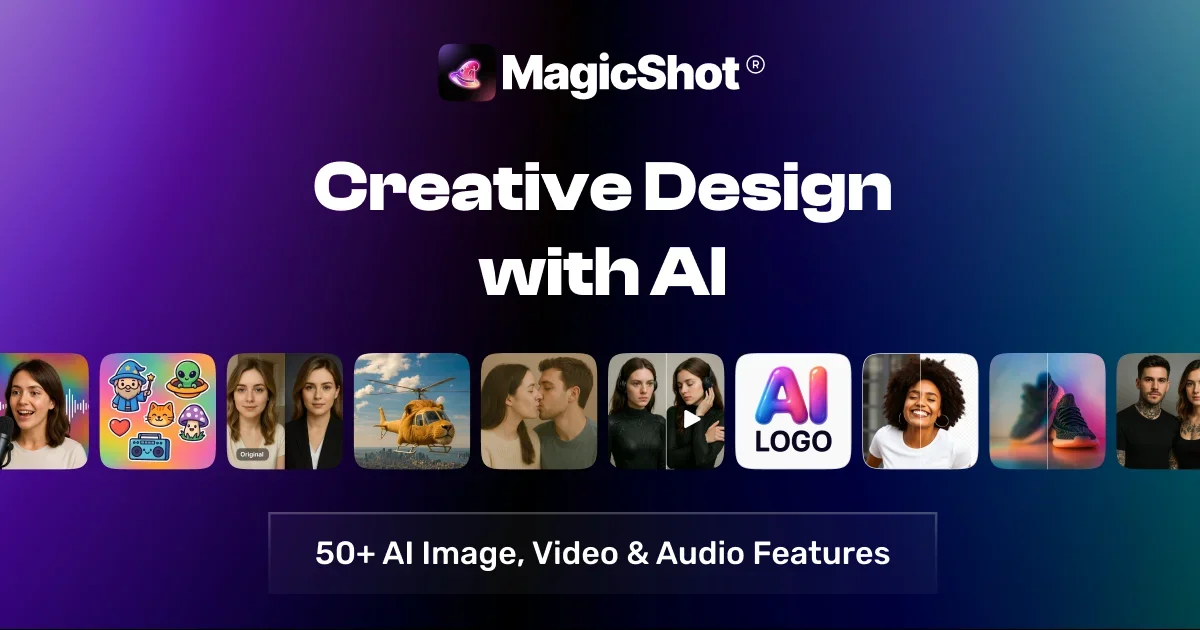
MagicShot is an all-in-one AI creative studio for generating images, videos, photoshoots, photo edits, and audio from a single product. Its home page and tool pages position it as a place to pick a tool, add a prompt or upload media, and generate content without using separate apps.
The product is organized into suites such as AI Image Generator, AI Video Generator, AI Photoshoot, AI Photo Editor, and AI Audio Generator. It also highlights specialized tools like product photos, UGC videos, text-to-video, headshots, avatar videos, and AI kissing videos, making it useful for creators, marketers, sellers, and teams that need a range of visual outputs from one workflow.
Generate original images from text prompts or uploaded references, with exports up to 4K in PNG or WebP formats.
Create video from prompts, photos, or scripts, including UGC-style ads, cinematic clips, image-to-video motion, and talking presenter videos.
Run studio-style selfies, headshots, fashion imagery, dating photos, and pet portraits from uploaded selfies or photos.
Edit existing images with one-click tools such as background removal, object removal, upscaling, and print restoration.
Generate voiceovers, cloned narration, and original music to support the image and video workflow.
Use credit-based plans that bundle 50+ tools, with monthly refreshes and yearly billing discounts on paid tiers.
Create product images, listing visuals, logos, stickers, and other publishable graphics from a text prompt when you need assets quickly without design software.
Produce UGC-style ads, image-to-video clips, cinematic shots, or talking-presenter videos for social channels, demos, and ad testing.
Turn selfies into headshots, fashion imagery, dating photos, or pet portraits without booking a studio or photographer.
Edit existing images by removing backgrounds or objects, enlarging resolution, or restoring damaged photos for reuse in print or digital workflows.
Generate voiceovers, narration, or music to round out a content workflow that needs both visual and audio assets.
MagicShot offers AI image, video, photo, and voice creation in one studio. The site highlights tools for image generation, video generation, AI photoshoots, photo editing, and audio generation.
The site says generations use credits, with a monthly credit refresh on each plan. Bigger plans include more credits, and unused monthly credits do not roll over.
Yes. The pricing page says plans are month-to-month, or yearly for a discount, and you can cancel whenever you like.
Paid plans include a commercial license for the content you create, according to the site.
MagicShot presents itself as a web-based studio, and the site also promotes an iPhone and iPad app for creating photos, headshots, and videos on mobile.