
Image-to-3D conversion
Upload a static image and the system analyzes depth automatically to create a moving 3D result.

Leiapix AI turns still images into 3D depth animations and MP4 videos. Now DepthFlow AI, with free and paid watermark-free download options.
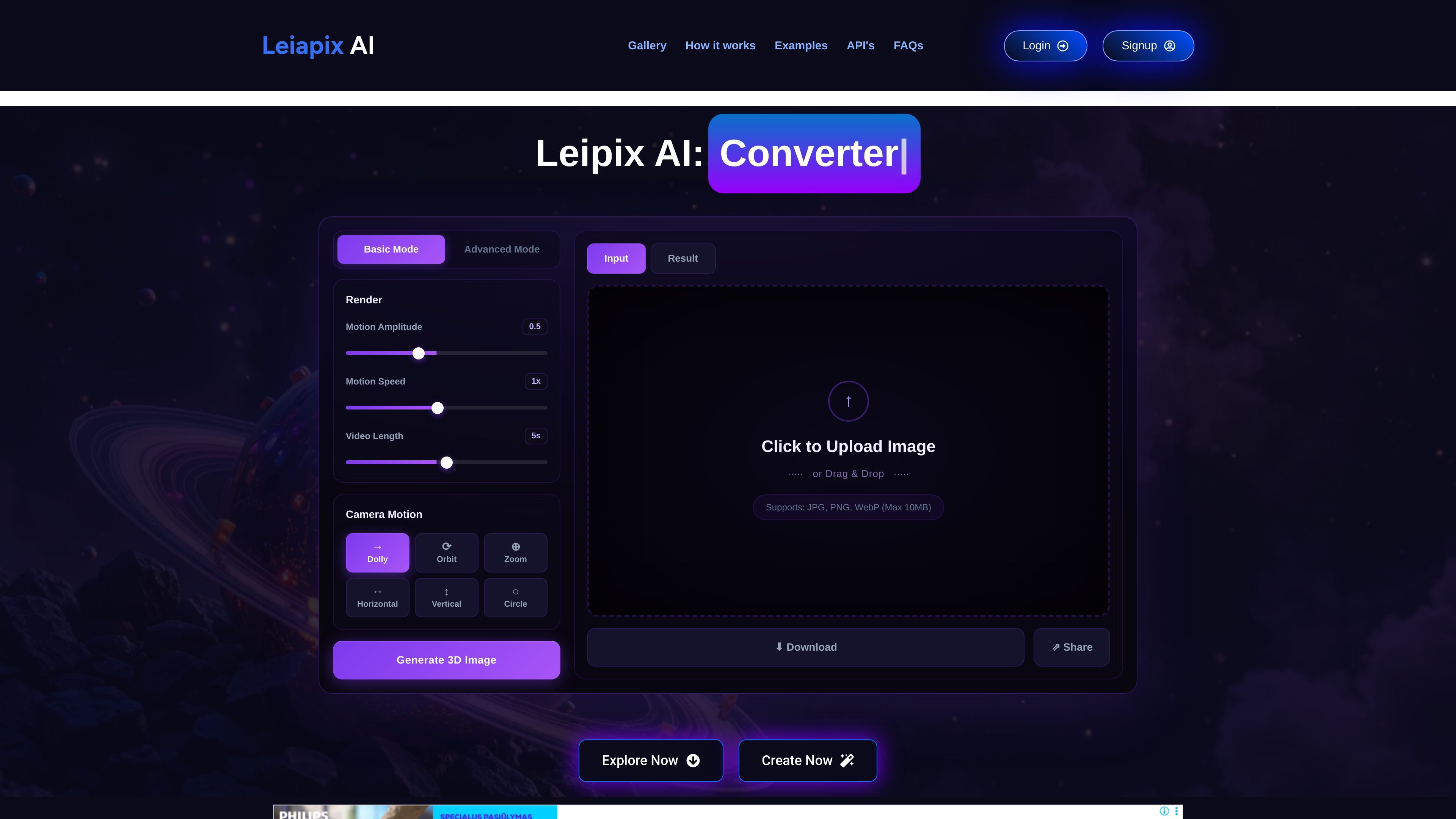
Leiapix AI is a web-based image-to-3D tool that turns static photos into animated depth visuals. The site says the product has been rebuilt as DepthFlow AI, but the core workflow remains the same: upload an image, let the system infer depth, and generate a 3D motion result.
The product is aimed at people who want a simple way to add parallax-style movement to photos, illustrations, and AI art without manual 3D modeling. It supports common image formats, includes built-in motion controls, and exports the result as an MP4 video that can be shared or downloaded for social and digital use.
Upload a static image and the system analyzes depth automatically to create a moving 3D result.
The homepage offers Basic Mode and Advanced Mode, with controls for motion amplitude, motion speed, video length, and camera motion.
Supported camera moves include Dolly, Orbit, Zoom, Horizontal, Vertical, and Circle, letting users shape the animation style.
Users can upload JPG, PNG, or WebP files up to 10MB, or start from sample images shown on the site.
The product exports a 3D animation as MP4 and includes download and share actions in the interface.
The site states the newer DepthFlow AI experience is faster and higher quality, with watermark-free downloads on paid plans.
Turn portraits into short 3D clips with adjustable camera movement for sharing on social platforms or in personal projects.
Add depth motion to landscapes, nature photos, and city scenes to make still photography feel more cinematic.
Animate illustrations or AI-generated artwork when the goal is to add movement without rebuilding the scene in a 3D tool.
Create simple before-and-after depth examples for demos, gallery pages, or educational material showing how image depth changes the composition.
LeiaPix AI converts 2D images into 3D depth visuals. The site says the product has been upgraded to DepthFlow AI, which continues the same workflow with faster processing and higher-quality output.
The site says DepthFlow AI offers a free plan with one result that includes a watermark. Paid plans add more credits, watermark-free HD downloads, and commercial rights.
The output is delivered as an MP4 video, which the site says is ready for platforms such as Instagram, TikTok, and YouTube.
The site says images with clear foreground and background separation work best, including landscapes, portraits, fantasy art, and architectural photos.
No. The site says the AI handles the process automatically, so users do not need 3D modeling knowledge or special skills.