

Team CRM
Import LinkedIn connections and add new leads from profiles or search, then manage them in one place instead of across separate lists.

LeadDelta is a LinkedIn CRM with an AI inbox for teams that want to organize connections, manage conversations, and find warm introductions. It adds contact enrichment, shared workspaces, and higher-tier automation for relationship-driven sales and recruiting.
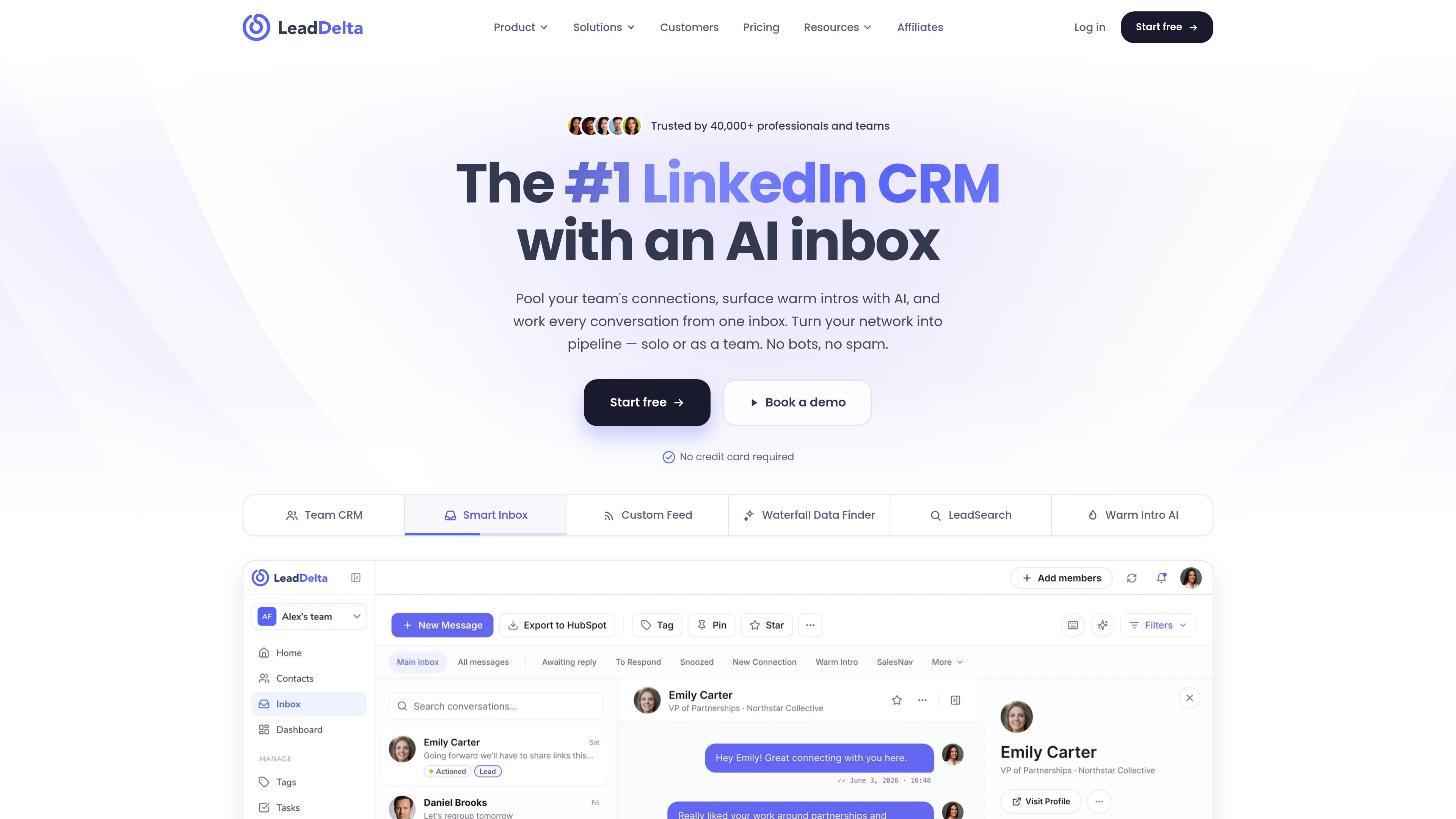
LeadDelta is a LinkedIn CRM built for individuals and teams that want to organize relationships, manage messages, and find warm paths into prospects from one place. The site describes it as an AI inbox and shared workspace for turning LinkedIn connections into pipeline without using bots or spam.
Across the product and pricing pages, LeadDelta combines contact capture, tagging, notes, tasks, reminders, enrichment, inbox management, and team sharing. Higher plans add features such as bulk messaging, CSV import/export, HubSpot integration, Zapier automation, API/MCP access, and warm intro AI.
Import LinkedIn connections and add new leads from profiles or search, then manage them in one place instead of across separate lists.
Keep LinkedIn messages, notes, and follow-ups in one view, with AI support to reduce noise and help draft replies.
Find who on your team already knows a prospect, surface the warmest path, and draft an intro request that can be reviewed before sending.
Enrich contacts with verified business emails, personal emails, and phone numbers, using a credit-based system that can be topped up in app.
Pool colleagues’ LinkedIn networks into a shared workspace, deduplicate contacts, and see who is connected to whom across the team.
Search and filter by tags, notes, tasks, reminders, custom feeds, and related signals to turn the network into a working CRM.
Bring together personal and team LinkedIn contacts, add tags and notes, and keep relationship history in one shared workspace.
Ask who knows a target account, identify the warmest connector, and send a drafted intro request instead of a cold message.
Track LinkedIn conversations, replies, and follow-ups from one inbox so relationship work does not get split across tools.
Find verified emails and phone numbers for LinkedIn contacts when you need an alternate way to reach a prospect.
Use shared network visibility, tags, tasks, and pipeline views to coordinate sales, partnerships, or recruiting work across colleagues.
LeadDelta is set up around importing and managing LinkedIn connections, then working those contacts from a single CRM and inbox. The pricing page also shows a browser sidebar, CSV import/export, and CRM connections such as HubSpot, but the public pages do not provide a full setup checklist.
The site positions LeadDelta for individuals, dealmakers, and teams that rely on LinkedIn relationships for sales, partnerships, recruiting, and relationship management. The team features focus on shared networks, collaboration, and seeing who on the team is connected to a prospect.
LeadDelta combines LinkedIn CRM functions with an AI inbox, warm intro discovery, contact enrichment, shared team workspaces, and lead search. The pricing page also lists message sync, notes, tasks, reminders, bulk messaging, and pipeline tools on higher plans.
The pricing page shows a free trial and paid plans, with differences in auto-sync frequency, enrichment cadence, shared network depth, and advanced features such as inbox sync, HubSpot integration, API/MCP access, and warm intro AI on higher tiers.
The public pages do not state every integration or sync path in detail. They do show CSV import/export, Zapier, HubSpot, CRM/email/calendar mentions, and enterprise custom integrations, but they do not provide a complete integration list on the pages reviewed.

LinkedFusion is a LinkedIn automation and B2B prospecting tool for outreach, personalization, follow-ups, and CRM-connected lead workflows.

Botsplash is an all-in-one customer engagement platform for SMS, chat, voice and scheduling, with AI assistance, CRM integrations and compliance controls.

NovaTalks is an omnichannel customer support platform that unifies calls, chat, email, and messengers, with chatbots, AI tools, reporting, and messaging automation.

Distribute is an AI sales follow-up tool that turns calls into shareable deal pages with recordings, pricing, next steps, and follow-up emails.

OneText helps merchants turn SMS conversations into orders with campaign messaging, cart recovery, conversational replies, and order sync.

CVGist is an AI-powered resume generator that helps job seekers create, tailor, and edit resumes from an existing file, a LinkedIn profile, or a short brief. It offers ATS-friendly templates, job-specific tailoring, and Word/PDF export.