
Universal inbox
Lazy is presented as a universal inbox for ideas, notes, and tasks, so captured material can be stored in one place instead of scattered across apps.

Lazy is a knowledge capture tool for saving ideas, links and notes without leaving your workflow. Ask AI questions about captured content.
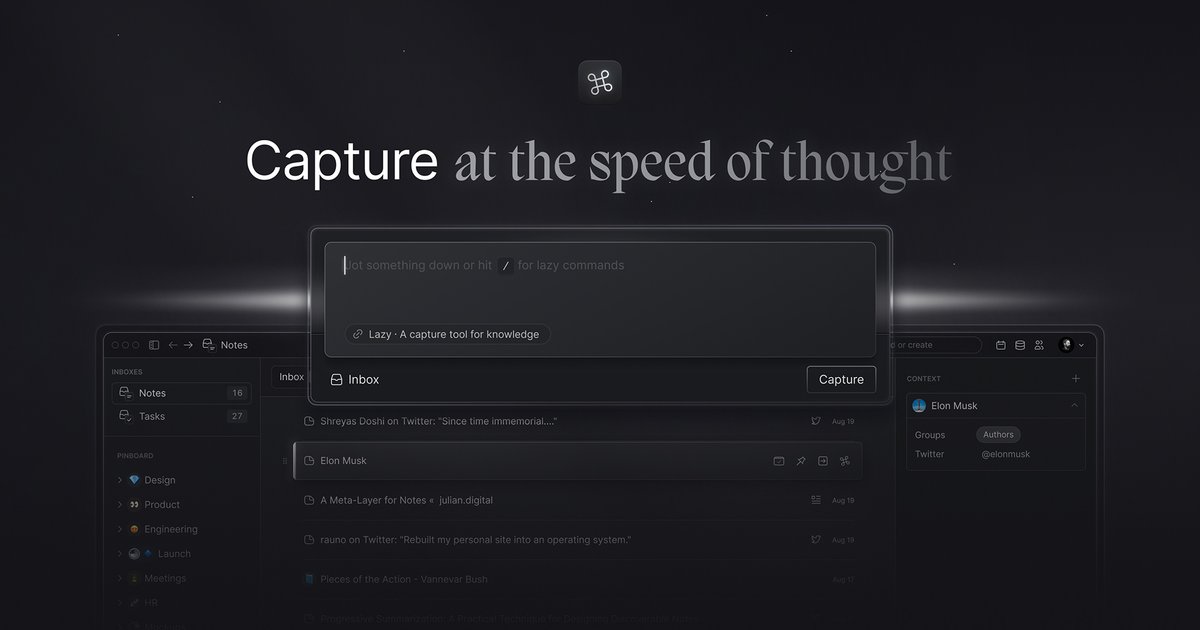
Lazy is a knowledge capture tool that helps users save ideas, links, tweets, articles, videos, and other material without leaving their current workflow. The product is described as a universal inbox for capturing, contextualizing, and structuring ideas, notes, and tasks.
The main promise is to reduce context switching: users can clip information from the app or webpage they are already in, then revisit it later in one place. Lazy also offers an AI tier that can answer questions from captured content and let users chat with a knowledge base built from their notes.
Lazy is presented as a universal inbox for ideas, notes, and tasks, so captured material can be stored in one place instead of scattered across apps.
The product emphasizes quick capture through a keyboard shortcut and a universal clipper that works beyond the browser, including from the app you are currently using.
The pricing page lists networked note-taking, suggesting captured items can be connected rather than left as isolated notes.
Lazy Capture includes offline mode for notes and the terms mention a local cache on the device to support offline access.
Lazy Capture includes Kindle highlights sync, capture to Notion, and iOS capture, which extend the capture workflow across reading, note storage, and mobile use.
Lazy AI adds context-aware answers from captures and chat with a knowledge base, giving the product an AI layer on top of saved information.
Use Lazy to save an article, thread, video, or link while you are already in another app, so you can return to it later without breaking focus.
Use Lazy as a running inbox for notes, tasks, and ideas when you want one place to collect material from different sources.
Use the AI plan to ask questions against your saved captures or chat with your knowledge base when you need to retrieve a detail from earlier notes.
Use the mobile and offline note features to record thoughts when you are away from a browser or connection and sync back later.
Use the Notion capture and Kindle highlights sync features to bring reading notes and external documentation into the same system.
Lazy is described as a universal inbox for capturing, contextualizing, and structuring ideas, notes, and tasks. The site positions it as a way to save information quickly without interrupting your workflow.
The pricing page lists Lazy Capture and Lazy AI. Lazy Capture includes networked note-taking, unlimited notes and file uploads, offline mode for notes, Kindle highlights sync, a universal clipper, capture to Notion, and iOS capture. Lazy AI adds context-aware answers from captures and chat with a knowledge base.
The site highlights a universal clipper, including the ability to clip information from the app you are working in. The homepage also says Lazy can save material from articles, Twitter threads, videos, and more.
The pricing page says Lazy offers a 14-day trial. It also presents yearly billing on the pricing page, with a note to save 25% when billed yearly.
The privacy policy says user content is owned by the user. It also states that payments are processed securely by Stripe and that Google can be used for authentication.