
Screen recording
Records screens for app demo videos, making it suited to software walkthroughs and product showcases.

Kite is a screen recorder for polished app demo videos, with cursor follow, zooms, text scenes, 3D mockups, AI voiceover, and music.
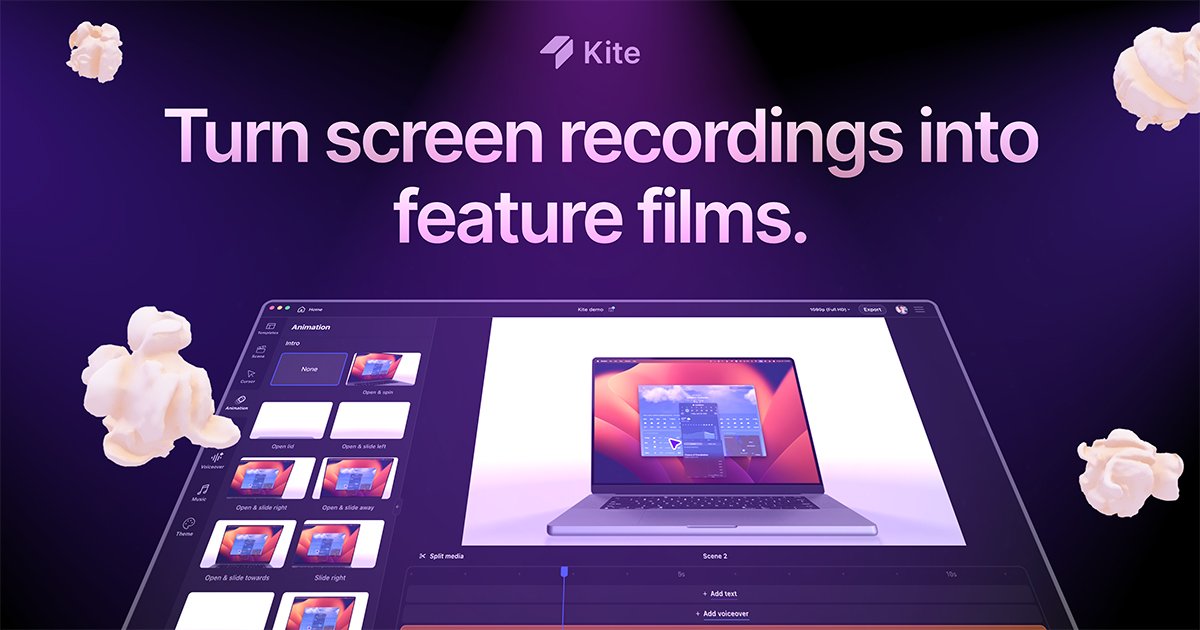
Kite is a screen recorder for creating polished app demo videos. The site positions it as a tool for making professional demos in minutes, with a workflow centered on recording and then enhancing the result with visual and audio effects.
Its described output includes auto cursor follow, zooms, text scenes, 3D mockups, AI voiceover, and music. Based on the public page text, the product is aimed at people who need a concise way to present software, app flows, or feature walkthroughs in a finished video format.
Records screens for app demo videos, making it suited to software walkthroughs and product showcases.
Automatically tracks the cursor during captures so viewers can follow interactions more easily.
Adds zooms to draw attention to specific parts of the interface during a demo.
Supports text scenes for inserting explanatory titles or captions into a video flow.
Includes 3D mockups for presenting recordings in a more polished visual context.
Offers AI voiceover and music options for adding audio to demo videos.
Record a product tour or feature overview and use cursor follow and zooms to keep attention on important interface steps.
Turn a rough screen capture into a cleaner demo by adding text scenes, mockups, and audio elements.
Create a short video that explains how an app works for prospects, users, or internal stakeholders.
Build presentation-ready clips for sharing updates, launches, or feature announcements without assembling a separate editing stack.
Kite is a screen recorder focused on creating polished app demo videos. The page description highlights auto cursor follow, zooms, text scenes, 3D mockups, AI voiceover, and music as part of the workflow.
The source indicates Kite is designed to create professional app demo videos in minutes. It combines screen recording with visual enhancements such as cursor follow and zoom effects.
The pricing page confirms there is a dedicated pricing page, but the collected text does not expose plan names, prices, or trial details.
The available text does not identify platform support or export formats. The product page only states the app needs JavaScript enabled to run in the browser.