
Official channels with direct China access
The page emphasizes direct China access and official native channels, aiming to provide stable access for workflows such as Claude Code, Codex, Gemini, and OpenClaw.
Fusecode is an AI coding subscription for solo developers and small teams, with direct China access and official native channels for Claude Code, Codex, Gemini, and OpenClaw.
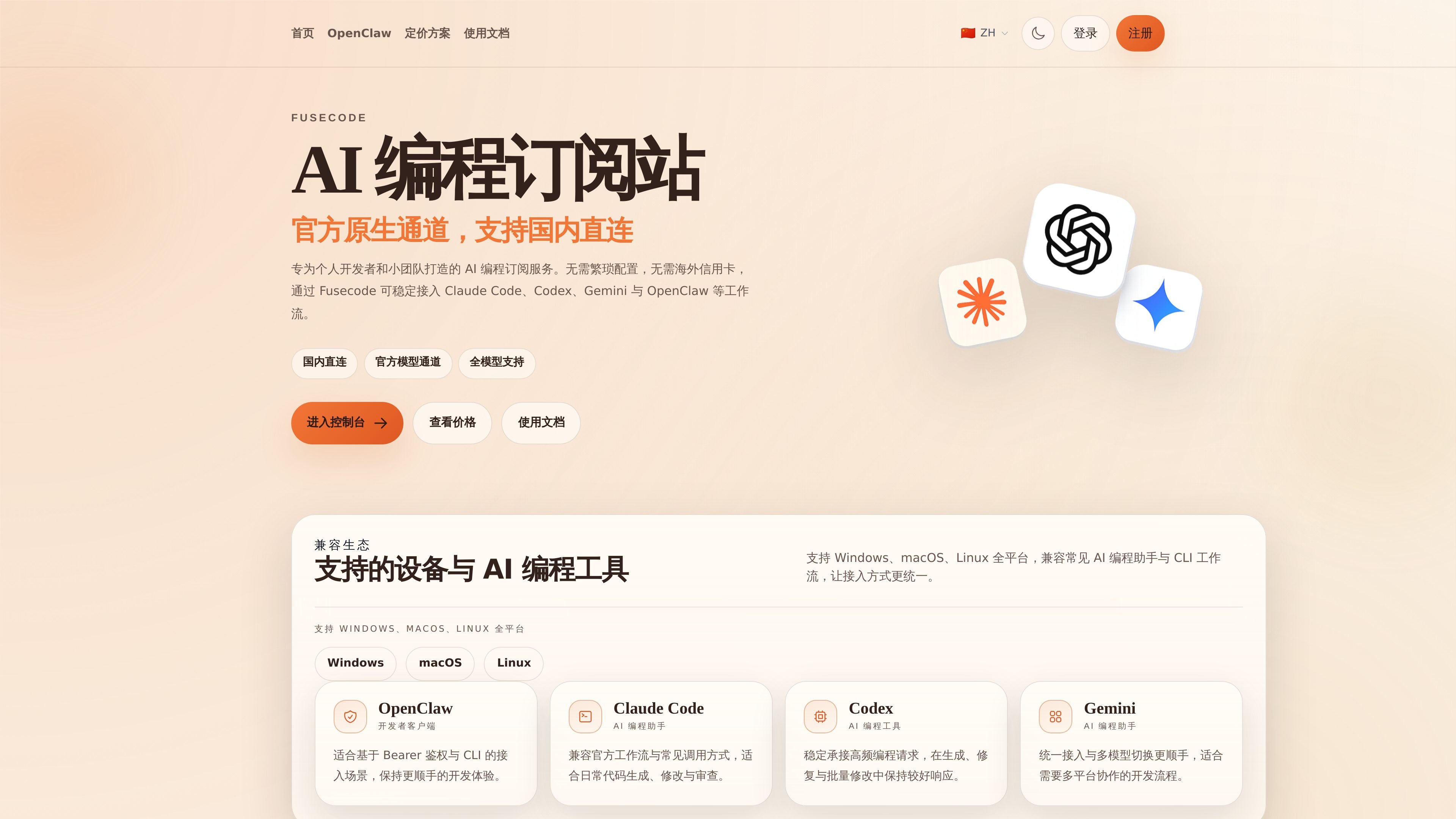
Fusecode is an AI coding subscription service for solo developers and small teams, with direct China access and official native channels. Its core purpose is to let users reliably connect to workflows such as Claude Code, Codex, Gemini, and OpenClaw without needing overseas credit cards or complex setup.
The homepage and pricing page both describe it as a subscription-based AI coding service with optional monthly plans, and emphasize that setup is as simple as changing the API address. The pages also show compatibility with coding assistants and CLI tools, along with statements about stability, availability, and consistency with native model behavior.
The page emphasizes direct China access and official native channels, aiming to provide stable access for workflows such as Claude Code, Codex, Gemini, and OpenClaw.
The site explains that Fusecode can be used by changing only the API address, without rewriting existing business logic, which makes it suitable for switching existing tools to a new channel.
The homepage states support for Windows, macOS, and Linux, and lists common AI coding tools and CLI workflows such as OpenClaw, Claude Code, Codex, and Gemini.
The homepage cites latency as low as 20ms, a distributed architecture, and automatic failover, with the focus on reducing waiting and interruptions.
The OpenClaw page shows a compatible integration example based on `anthropic-messages`, with support for `baseUrl`, `apiKey`, and model list configuration.
The pricing page lists monthly plans such as Basic, Plus, Pro, and Max, with weekly quotas and intended usage scenarios to help users choose by usage intensity.
Switch existing Claude Code, Codex, Gemini, or OpenClaw workflows to a unified subscription channel to reduce the cost of applying for and configuring multiple sources separately.
For daily coding, fixes, and batch changes on Windows, macOS, or Linux, choose a more suitable monthly plan based on usage intensity.
After a small team connects the subscription to its existing CLI or toolchain, it can serve as a stable model channel for collaborative development and frequent calls.
Combine the configuration example from OpenClaw to connect model capabilities to chat tools such as Telegram, creating a personal assistant with memory, tool calling, and file operations.
For scenarios that require enterprise custom plans or invoicing support, start by using the contact entry on the site and then confirm the specific cooperation setup.
After you log in and activate the service, you can usually start using it right away. The page does not mention any extra manual review or waiting period.
The page explicitly says you can connect by changing the API address, without rewriting existing business logic. OpenClaw also provides integration examples based on `baseUrl` and `apiKey`.
The site positions the service for solo developers and small teams, and the plan page maps Basic, Pro, and Max to light trial use, primary development, and high-frequency or collaborative scenarios.
The OpenClaw example shows that it can connect to chat tools such as Telegram and supports memory, tool calling, file operations, and code execution. The page also says it can work with workflows such as Claude Code, Codex, Gemini, and OpenClaw.
The page says there are enterprise custom plans and enterprise AI coding guidance, and mentions invoicing support. If you need an enterprise setup, you need to contact the site for further discussion.