
Revenue-first web analytics
Provides website analytics focused on revenue and growth rather than broad vanity metrics, with an emphasis on useful metrics like revenue per visitor.

DataFast is a web analytics tool for entrepreneurs and small teams, focused on revenue attribution with cookie-based and cookieless tracking.
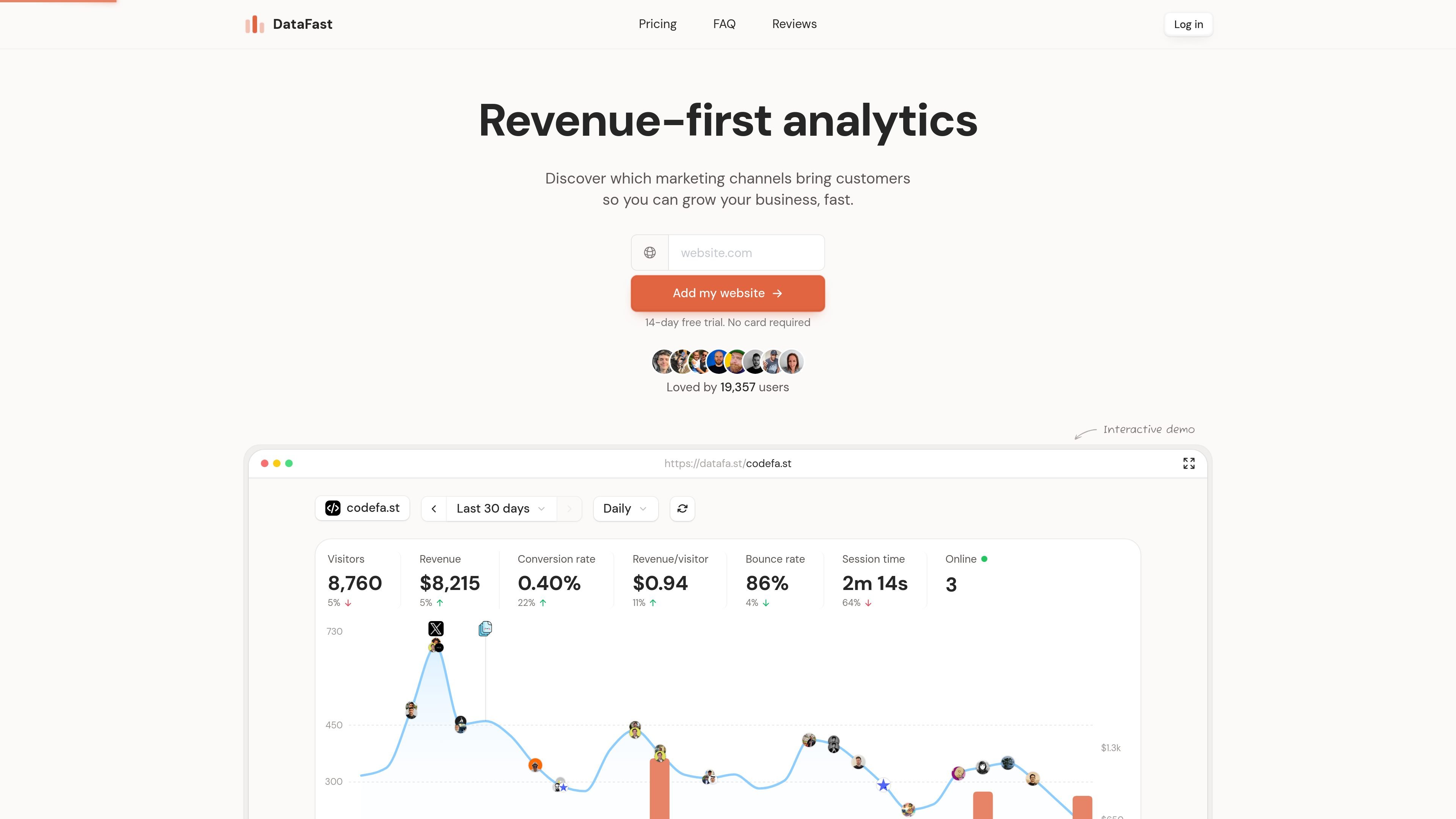
DataFast is a web analytics tool built to help entrepreneurs and small teams understand which marketing channels drive revenue. Its homepage positions the product around revenue attribution, showing how visitors move from first click to customer instead of focusing on raw traffic alone.
The product combines browser-based tracking, revenue connection, and analysis tools. The site says you can install it in under a minute, connect a payment processor, and then use the dashboard to see goals, funnels, journeys, and live visitor data. Documentation also shows an API and CLI for backend workflows, account automation, and AI-agent control.
DataFast also offers a cookieless tracking mode for teams that want to avoid cookie-based visitor identification. That mode is designed to reduce banner requirements in many setups, but it trades away some long-range attribution accuracy compared with the default script.
Provides website analytics focused on revenue and growth rather than broad vanity metrics, with an emphasis on useful metrics like revenue per visitor.
Connects a payment processor so DataFast can attribute revenue back to traffic sources and identify channels that drive paying customers.
Lets you define goals, funnels, and visitor journeys so you can follow the path from first click to conversion.
Shows live visitor activity, highlights who is likely to buy, and exposes an API for taking action from backend code or agents.
Supports server-side analytics workflows through website API keys, account tokens, and a CLI for managing websites, visitors, funnels, alerts, and integrations.
Offers a cookieless tracker for privacy-conscious setups, alongside the default script that uses cookies for stronger long-term attribution.
Use DataFast to see which channels lead to paying customers, then compare traffic sources against revenue rather than just visits or pageviews.
Track signups, lead magnet downloads, and purchase journeys to understand which steps move people toward conversion.
Use the API or CLI to query visitors, send server-side events, manage websites, and automate analytics tasks from backend tools or AI agents.
Enable the cookieless script when you want a privacy-first setup that avoids cookie-based visitor IDs and usually reduces the need for a cookie banner.
Connect a payment processor to link transactions back to sources, segments, and visitor paths so you can evaluate what leads to revenue.
DataFast provides a default tracker and a cookieless tracker. The cookieless script is designed so you usually do not need a cookie banner, but it is less accurate for long-term attribution because visitor identifiers rotate about every 24 hours.
The home page says you can install DataFast in under a minute and mentions plugins for WordPress, Shopify, NPM, and more. The API docs also show backend and CLI workflows for account and website management.
The pricing page is unavailable, but the home page offers a 14-day free trial with no card required. The pricing section on the home page shows Starter and Growth tiers with traffic-based event limits.
DataFast can attribute revenue to traffic sources, track custom goals and funnels, and show visitor journeys from first click to conversion. The API also supports server-side events, payments, and user identification.