
One workspace for multiple AI tasks
Chatly positions OmniAgent as a single workspace for AI Chat, AI Docs, AI Slides, AI Images, AI Videos, AI Graphs, AI Music, web search, and deep research, reducing the need to move between separate tools.

Chatly is an AI workspace with OmniAgent for chat, docs, slides, search, research, images, video, graphs, and music in one place.
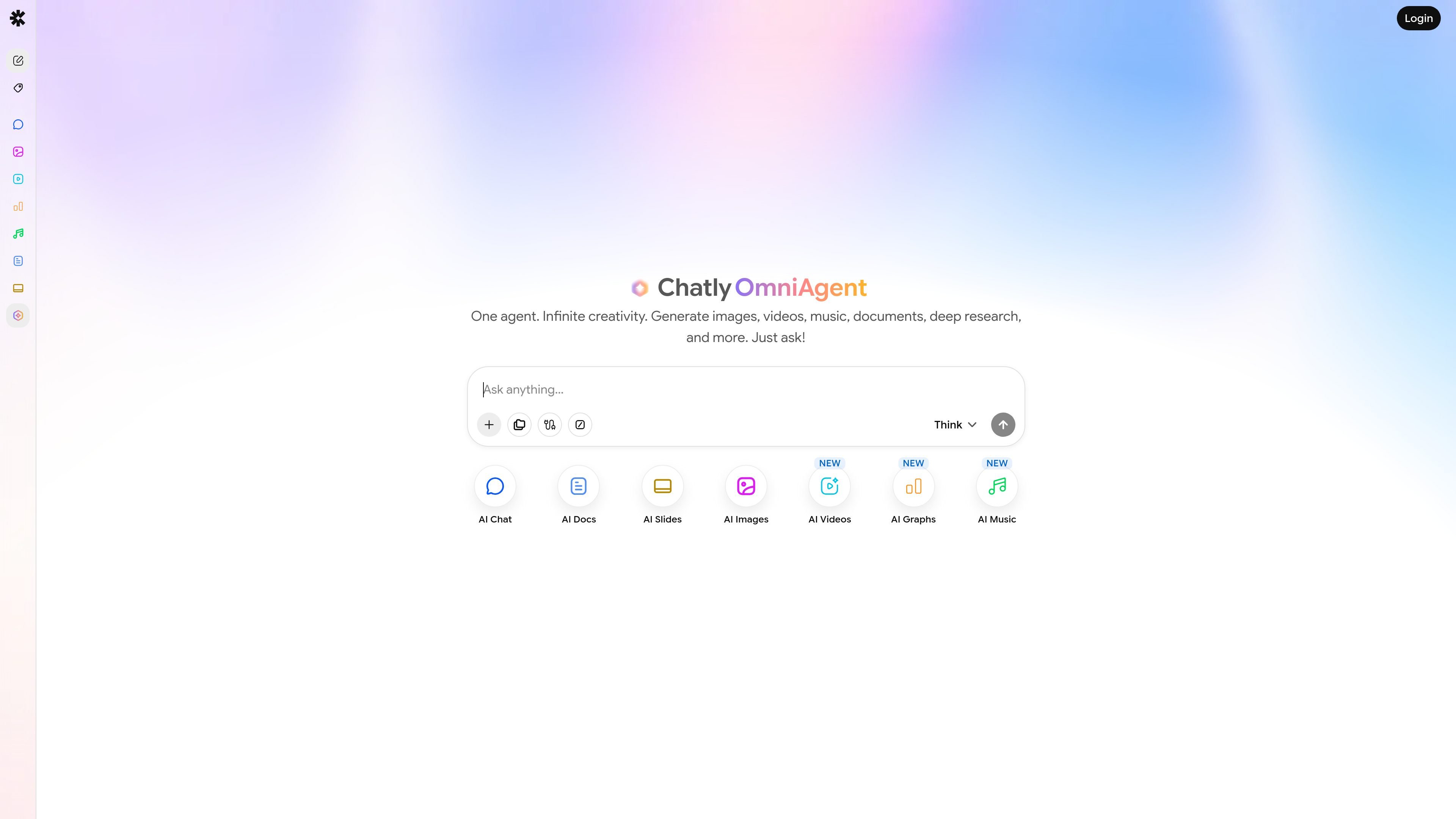
Chatly is an AI workspace built around OmniAgent, a single assistant that brings together chat, document writing, slide creation, image generation, video generation, graphs, music, web search, and deep research in one place. The product presents itself as an all-in-one environment rather than a standalone chat app, with different AI tools exposed through the same interface.
The strongest evidence points to two main workflows: using AI Chat to compare and switch among multiple top AI models, and using AI Docs to draft and polish written work such as briefs, resumes, reports, and publishable content. Chatly’s support center also shows adjacent tools for slides, images, videos, graphs, and music, plus help resources for account, billing, and troubleshooting.
Chatly positions OmniAgent as a single workspace for AI Chat, AI Docs, AI Slides, AI Images, AI Videos, AI Graphs, AI Music, web search, and deep research, reducing the need to move between separate tools.
The AI Chat page says users can access leading AI models in one place, compare responses, and switch models when a different model is a better fit for the task.
The AI Docs page describes generating and editing documents such as briefs, resumes, structured reports, and ready-to-publish content, with AI-powered writing support.
The support center lists AI Slides for generating and refining slide decks and presenting them, which suggests a presentation workflow built into the product.
The support center and home page both highlight AI Images, AI Videos, AI Graphs, and AI Music, including text-to-image creation, video generation from text or images, charts/graphs, and song or instrumental generation.
The support center includes getting started, account and billing, troubleshooting, and help articles, giving users a support path around the workspace features.
Use AI Chat when you want to compare responses from multiple leading models in one place, then switch to the model that best fits the task.
Use AI Docs to turn briefs into resumes, reports, or publishable writing drafts, then refine the text inside the same workspace.
Use the slides workflow when you need to generate, refine, and present a slide deck without leaving the Chatly environment.
Use the multimedia tools when a prompt should produce an image, a video, a song, or a graph rather than plain text.
Use OmniAgent for broader requests that combine search, research, and multiple output types in a single task.
Chatly provides an all-in-one AI workspace centered on OmniAgent, with AI Chat, AI Docs, AI Slides, AI Images, AI Videos, AI Graphs, and AI Music surfaced from the site navigation and support pages.
The support center lists Chatly as available on multiple platforms, but the provided source text does not specify which ones. That detail would need confirmation from the app or help documentation.
The support center says OmniAgent can handle requests across the workspace, while the AI Chat page emphasizes switching between top AI models to compare and choose responses.
The support page shows a help center, email support, getting started resources, account and billing help, troubleshooting, and articles for AI Chat and AI Search.
The source text does not provide current plan names, prices, or limits. The pricing URL returned a 404 page, so pricing details are not available from the provided evidence.