
CRM and client management
Store client details, manage relationships, and keep client records tied to work, documents, and communication from one place.

Canopy is cloud-based practice management software for accounting and tax firms, combining client management, documents, workflow, billing, and communication with AI-assisted automation.
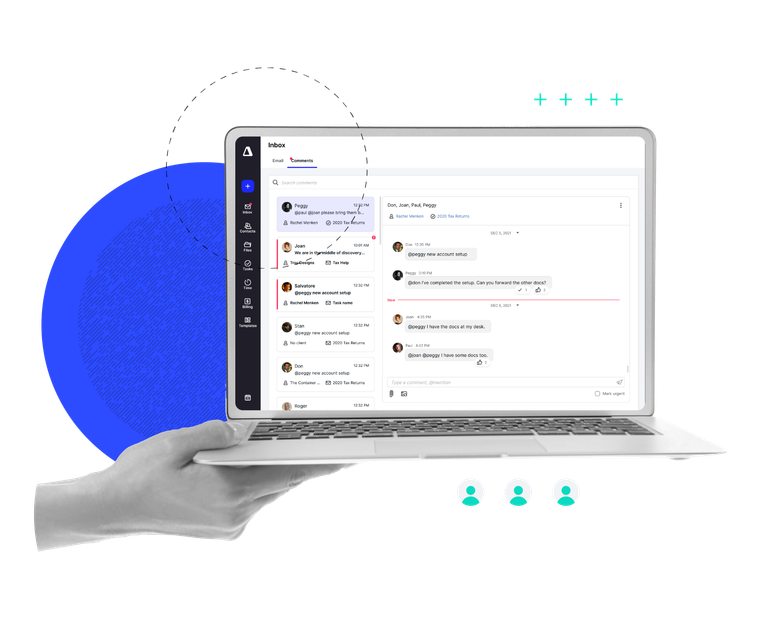
Canopy is cloud-based practice management software for accounting and tax firms. It brings client management, document handling, workflow, time tracking, billing, and client communication into one platform.
The product is positioned around helping firms reduce app switching and manual coordination. Canopy’s standard suite covers core practice operations, while Canopy Coworker adds an AI layer that can plan, monitor, and execute work within the firm’s existing permissions and workflows.
Store client details, manage relationships, and keep client records tied to work, documents, and communication from one place.
Organize documents with secure storage, folder permissions, eSignature tools, virtual drive access, document renaming, and checklist-driven request lists.
Handle assignments, subtasks, due dates, status updates, reminders, recurring workflows, Kanban views, and workload visibility for teams.
Create invoices, support recurring and group billing, track work in progress, and manage payments, retainers, and realization or utilization analysis.
Let clients upload files, send secure messages, book meetings, complete questionnaires, and use a dedicated mobile app for on-the-go communication.
Use Canopy Coworker to plan, coordinate, and execute work across tasks, workflows, and clients with review controls and permission-based actions.
Centralize client records, documents, messages, and tasks so staff can work from a single system instead of switching between apps.
Use workflow automations, recurring task logic, and status-based triggers to reduce manual follow-up and keep engagements moving.
Manage invoices, retainers, WIP, and time entries in one place to improve billing visibility and reduce missed work.
Give clients a portal or mobile app path for uploading documents, signing forms, and sending secure messages without relying on email threads.
Use Canopy Coworker to plan, monitor, and execute work with AI assistance when a team needs help with coordination or repetitive tasks.
Canopy is built for accounting and tax firms that want to manage client work, documents, billing, communication, and workflows in one system.
The pricing page shows Standard, Plus, Premium, and Enterprise options. Standard starts at $74 per user/month billed annually, with higher tiers adding automation and advanced billing or reporting features.
Yes. Canopy includes a client portal and secure messaging, and the pricing page also mentions a dedicated client mobile app for uploading documents and communicating from a device.
Canopy lists workflow and task tracking, recurring workflows, task automations, capacity planning, time tracking, document management, invoicing, and payments as part of its practice management suite.
Canopy Coworker is described as an AI layer inside Canopy that can plan, execute, and monitor work with firm permissions. It is presented as coming soon or in beta depending on the page and feature.