
Multiple translation modes
Provides translation entry points for text, documents, online PDFs, images, charts, and web pages, making it easy to choose the right workflow based on the content type.

彩云小译 is an online translation tool for text, documents, PDFs, images, and web pages, with glossary support, bilingual view, and translation adjustment.
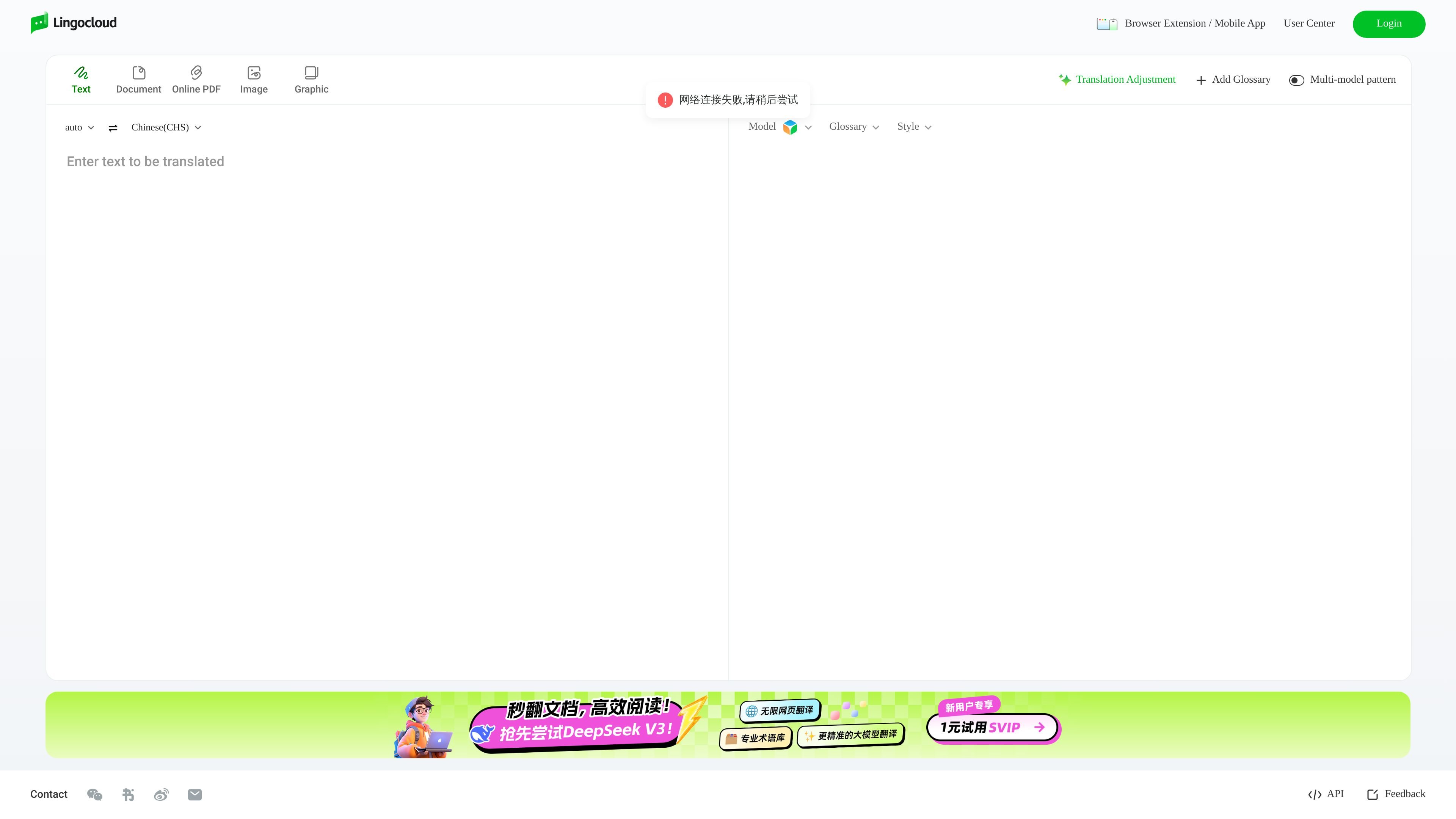
彩云小译 is an online translation tool, and its official site shows entry points for text translation, document translation, online PDF translation, image translation, web page translation, glossary, and bilingual view. It is aimed at users who need to complete multiple translation tasks on the web, and is suitable for different workflows ranging from simple text to documents and web content.
Based on the visible information on the page, the product also offers a browser extension, mobile entry points, an API, a glossary, and translation adjustment options, and displays multi-model mode as well as the Lingocloud V4 model label. Overall, it is positioned more toward everyday translation and content processing rather than a single text translator.
Provides translation entry points for text, documents, online PDFs, images, charts, and web pages, making it easy to choose the right workflow based on the content type.
Offers a glossary feature to help keep proper nouns, product names, and fixed expressions consistent in translation.
The page shows Style, Translation Adjustment, and Add Glossary options, indicating that translation style and results can be further adjusted.
Supports multi-model mode, with a visible Lingocloud V4 model label, indicating that the product runs on AI translation models.
Provides Browser Extension / Mobile App, User Center, Login, and API entry points, covering web, extension, mobile, and interface-based usage.
Translate short passages, interface text, or messages directly in the browser when you need a quick result without switching tools.
Work with files and online PDFs by choosing the document or PDF translation entry, which suits reading, review, or reference work.
Translate and compare web pages with bilingual output, useful when reading foreign-language articles or product pages.
Keep names, terminology, and repeated phrases consistent across projects by adding glossary terms before or during translation.
Use the browser extension, mobile app, or API entry depending on whether you need a personal workflow, a mobile workflow, or programmatic access.
Caiyun Xiaoyi provides entry points for text translation, document translation, online PDF translation, image translation, and web page translation, making it suitable for handling different types of translation tasks directly on the web.
From the visible information on the page, the product offers a glossary, Style, translation adjustment, add glossary, and multi-model mode, making it suitable for further controlling and refining translation results.
The page shows the text Browser Extension / Mobile App, indicating that it covers browser extension and mobile entry points; it also provides User Center, Login, and API entry points.
The visible page does not provide complete pricing figures, but the pricing page confirms that a pricing page exists and shows paid/plan-related information entry points for the product.
The page mainly presents online translation workflows and related tools, and does not show a complete industry solution or team collaboration description, so it is more suitable for use based on specific translation tasks.