
Prospecting search prompts
Search examples on the home and pricing pages show natural-language queries for company size, industry, geography, and segment filters.

Bebop is a web-based sales intelligence tool that helps teams find target accounts and generate prospect research, playbooks, and outreach guidance.
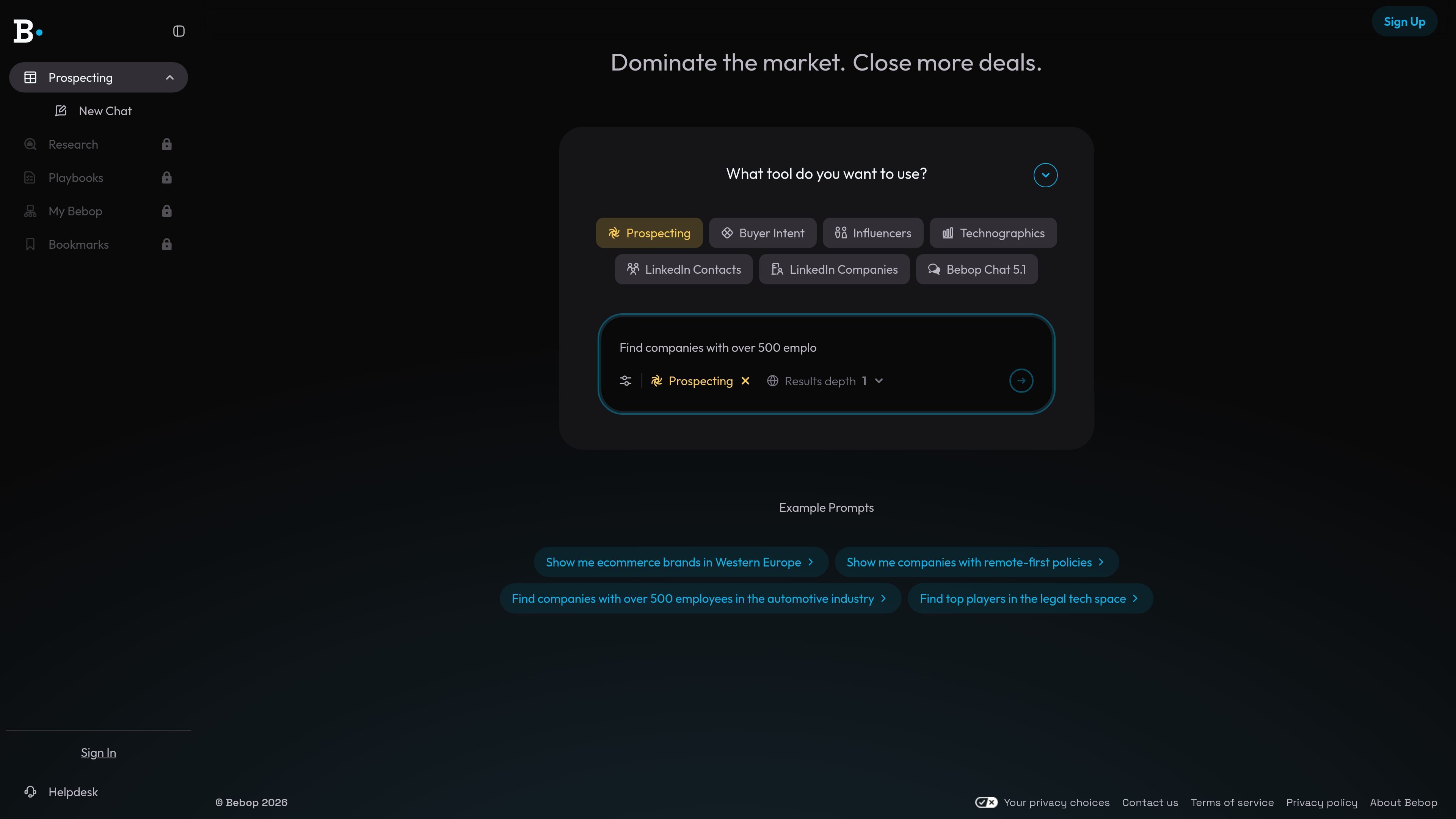
Bebop is a revenue and sales research product that helps users find companies and contacts relevant to their offer, then turn that information into prospecting guidance. The site positions it around finding customers who need your products today and showing how to connect with them.
Across the home, pricing, and research pages, Bebop presents a chat-style workflow with tools for prospecting, buyer intent, influencers, technographics, LinkedIn contacts, and LinkedIn companies. It also generates Bebop Playbooks with prospect research, stakeholder maps, deal angles, objection handling, and messaging aligned to a user's solution.
Search examples on the home and pricing pages show natural-language queries for company size, industry, geography, and segment filters.
The navigation and example prompts include buyer intent as a distinct tool, suggesting support for finding accounts that may be actively in market.
The site lists influencers, technographics, LinkedIn contacts, and LinkedIn companies as available tools for building account context.
The research page says Bebop Playbooks include comprehensive prospect research with stakeholder maps, deal angles, objection handling, and messaging aligned to the user's solution.
The research page asks for a product or service and accepts a website URL or text description, indicating setup around the user's offering.
The sign-up page states that user data is not used to train the company's AI models and is used to support the Bebop experience.
Use Bebop to find companies by size, industry, geography, or segment when building a prospect list for outbound sales.
Use the buyer intent and research tools to identify accounts that may be closer to an active purchase decision.
Use the LinkedIn and influencer tools to assemble account context and identify relevant people around the target company.
Use Playbooks when a rep needs research, deal angles, and objection handling packaged together for a specific product or service.
Use the sign-up and product setup flow to connect a website URL or product description and generate material tailored to what you sell.
Bebop appears to be a web-based sales and revenue prospecting product. Its site highlights tools for prospecting, buyer intent, influencers, technographics, LinkedIn contacts, and LinkedIn companies, along with a research flow for generating playbooks.
The site shows users entering either a website URL or a plain-language description of what they sell to generate Bebop Playbooks with prospect research and messaging guidance.
Bebop's pricing page and sign-up pages indicate that account creation is available through Google, Microsoft, Facebook, or email, and that users agree to the Terms of Service and Privacy Policy when signing up.
The public pages do not show pricing numbers, plan names, or limits, so the site only confirms that pricing and sign-up flows exist.
The source does not provide documented integrations beyond the listed research and prospecting tools, so any export targets or connected systems are not clear from the public pages.