
One-click virtual staging
Upload a property photo, let the AI restyle the room, and download the staged image for use in listings or other marketing materials.

Virtual Staging AI is a web app that uses AI to stage real estate photos, turning furnished or unfurnished rooms into listing-ready visuals.
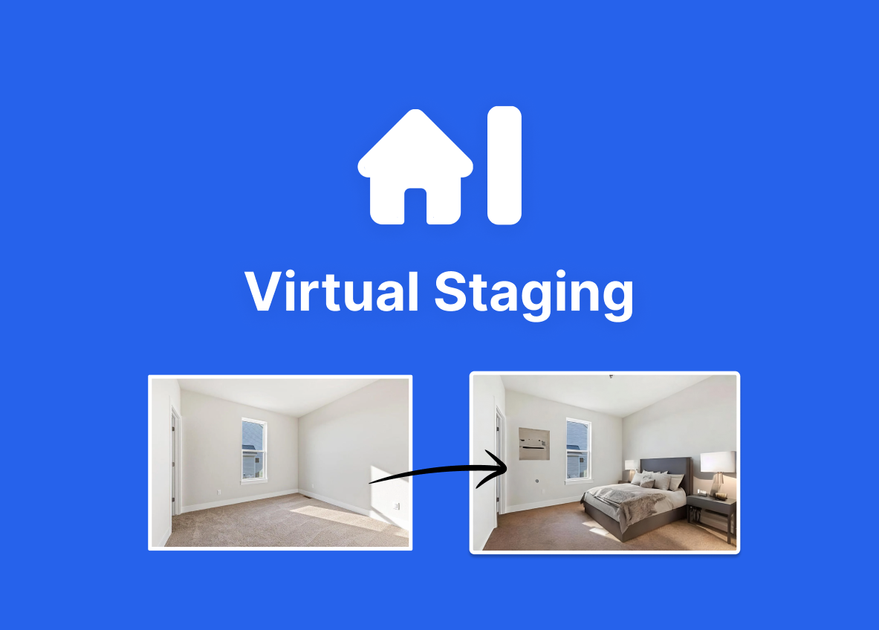
Virtual Staging AI is a web-based AI virtual staging tool for real estate photos. It takes room images, adds staged furniture, and produces listing-ready visuals that can be downloaded and used wherever needed.
The public site positions the product for realtors and other property marketers who want a faster alternative to manual staging or back-and-forth design work. The homepage emphasizes simple upload-and-download use, support for furnished and unfurnished photos, and results in seconds rather than days.
Upload a property photo, let the AI restyle the room, and download the staged image for use in listings or other marketing materials.
The site says it supports both furnished and unfurnished photos, and the gallery highlights rooms like living rooms, bedrooms, kitchens, home offices, and dining rooms.
The pricing page states that furniture removal is included, allowing existing furniture to be cleared before adding staged furnishings.
The pricing page lists all room types and styles for standard staging, while the gallery shows examples such as modern, midcentury, and Scandinavian looks.
The product advertises unlimited regenerations, so users can request new versions without starting a fresh order.
Pricing and homepage copy both emphasize a short turnaround, with the service describing results in about 10 to 15 seconds.
Prepare vacant listings by adding furniture and decor to empty rooms so buyers can better picture the finished space.
Update photos of furnished rooms by removing existing furniture and restyling the room with a different look.
Create multiple visual options for the same photo when you want to compare looks or refine the presentation without restarting the process.
Handle a range of property spaces, including bedrooms, living rooms, kitchens, home offices, and dining rooms, using the gallery examples as guidance.
Use the Enterprise plan for higher-volume workflows where teams, brokerages, or photographers need more photos, API access, storage, and support.
It is an AI virtual staging tool for real estate photos. Users upload a property image, choose from available staging styles, and download a staged result.
The site says you can upload both furnished and unfurnished photos. The workflow also includes furniture removal, so it can be used to restyle existing room photos as well as empty rooms.
The product is designed to generate staged images in about 10 to 15 seconds, depending on the page referenced.
The pricing page shows paid plans with monthly photo allowances, unlimited renders and downloads, and plan-specific extras such as image storage forever or API access on the Enterprise plan.
The public pages show login and sign-up flows and do not describe collaboration features in detail. The Enterprise plan is described for teams, brokerages, and photographers, with enterprise support and a success manager.