
Template library
Browse a large library of presentation templates for Google Slides and PowerPoint, with themes that span business, education, marketing, technology, and other topics.

Slidesgo offers free and premium presentation templates for Google Slides and PowerPoint, with many templates also editable in Canva. It also includes an AI presentation maker, account-based downloads, and team features on Premium.
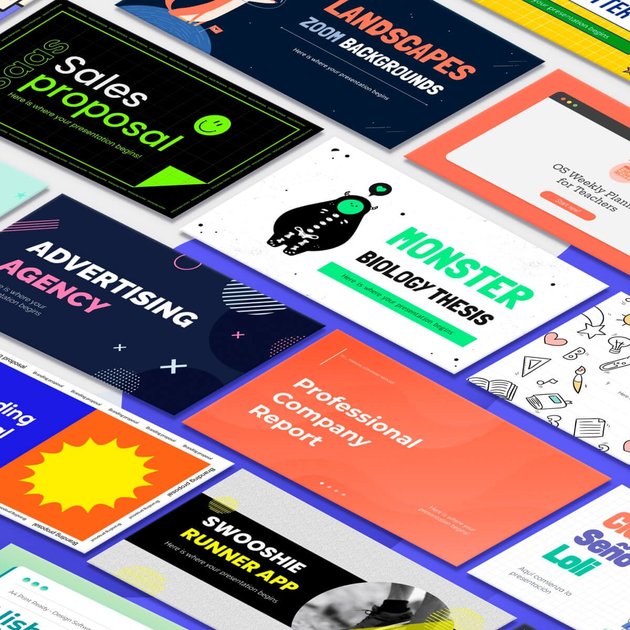
Slidesgo is a presentation template platform for Google Slides and PowerPoint, with many templates also available for Canva editing. Its homepage focuses on free downloadable templates, while the pricing page describes a Premium plan for unlimited access and team use.
The service is built around browsing template collections, generating presentations with AI, and then opening or downloading the result in a supported presentation workflow. Free users can register and download a limited number of templates each month, while Premium users get broader access, ad-free use, and no attribution requirement.
Browse a large library of presentation templates for Google Slides and PowerPoint, with themes that span business, education, marketing, technology, and other topics.
Use the built-in AI presentation maker to generate presentations, then download or open the result in supported formats.
Open many templates directly in Google Slides, download them as PowerPoint files, or open them in Canva when that workflow is available.
Save templates as favorites after registering so you can return to them later from your account.
Filter and sort templates by topic, style, format, and content type on browsing pages such as the Canva template collection.
Premium removes ads, removes attribution requirements, and includes access to the full library plus premium-only assets.
Choose a presentation template, open it in Google Slides or download it for PowerPoint, and adapt the layout to fit a business, academic, or personal topic.
Use the AI presentation maker when you need a quicker first draft and want to move from prompt to editable slides with less setup.
Browse the Canva-focused template collection when your team prefers to edit and design presentations in Canva rather than in a slide deck app.
Use Premium when you need a larger library, no attribution requirement, ad-free browsing, and team management for multiple users.
Pick from education-oriented and teacher-verified content, including Slidesclass and classroom-style templates, for lessons and school presentations.
Yes. Slidesgo says you can register for free and start downloading, with 3 free templates per month on the free plan. The pricing page also says you need an account and be logged in to use the AI presentation maker and to download templates.
Slidesgo supports Google Slides and PowerPoint templates, and many templates can also be downloaded and opened in Canva.
The pricing page says Premium removes attribution requirements, while the free experience is positioned around downloadable templates and AI presentation generation with account access.
Yes. The pricing page says Premium users can invite and manage team members, and subscriptions can scale up to 1000 users.
Yes. The pricing page states that you can change or cancel your subscription at any time.
Traffic-Daten dienen nur als Referenz.
| Apr | 7973366 |
|---|---|
| Mai | 6623951 |
| Jun | 4841686 |
Traffic-Analysen sind noch nicht verfügbar.
Traffic-Analysen sind noch nicht verfügbar.