
Clean intake from multiple content types
Articles, PDFs, podcasts, videos, EPUBs, and Word documents are run through source-specific extraction pipelines so the result is clean and readable rather than cluttered or fragmented.

Omphalis is a reading app that turns articles, PDFs, podcasts, videos, EPUBs, and Word documents into cleaner, easier-to-navigate reading experiences.
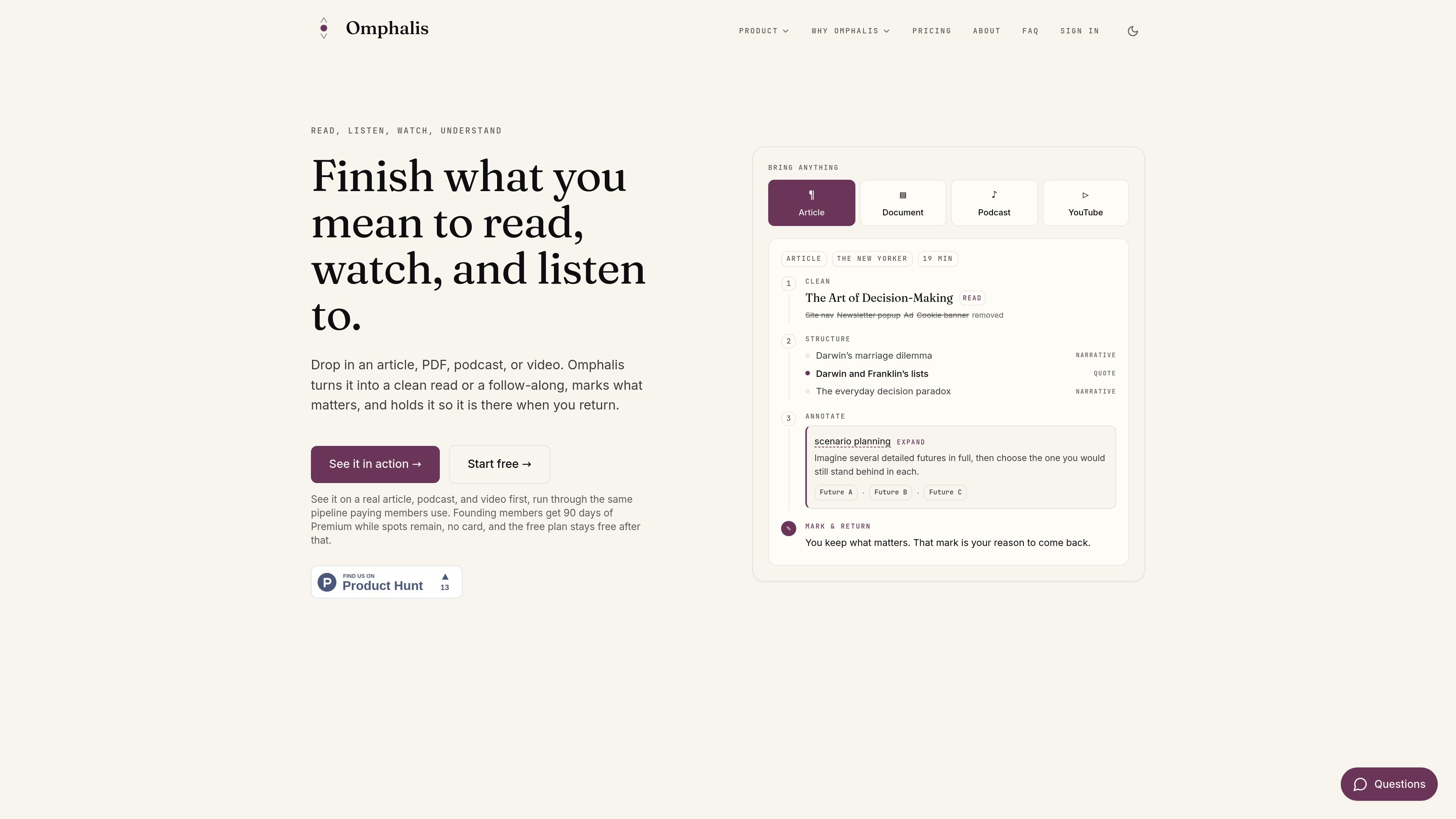
Omphalis is a reading and understanding app for long-form content. It takes articles, PDFs, podcasts, videos, EPUBs, and Word documents, cleans them up through source-specific extraction, and presents them in a readable form that makes the shape of the piece easier to see.
The product is built for people who want saved content to become usable knowledge instead of a backlog. Omphalis surfaces structure, explains hard sections, preserves your own marks, and keeps those marks tied to the context they came from so you can return to what mattered.
Articles, PDFs, podcasts, videos, EPUBs, and Word documents are run through source-specific extraction pipelines so the result is clean and readable rather than cluttered or fragmented.
Strata shows the shape of a piece by surfacing sections, turns in the argument, dense moments, claims, and evidence so readers can orient themselves before diving in.
Omphalis adds sparse notes where the hard parts are, including short explanations, definitions, sources, and expansions that appear when content gets dense.
Marks on paragraphs or timestamps are kept as first-class objects, so you can return to what you marked as important, confusing, worth using, or worth questioning.
The web app and browser extension both support listening along with natural voices, keeping the text in place while audio follows the words.
Saved content can be organized into separate Spaces, and the browser extension lets you save, subscribe, or open the full app from the toolbar.
Use Omphalis when you want to work through a dense article or long read instead of skimming it. The section map and inline explanations help you follow the structure and revisit the passages that mattered.
Use it for podcasts and videos when you want to listen while keeping the text in view. The listen-along flow and kept marks make it easier to pause, return, and build on what you heard.
Use Omphalis for PDFs, EPUBs, and Word docs that need more than a quick summary. It cleans the source, surfaces hard sections, and lets you keep notes and return points in context.
Use the browser extension when you want to read, save, or subscribe from the page you are already on. It brings the same clean reading view and section map into the browser without an import step first.
Use Spaces and marks when you are building a personal library of ideas across multiple sources. The product is set up to keep separate threads of understanding and connect what you marked over time.
Omphalis is designed for people who read, listen, watch, and want what they take in to stay useful later. The FAQ specifically names writers, teachers, pastors, researchers, leaders, students, lifelong learners, and casual readers as potential users.
Omphalis says comprehension matters because content should change how you think, not just be saved. Its focus is on working through dense material so you can understand it, use it, and return to the moments that mattered.
The FAQ says Omphalis does four things in order: it brings content in cleanly, shows the shape of what you are reading or listening to, adds helpful notes where content gets hard, and keeps the marks you left with context.
Omphalis is positioned as different from a summarizer or chat box because it does not just compress content into shorter form or hand you an answer. It focuses on clean extraction, structural reading, inline help, and preserving your own marks.
The source material shows a web app at app.omphalis.ai and a browser extension for reading on-page. The FAQ and product pages also mention reading, saving, and adding notes, but do not provide a full setup walkthrough.
Traffic-Daten dienen nur als Referenz.
| Apr | 0 |
|---|---|
| Mai | 0 |
| Jun | 0 |
Traffic-Analysen sind noch nicht verfügbar.