
Photo-based starting point
Upload a photo of your yard and use it as the basis for a custom landscape concept.

Neighborbrite is a browser-based AI landscape design tool that turns yard photos into garden design inspiration, with styles, custom elements, and location-aware plant ideas.
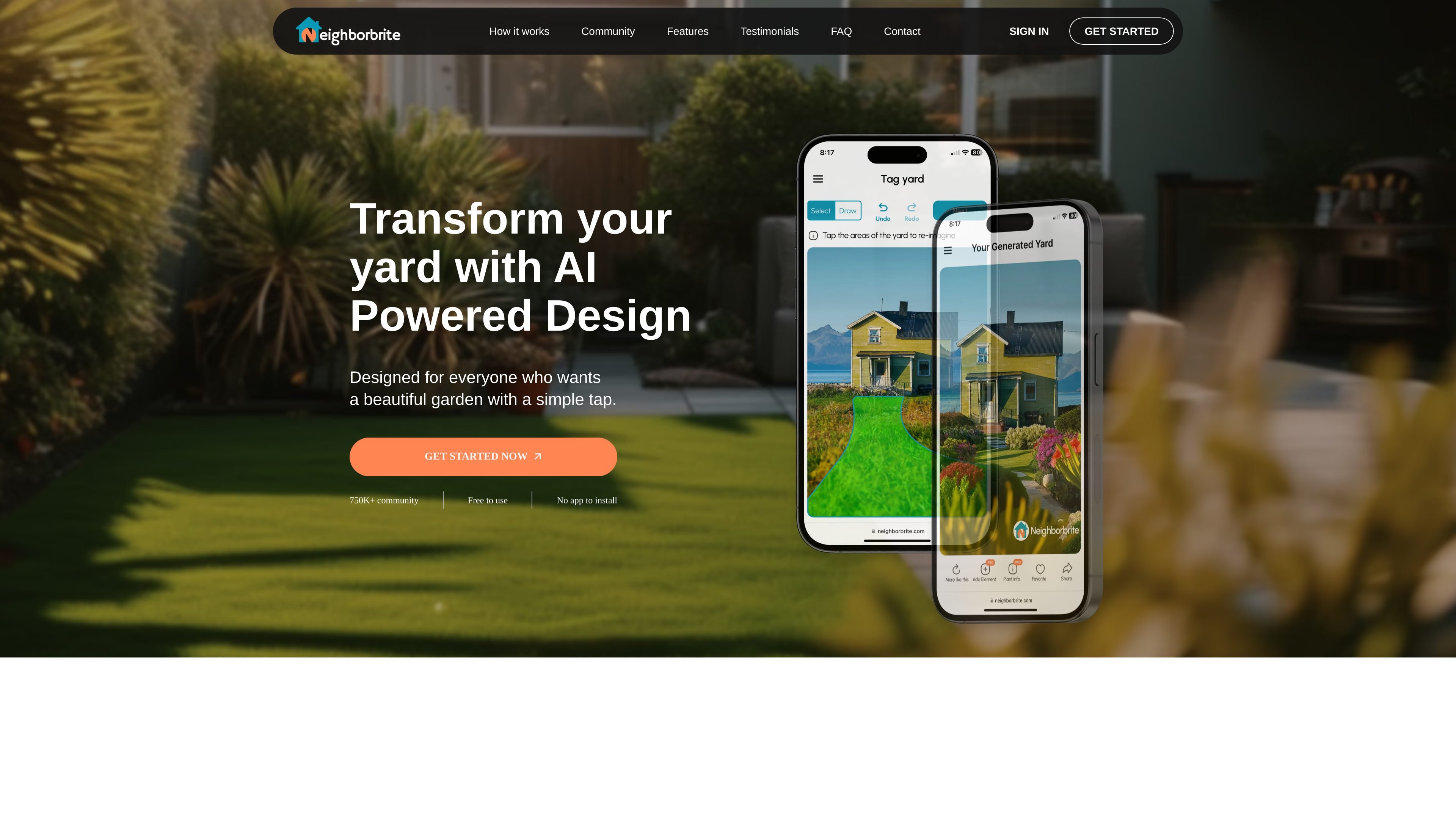
Neighborbrite is a browser-based AI landscape design tool that helps people turn a yard photo into design inspiration. The homepage describes it as free to use and focused on giving users a simple way to start planning an outdoor space.
Its basic workflow is straightforward: upload a photo, select a garden style, and generate inspiration for the yard. The site also highlights custom elements and location-aware plant suggestions, which position the product as a visual planning aid for homeowners and other people working on landscape ideas.
Upload a photo of your yard and use it as the basis for a custom landscape concept.
Choose among multiple garden styles to match the look you want for your home and outdoor space.
Adjust elements such as trees, fire pits, and other garden features for a more personalized design.
Receive plant suggestions based on location and climate so the recommended plants fit the yard conditions.
Use the site without installing an app, which makes the workflow browser-based and quick to start.
Homeowners can upload a yard photo and explore garden styles before committing to changes in the space.
People comparing different looks can use the style selector and custom elements to narrow down a direction for the yard.
Users who want plant choices matched to their area can use the location-based plant list to guide planting decisions.
People who want a more polished plan can start with Neighborbrite and then consider the professional design service for a fuller package.
Visitors who want a fast browser workflow can use the site without installing an app.
The source shows a simple workflow: upload a yard photo, select a style, and get design inspiration. It does not describe account setup, exports, or editing controls in detail.
The home page describes Neighborbrite as free to use and says there is no app to install. The pricing URL provided returns a 404 in the collected evidence, so no paid plan details can be confirmed from these sources.
The home page says the tool uses your photo as the foundation for a custom garden design, and the feature section notes location-based plant suggestions. It does not provide a full technical explanation of the AI model or all inputs it uses.
The collected sources do not include a dedicated integrations page or any confirmed third-party integrations.