
Sketch to render
Upload sketches and generate photorealistic architectural renders from them, supporting quick visual exploration from early concepts.

Gendo is an AI rendering platform for architects, designers and studios, turning sketches and source images into photorealistic architectural visuals on a shared canvas.
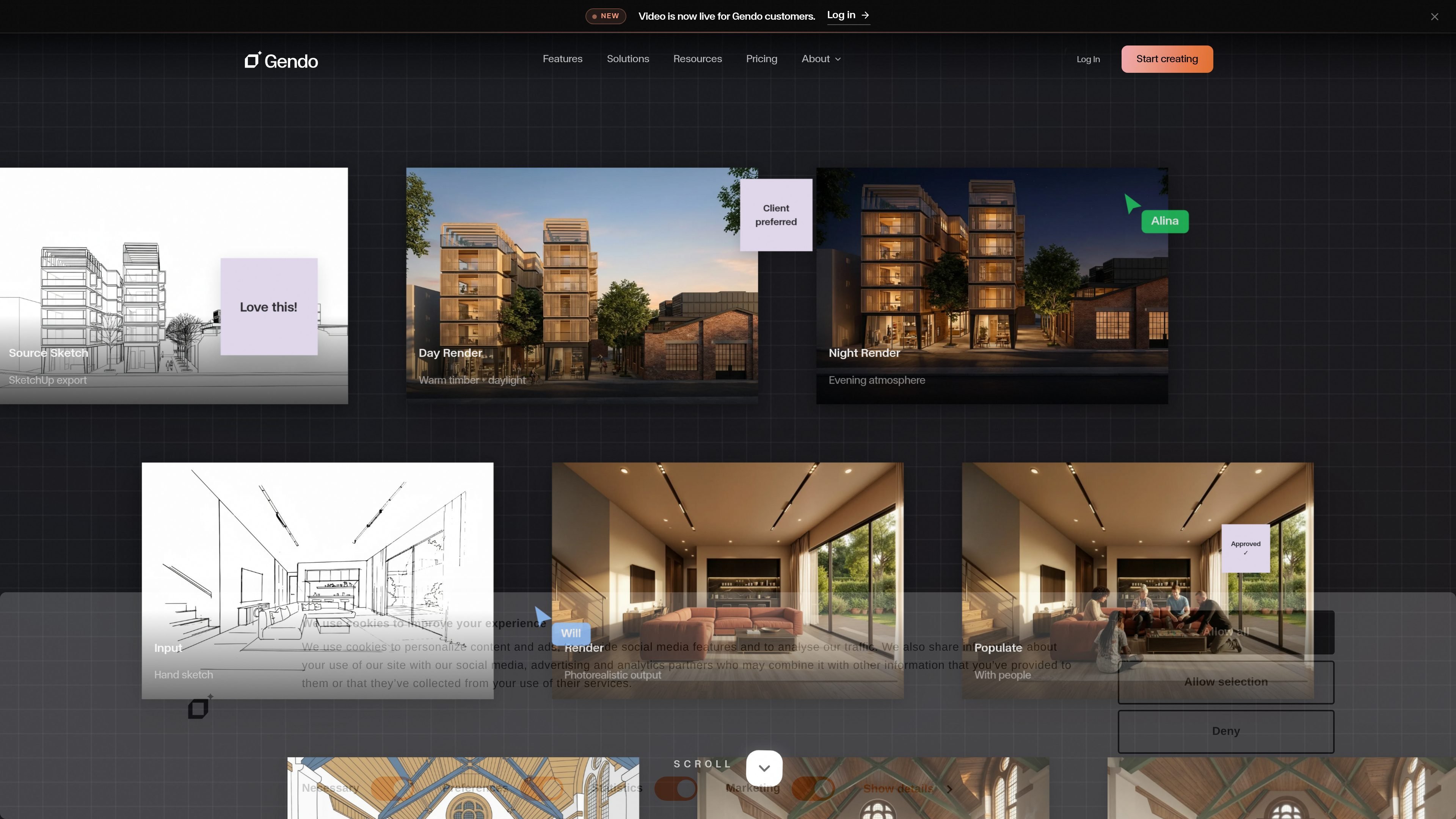
Gendo is an AI rendering platform for architects, designers, and studios. It focuses on turning sketches and other source images into photorealistic architectural visuals on a shared canvas, so teams can iterate on options and review them together.
The site positions the product around architectural workflows rather than generic image generation. It highlights design-to-image generation, material changes, style transfer, and collaborative decision-making, with pricing options for individuals, studios, enterprises, and education.
Upload sketches and generate photorealistic architectural renders from them, supporting quick visual exploration from early concepts.
Edit outputs by changing materials and finishes through prompts, which helps teams test alternatives without restarting the image from scratch.
Switch between styles while keeping the underlying design direction intact, useful when comparing presentation approaches.
Work on a shared canvas where renders, edits, and prompts stay in one place for team review and decision-making.
Support a workflow that moves from concept to approval, with examples on the site showing day renders, night renders, and interior variations.
Use governance features on paid plans, including private-by-default handling, full data ownership, SSO, audit logs, and configurable retention.
Turn hand sketches or early design studies into photorealistic renders when you need something presentable for internal review or client discussion.
Test alternative materials, finishes, and palettes without rebuilding the scene, helping teams compare options faster.
Use the shared canvas to keep prompts, assets, and rendered outputs together while architects, designers, and clients review changes.
Move from a rough proposal to a presentation-ready image by iterating on daylight, night mood, interiors, or other presentation variants.
Use the enterprise and studio governance controls when projects need private workspaces, seat management, or more formal access controls.
Gendo is built for architects and design studios that want to generate and iterate on architectural renders on a shared canvas. The source material emphasizes studio workflows, collaboration, and private design work.
The product supports uploading sketches and generating photorealistic renders, with workflows for design-to-image, material changes, style transfer, and iterative review on one canvas.
The site describes a free plan for individuals exploring design workflows, a Studio plan for professional collaboration, an Enterprise plan with custom pricing, and a separate educational plan for students and educators.
Yes. The pricing page states that paid plans are private by default and that designs on paid plans are never used to train AI models.
The rendered page does not provide a full list of file formats or integrations. It does mention SketchUp export and a workflow around model export, but broader platform compatibility is not specified in the source material.