
Inline pull request review
Reviews pull requests with a mix of deterministic rules and AI-generated feedback, surfacing bugs, security vulnerabilities, anti-patterns, complexity issues, and coverage gaps directly in the PR.

DeepSource is an AI code review platform for software teams that reviews pull requests, scans dependencies, and surfaces security and quality issues.
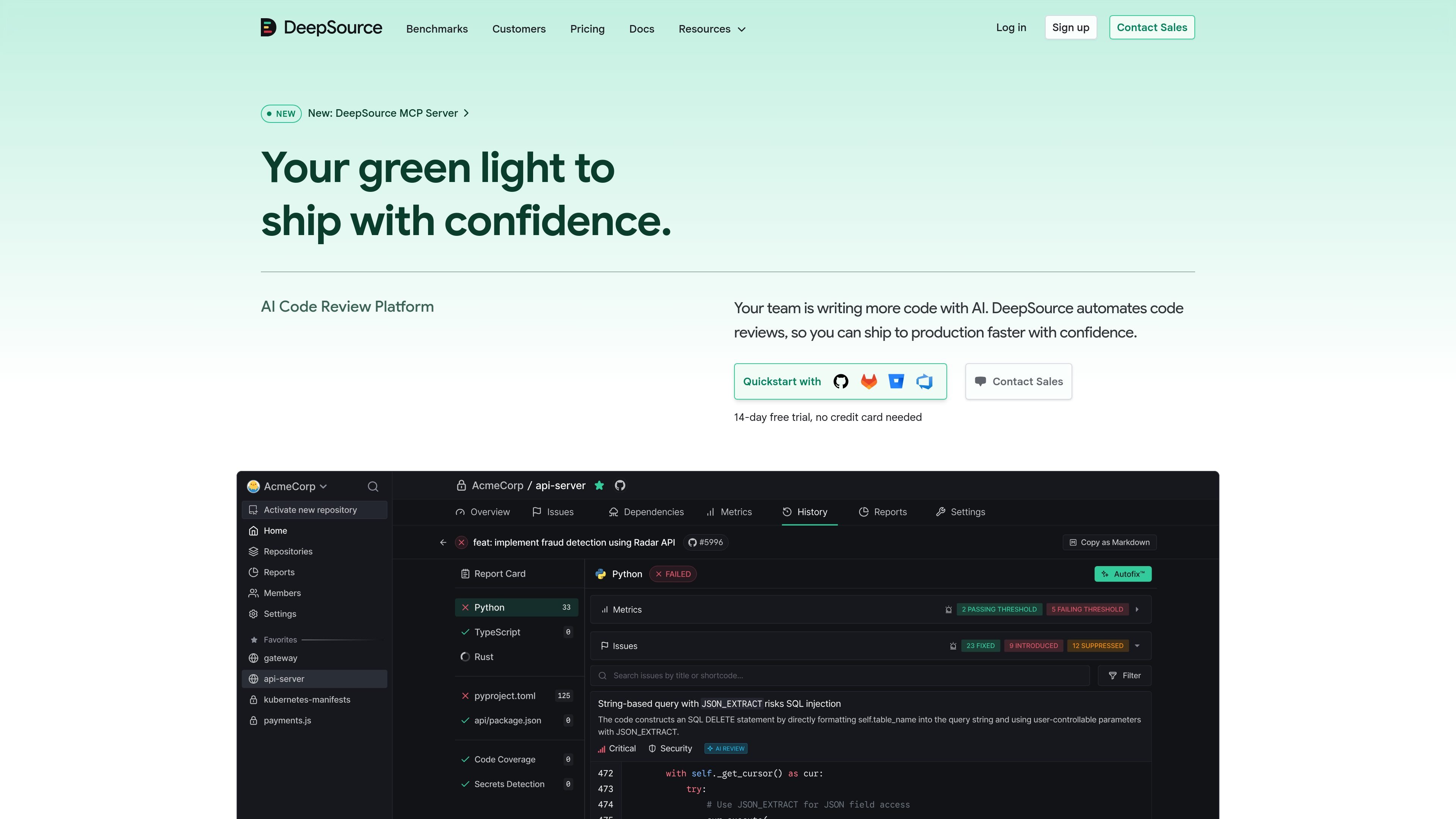
DeepSource is an AI code review platform that helps teams review changes, find security and quality issues, and keep shipping with less manual triage. The site describes it as combining hybrid static analysis with AI agents, so pull requests receive structured feedback on bugs, anti-patterns, complexity, coverage, and security concerns.
The product is aimed at teams that are writing more code with AI and want review, vulnerability scanning, and remediation tools to stay connected to the delivery workflow. The pricing page shows a 14-day free trial, AI Review and Autofix credits, and separate Team, Enterprise, and Open Source offerings, while the site also highlights an MCP server for AI agents.
In practice, DeepSource appears to sit between code authoring and merge: it reviews pull requests inline, reports findings with context, and can surface actionable guidance through the MCP server or workflow integrations such as API, webhooks, Slack, and Jira.
Reviews pull requests with a mix of deterministic rules and AI-generated feedback, surfacing bugs, security vulnerabilities, anti-patterns, complexity issues, and coverage gaps directly in the PR.
Offers AI Review and Autofix for code review findings, with automatic fixes aimed at helping teams move faster without losing the review context.
Scans open-source dependencies for known vulnerabilities and license compliance issues, with pricing based on processed lines of code and additional targets.
Runs static analysis across security, quality, infrastructure-as-code, code coverage, and secrets detection, with reports mapped to frameworks such as OWASP Top 10 and CWE/SANS Top 25.
Provides audit logs, API and webhooks, and support for monorepos so teams can fit DeepSource into existing delivery workflows.
Exposes an MCP server with 30 tools across code issues, pull requests, metrics, vulnerabilities, reports, and configuration for AI agents and MCP-compatible apps.
Use DeepSource to review pull requests automatically, catch bugs and security issues early, and give developers inline feedback before code is merged.
Use the platform to scan packages and manifests for dependency vulnerabilities and license compliance issues, then focus remediation on issues that actually affect the code path.
Use AI Review and Autofix to generate fix suggestions for review findings and reduce the time spent on repetitive code review follow-up.
Use the MCP server to let coding agents read DeepSource findings directly, so an agent can revise code and push an updated pull request without a human relaying the feedback.
Use API, webhooks, Slack, and Jira integrations to connect DeepSource findings to team processes and keep review status visible across tools.
DeepSource reviews pull requests by combining deterministic static analysis rules with an AI review agent. The pricing page also shows AI Review and Autofix, OSS Dependency Scanning, code formatting runs, and support for API/webhooks, so teams can use it as part of their review workflow.
The pricing page shows Team and Enterprise plans for private repositories, while the product site also says the MCP server is available to Team and Enterprise users. Open-source repositories have a separate Open Source plan.
The pricing page says AI Review and Autofix use bundled credits and that the site offers a 14-day free trial with no credit card required. It also states that unlimited pull requests are included on every plan.
Pricing lists support for GitHub-integrated workflows such as pull request reviews, plus API and webhooks, Slack integration, Jira integration, and monorepo support. The MCP server page adds OAuth-based access for AI agents.
The product site does not provide a full setup guide in the source shown, but it does point to client-specific setup for the MCP server and to Contact Sales for teams that want a demo or pricing discussion.