TeammateX logo

TeammateX

Freemium
訪問

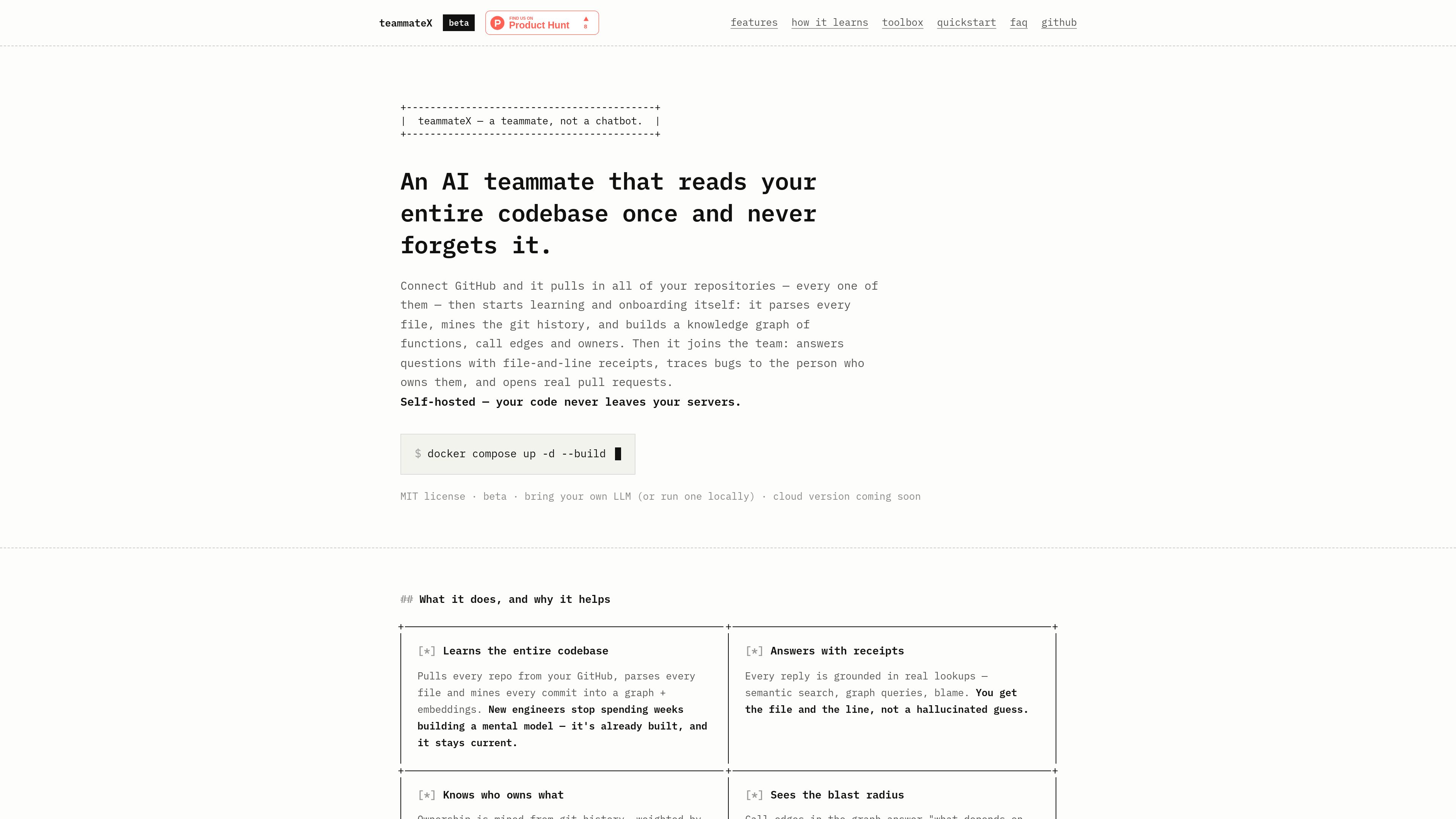
TeammateX is a self-hosted AI teammate for software teams. It learns repositories from GitHub, builds searchable code and ownership knowledge, answers with file-and-line evidence, and can create pull requests.

什麼是 TeammateX?

TeammateX is a self-hosted AI teammate for software teams. It connects to GitHub, imports repositories, parses their source code, mines Git history, and builds a combined knowledge base of code meaning, code structure, and ownership.

The product uses semantic search and embeddings for questions about what code means, while a Neo4j knowledge graph represents relationships such as CALLS, OWNS, and PART_OF. This lets the agent answer repository questions with file-and-line receipts, inspect dependencies and blast radius, and identify likely owners from commit history.

Beyond question answering, TeammateX can operate on a repository: it edits files, runs tests and lint, creates branches and commits, and opens pull requests. Its self-hosted Docker Compose deployment keeps repositories, embeddings, and graph data on the user's infrastructure, with support for provider-hosted LLMs or a local Ollama model.


TeammateX 能做什麼?

Repository onboarding pipeline

Connect GitHub repositories individually or bulk-select repositories, then track cloning, tree-sitter parsing, embedding, graph construction, and Git-history mining as separate stages. Failed stages can be retried, and a background poller re-syncs knowledge every 15 minutes.

Evidence-backed code answers

The agent combines semantic search, graph queries, blame, commit logs, and repository files to answer technical questions. Responses can include file-and-line receipts rather than relying only on generated text.

Ownership and dependency mapping

Git history is used to associate contributors with code, while graph relationships expose call edges, dependents, dependencies, and architecture. This supports owner lookup and impact analysis before a change is made.

Pull-request workflow

The agent can read and edit files, create a branch, run tests and lint, commit changes, and open a real pull request through its Git tooling.

Team workspace and operations

The application includes streaming chat with thread history, a task kanban, standup and weekly-digest views, team ownership records, knowledge cards, audit history, cost tracking, and live container logs.

Self-hosted controls and observability

Docker Compose runs the stack on the user's infrastructure. LLM calls are metered with a monthly budget guardrail, agent actions are audited, logs are available in the UI, and API access requires login with admin-only account creation.

使用情境

“Onboard engineers to an unfamiliar codebase”

A new contributor can ask how a subsystem works, search for relevant implementation details, and inspect the concepts and relationships TeammateX learned from the repositories instead of starting with manual codebase exploration.

“Find the right owner or reviewer”

When a change needs review or an incident needs an informed responder, the team can query ownership mined from Git history and inspect the relevant repository context.

“Assess change impact”

Before modifying a function or subsystem, developers can query callers, dependents, and dependencies to understand potential blast radius and investigate how a change connects to the rest of the system.

“Investigate bugs and stack traces”

A developer can attach a stack trace and combine it with semantic code search, graph lookups, blame, and commit history to trace an issue through the repository and identify relevant code or owners.

“Automate small maintenance fixes”

For bounded changes, the agent can modify files, run tests and lint, commit the result on a branch, and open a pull request for human review.

常見問題

How is TeammateX deployed?

It runs on the user's infrastructure through Docker Compose. The published quickstart lists Docker, Compose v2, approximately 6 GB of free RAM, and an LLM key or a local Ollama model as requirements.

Which repositories can it learn from?

The supplied site describes GitHub-based onboarding. Repositories can be added individually or selected in bulk from the repositories associated with the connected GitHub account.

Does code leave the user's infrastructure?

The product is designed to keep code, embeddings, and graph data on the user's servers. With local embeddings and a local Ollama model, the site states that nothing leaves the box; using hosted LLM providers sends model requests to the selected provider.

Can TeammateX make code changes?

Yes. Its documented workflow can edit files, create a branch, run tests and lint, commit files, and open a pull request. The resulting change is represented as a real PR rather than only a suggested code snippet.

Which language models are supported?

The site lists DeepSeek, OpenAI, Anthropic, Groq, and Ollama through LiteLLM. Ollama can be used for a local model, and local embeddings are the default.

快速資訊

Product type
Self-hosted AI teammate for software teams
Repository source
GitHub
Deployment
Docker Compose
Knowledge systems
pgvector embeddings and Neo4j knowledge graph
Status
Beta; MIT license
Pricing
Not established in the supplied product sources

TeammateX 替代品

AutonomyAI logo

AutonomyAI

autonomyai.io

AutonomyAI is an AI-native product delivery platform that helps product managers and designers turn ideas into production-ready code changes in their existing codebase. Engineers review and approve the resulting pull requests before merge.

OOMOL logo

OOMOL

oomol.com

OOMOL 將 Gmail、GitHub 與 Notion 連接至 AI 代理,可在 Codex、Claude Code 與 Cursor 中重複使用已授權工具,並提供免費、付費及按用量計費方案。

Ara logo

Ara

ara.so

Ara’s original site now presents Reason, a coding agent for GitHub work. Inspect code changes, tests, recordings and logs before accepting its proposed work.

AgentConnect logo

AgentConnect

www.agentconnect.md

AgentConnect 讓團隊將 Claude Code、Codex 和 Gemini CLI 等 ACP 代理程式整合至 Slack、Telegram、Discord 和 GitHub,讓它們在團隊日常協作的頻道中承接工作。它採用開源且可自行託管的方式,並為代理程式工作流程提供角色、工具、記憶和可設定的觸發條件。

Trellis logo

Trellis

trytrellis.app

Trellis 是適用於 Claude Code 與 Cursor 的 AI 框架與工具包,並提供文件和 GitHub 資源。

CoolPlugz logo

CoolPlugz

www.coolplugz.com

CoolPlugz 是 Claude Code 的編排層,可彙整上下文、執行結構化工作流程,並協助開發者在減少持續監督的情況下完成程式設計任務。適合想減少在 Jira、GitHub、Slack、Notion 和 CI 之間切換脈絡的開發者。