
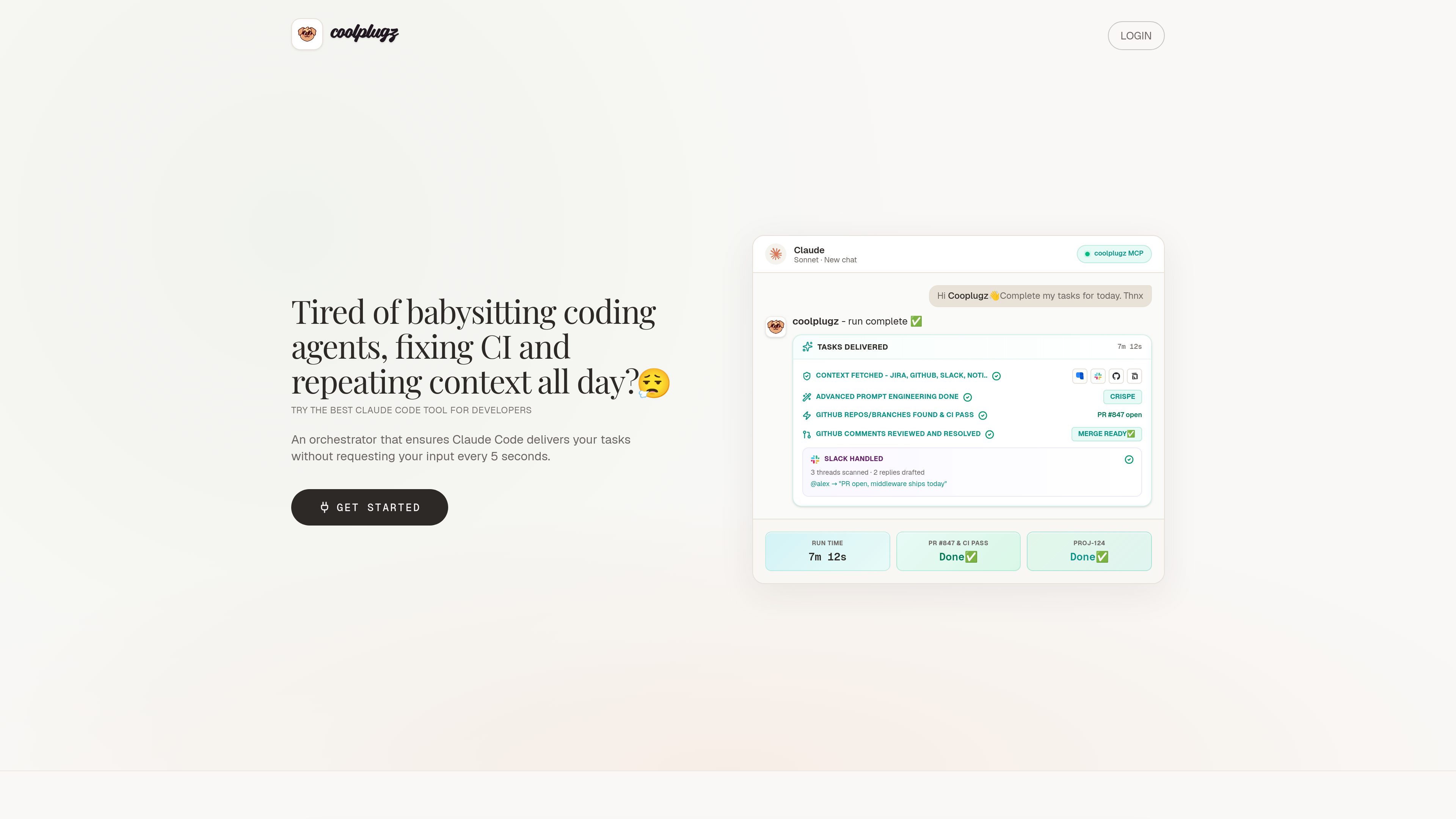
Context gathering from work tools
CoolPlugz pulls context from Jira, GitHub, Slack, and Notion so Claude Code can work with project details already in view.

CoolPlugz 是 Claude Code 的編排層,可彙整上下文、執行結構化工作流程,並協助開發者在減少持續監督的情況下完成程式設計任務。適合想減少在 Jira、GitHub、Slack、Notion 和 CI 之間切換脈絡的開發者。
CoolPlugz is an orchestration layer built to guide Claude Code through coding tasks with less manual supervision. Its core job is to gather project context, structure the work, and keep execution tied to source systems such as Jira, GitHub, Slack, Notion, and CI.
The product is framed around reducing context switching and AI fatigue for developers. Rather than acting as a generic chat interface, it organizes a task loop that can fetch context, drive implementation, verify results, and present completed work for approval or redo.
CoolPlugz pulls context from Jira, GitHub, Slack, and Notion so Claude Code can work with project details already in view.
The product guides work through an agentic loop of gathering context, taking action, and verifying output instead of leaving each step to manual prompting.
The site shows workflows that include branch finding, CI fixes, review comments, and a ready-to-merge handoff.
Deliverables are presented in Claude for actions such as Approve & submit or Reject & redo, so the user can review work before it is posted or merged.
The Pro plan describes persistent orchestration across tasks and projects, along with the ability to customize the orchestrator with your own instructions.
The troubleshooting guide documents alternatives for Slack API blocks and GitHub SSO or PAT issues, including a browser-based workflow when Slack access is restricted.
Use CoolPlugz when you want Claude Code to keep moving through a task without constant back-and-forth prompts.
It is positioned for branch discovery, CI troubleshooting, and resolving review comments before a pull request is ready to merge.
The product gathers context from multiple systems so developers do not have to move between chat, issue trackers, code review, and CI logs themselves.
The site includes Slack-related workflows and guidance for drafting replies, which fits teams that need asynchronous coordination around development work.
The guides cover Slack API blocks and GitHub SSO/PAT access, which makes the product relevant to teams with stricter company permissions.
It orchestrates Claude Code around coding tasks by gathering context, structuring the workflow, and helping verify work before submission.
The site names Jira, GitHub, Slack, and Notion, along with CI-related workflows.
Yes. The pricing page lists a 7-day free trial with no card required.
The pricing page shows Free Trial, Pro, and Enterprise options, with Enterprise handled through sales contact.
The troubleshooting guide describes fallback approaches for Slack API blocks and GitHub SSO or PAT requirements, including a browser-based Slack workflow and PAT-based GitHub access when needed.
流量數據僅供參考。

oomol.com
OOMOL 將 Gmail、GitHub 與 Notion 連接至 AI 代理,可在 Codex、Claude Code 與 Cursor 中重複使用已授權工具,並提供免費、付費及按用量計費方案。

www.agentconnect.md
AgentConnect 讓團隊將 Claude Code、Codex 和 Gemini CLI 等 ACP 代理程式整合至 Slack、Telegram、Discord 和 GitHub,讓它們在團隊日常協作的頻道中承接工作。它採用開源且可自行託管的方式,並為代理程式工作流程提供角色、工具、記憶和可設定的觸發條件。

trytrellis.app
Trellis 是適用於 Claude Code 與 Cursor 的 AI 框架與工具包,並提供文件和 GitHub 資源。

conductor.build
Conductor 是一款 Mac 應用程式,可在隔離工作區中平行執行 Claude Code、Codex 和 Cursor 代理,協助開發者分派任務、檢視差異並在本機合併程式碼。

happycapy.ai
基於瀏覽器的代理平台,可執行 Claude Code、管理技能並在安全沙箱中委派任務。

supalaunch.com
適用於正式環境的 Claude Code 設定套件,提供可重複使用的指令、MCP 設定、Hooks 與工作流程範本,支援 CLI、VS Code 與 JetBrains。